
AI video camera movement prompts: the exact words for every move
The right camera word in your prompt decides whether a clip feels cinematic or random. This glossary gives the exact phrasing for dolly, orbit, crane, pan, tilt, tracking, handheld and drone moves, with rupee costs for testing each one.
· 5 min read · 1.1K views · by the Cortex Digital Hub team
Pick one move from the glossary, paste the phrase into the prompt box and test it on a cheap model before the final. From ₹24 a clip · no watermark · runs in your browser
Try a camera move → → Opens AI Video Generator · runs in your browser
AI video camera movement prompts work best when you name one move in plain film language, such as "slow push-in" or "orbit left", and add what the subject does while the camera travels. Write the move once, near the end of the prompt. The AI Video Generator also has Camera presets that write the phrase for you, so you can learn the wording by reading what a preset adds to the box.
Why one camera move per clip
A 5-second clip is short. A push-in, a pan and a tilt together will fight each other, and the model has to guess which one you care about. The result is a wobble that looks like a mistake rather than a style.
The rule on the site is simple: one subject, one camera move, one light. Treat the camera like a camera operator who has a single instruction. If you want a reveal followed by a close-up, make two clips and join them later with the free trim tool and a video editor.
The camera move glossary
Here are the moves you will use most. Each phrase is written the way it goes into the prompt box. Add a speed word (slow, gentle, steady) to every one of them, because fast moves are where distortion creeps in.
| Move | What the camera does | Phrase to write | Good for |
|---|---|---|---|
| Push-in / dolly in | Travels toward the subject | "slow push-in toward the subject" | Products, dishes, portraits |
| Pull-out / dolly out | Travels away, revealing context | "slow pull-out revealing the room" | Property, reveals |
| Pan | Turns left or right on the spot | "gentle pan left across the street" | Streets, landscapes |
| Tilt | Turns up or down on the spot | "slow tilt up the tower" | Buildings, tall objects |
| Orbit | Circles the subject | "slow orbit to the right around the bottle" | Products, jewellery |
| Crane / jib | Rises or lowers in an arc | "crane shot rising above the courtyard" | Establishing shots |
| Tracking | Follows a moving subject | "tracking shot following her from behind" | Walks, vehicles |
| Handheld | Slight human shake | "handheld, natural movement" | Street, documentary feel |
| Drone | High aerial travel | "aerial drone shot flying forward over the layout" | Plots, campuses |
| Static | No camera movement | "locked-off tripod shot, camera does not move" | Calm, text overlays |
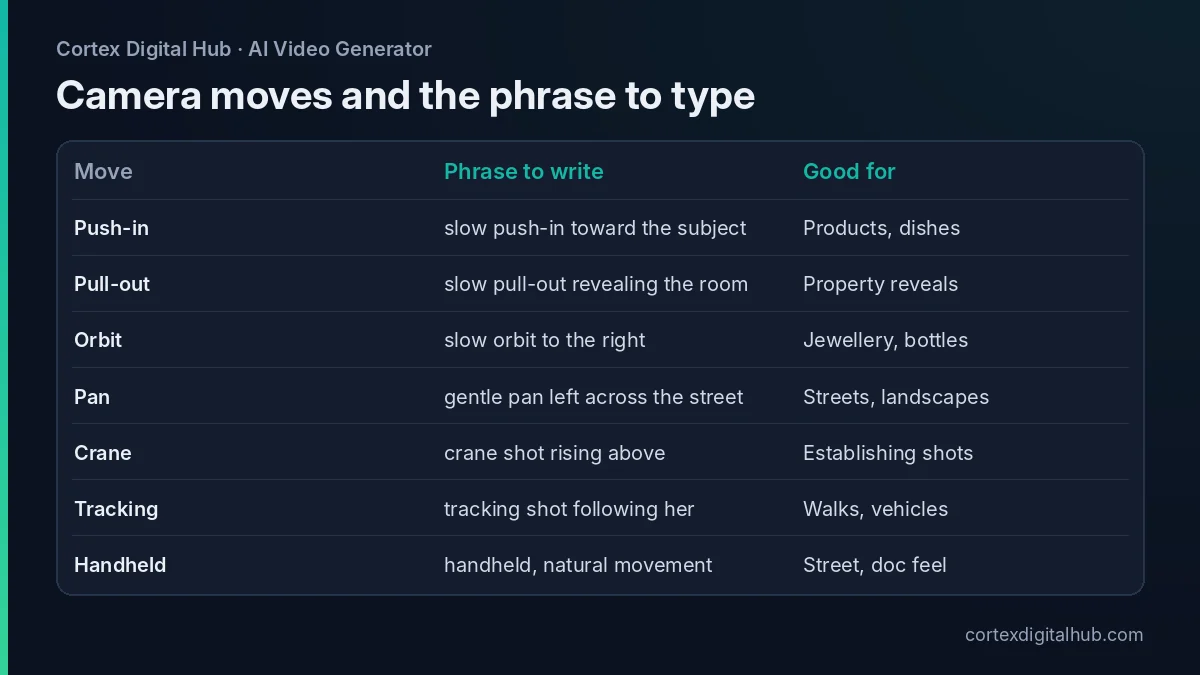 Ten moves, the phrase to type for each, and what each is good for.
What should an AI video camera prompt look like?
Think of the prompt as four short parts: subject, motion, camera, light. A working example for a sweet shop in Jaipur would be:
A tray of kesar peda on a brass plate, a thin wisp of steam rising, slow push-in toward the plate, warm morning light from the left, shallow depth of field.
The subject says what is in frame. The motion says what moves inside the frame. The camera phrase says how you travel. The light keeps the mood steady. If the clip needs an exact start image, use the photo as the first frame and write only the motion and camera, which is what the image-to-video guide recommends.
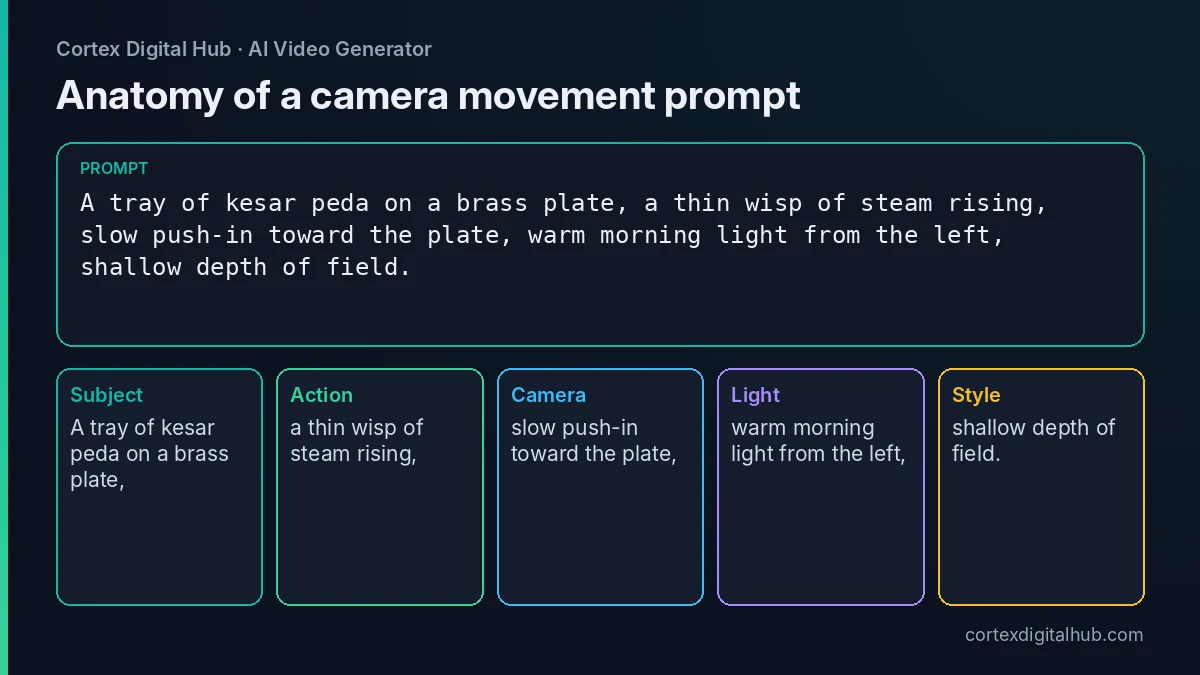 The same four-part prompt, split into the pieces the model reads.
Camera presets or manual wording?
The Camera and effect presets write the camera move into your prompt, so what you see in the box afterwards is the exact phrase the model receives. That makes presets a quick way to learn good wording. The General preset leaves the box fully manual.
Use a preset when you want a standard move quickly and will not fuss over speed. Use manual wording when you need a specific direction ("orbit to the left") or a specific pace ("very slow"). You can also combine them: pick a preset, then edit the phrase in the box. The model list marks Pulse Fast and Pulse Pro as camera-move models, and Lumen Motion 3 is the all-rounder most people start with. For a wider comparison read which AI video model to choose.
Test the moves cheaply
You do not need to guess which phrase works on your photo. Run the same subject through each move on the cheapest model and watch what comes back.
On Nova Lite a 6-second clip is 48 credits, so ₹24. Ten moves cost ₹240, and you will likely stop after four or five. Once a phrase reads the way you want, keep it word for word and switch the model for the final. On Lumen Motion 3 Standard a 5-second final is 115 credits, ₹57.50. Prices are as of October 2026.
A sensible test order:
- Push-in, because it is the safest move and sets your baseline.
- Orbit, for anything that has a front and a back.
- Pan or tilt, for wide scenes and tall objects.
- Tracking or crane, only if the first three behave.
Common camera-move mistakes
- Stacking moves. "Orbit while zooming and tilting" asks for three things. Pick one.
- No speed word. Without "slow" or "gentle", moves can look rushed.
- Moving subject plus moving camera. Let one of them be still, especially for products.
- Vague words. "Dynamic camera" tells the model nothing. "Slow tracking shot following the cyclist" does.
- Unwanted shake. Add "shaky, jittery, warped" to the Avoid box under Advanced, and ask for "steady" in the prompt.
When a clip is close but the move is too strong, keep the prompt and lower the Prompt strength (default 0.5) a little, or change only the speed word. Change one thing at a time, otherwise you cannot tell what helped.
Finishing the clip
After the move works, the rest is free. Crop to 9:16 with the video resizer, and follow the Reels resize guide if you are posting on Instagram. Turn Sound off at generation if you plan to add a trending track later. Clips stay in History for 7 days, so download the keepers.
Key takeaways
- Name one camera move per clip, in plain film words, with a speed word.
- Put the move near the end of the prompt, after subject and motion.
- Dolly changes depth, zoom only enlarges; say which one you mean.
- Presets write the phrase for you, and General leaves the box fully manual.
- Test on Nova Lite at ₹24 a clip, then run the final on a bigger model.
- Add shake and warping words to the Avoid box instead of hoping they stay away.
Frequently asked questions
What is the best camera movement prompt for AI video?
For a first try, use a slow push-in. Write something like 'slow push-in toward the subject' as the only camera instruction. It is easy for the model to follow, suits products, food and property, and rarely distorts the frame.
How do I write a camera movement in an AI video prompt?
Name the move in plain film language, add a speed word such as slow or gentle, and say what the subject does while the camera moves. Put it near the end of the prompt and ask for only one move.
Can I use two camera moves in one AI video clip?
You can, but results are less predictable, especially on short clips. A 5-second clip has room for one clear move. If you need a push-in followed by an orbit, make two clips and join them.
What is the difference between a dolly and a zoom in an AI video prompt?
A dolly moves the whole camera through space, so objects shift in parallax. A zoom only changes the lens and enlarges the image. Say 'dolly in' for depth and 'zoom in' only when you want a flat, lens-driven look.
Do camera presets work better than typing the move myself?
Presets save typing because they write the camera phrase into the prompt for you. Typing the move yourself gives more control over speed and direction. Choose the General preset when you want full manual control.
Which AI video model handles camera moves best?
Pulse Fast and Pulse Pro are listed for camera moves, and Lumen Motion 3 is a dependable all-rounder. Test the same prompt on a cheap model first, then run the final on the model you prefer.
How much does it cost to test camera movements?
On Nova Lite a 6-second test is 48 credits, which is ₹24. Testing ten different moves therefore costs about ₹240, and you can stop as soon as one move reads the way you want. Prices are as of October 2026.
Why does my AI video camera shake or drift?
Usually the prompt asks for too much, such as a fast orbit plus a moving subject plus a zoom. Reduce it to one slow move, mention a steady or locked-off frame, and add 'shaky' to the Avoid box.
Should I turn sound on when testing camera moves?
No. Sound does not change the camera path, so keep it off while you test and judge the motion alone. Turn it on for the final if the clip needs ambience, or leave it off if you will add a track.