
AI dance video from photo: how motion control copies a move onto a still
An AI dance video from photo starts with a still image and a short reference clip of the dance you want. Motion control transfers the movement onto the photo. Here is how to pick the clips, set it up, stay within consent rules and keep the cost low.
· 5 min read · 600 views · by the Cortex Digital Hub team
Upload a full-body photo, add a short reference dance clip, and choose a motion control model. From ₹24 a clip · no watermark · runs in your browser
Try motion control → → Opens AI Video Generator · runs in your browser
An AI dance video from photo needs two inputs: a still image of the person or character, and a short reference clip of the dance you want. Motion control, available in the AI Video Generator on Lumen Motion 3 and Lumen Motion 2.6, copies the movement from the clip onto your photo. The look comes from the picture, the motion comes from the video, and the result is a clip of your still doing the steps.
How does an AI dance video from a photo work?
Image to video normally asks the model to invent the movement from a prompt. Motion control replaces that guess with real movement. The model reads the motion in your reference video, such as the arm swings, the weight shifts and the footwork, and applies it to the subject in your photo.
You are not swapping faces. The photo's subject keeps its own look, outfit and background, while the reference supplies only the movement. That is why the match between the two matters: a standing, full-body photo works with a standing, full-body dance clip. A head-and-shoulders portrait paired with a wide dance clip gives the model too little body to move.
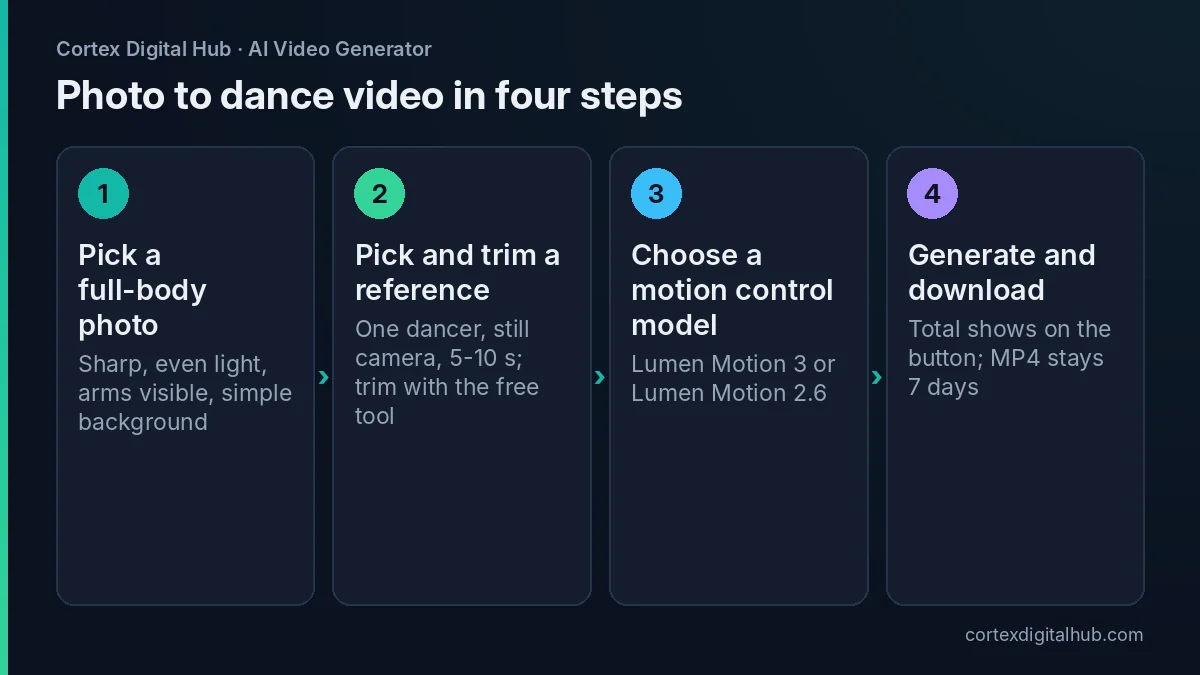 The four steps of an AI dance video from photo with motion control.
Consent comes first
Because the output shows a person dancing, set the ground rules before you start.
- Use your own photo, a mascot, a cartoon or an illustration whenever you can.
- Animate another real person only with their clear consent, preferably written.
- Do not animate real children's faces.
- Do not impersonate a celebrity or politician, and do not use their likeness or their dance clip.
- Use a reference clip you filmed yourself, or one you have clear rights to use. Copyright and platform rules differ, so check the platform's help page as of 2026.
A light-hearted clip of your own brand mascot doing a Navratri garba step is a safe example. A clip of an acquaintance who never agreed is not.
Choosing the photo
The photo carries the look, so it must give the model enough to move.
- Show the full body, head to feet, with space on each side for the arms.
- Keep the pose neutral: standing, arms slightly away from the body.
- Use sharp focus and even light, with the subject separate from the background.
- Avoid clothing that hides the shape of the arms and legs, such as a very loose cape.
- Use a plain or simple background, because movement on a cluttered background can smear.
If the background is busy, cut the subject out first with the free remove background tool and place it on a clean colour.
Choosing the reference clip
The reference clip does most of the work. Keep it simple.
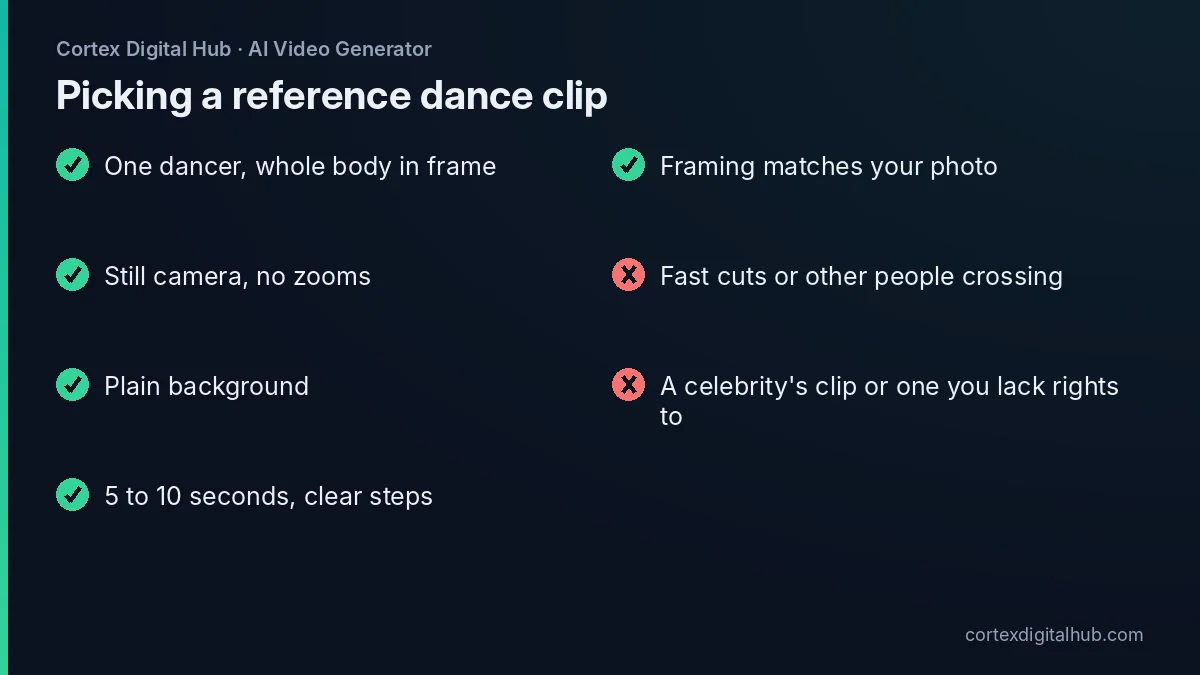 What a good reference clip looks like, and what to avoid.
A good reference has one dancer, the whole body in frame, a still camera, and clear steps. Five to ten seconds is plenty. Fast cuts, zooms, other people crossing the frame or a dancer who leaves the frame confuse the model. Match the camera distance to your photo: a full-body photo needs a full-body reference. Simple, readable moves such as a bhangra shoulder step, a garba clap-and-turn or a basic hook step tend to transfer more cleanly than a complicated floor routine.
Costs: billed on the input video
Motion control is billed on the length of the video you supply, so a long reference costs more than a short one. At Lumen Motion 3 Standard's 23 credits a second, the arithmetic is simple. Prices are as of October 2026.
| Reference length | Credits | Cost |
|---|---|---|
| 5 s | 115 | ₹57.50 |
| 8 s | 184 | ₹92 |
| 10 s | 230 | ₹115 |
| 15 s | 345 | ₹172.50 |
| 30 s | 690 | ₹345 |
Lumen Motion 2.6 is 19 credits a second, so a 10-second reference is 190 credits, ₹95. The exact total shows on the Generate button before you start, and credits return if a clip fails.
Trim before you upload. If the best eight seconds of a 30-second clip carry the dance, cut them with the free trim tool, which can trim without re-encoding, and you pay for 8 seconds rather than 30.
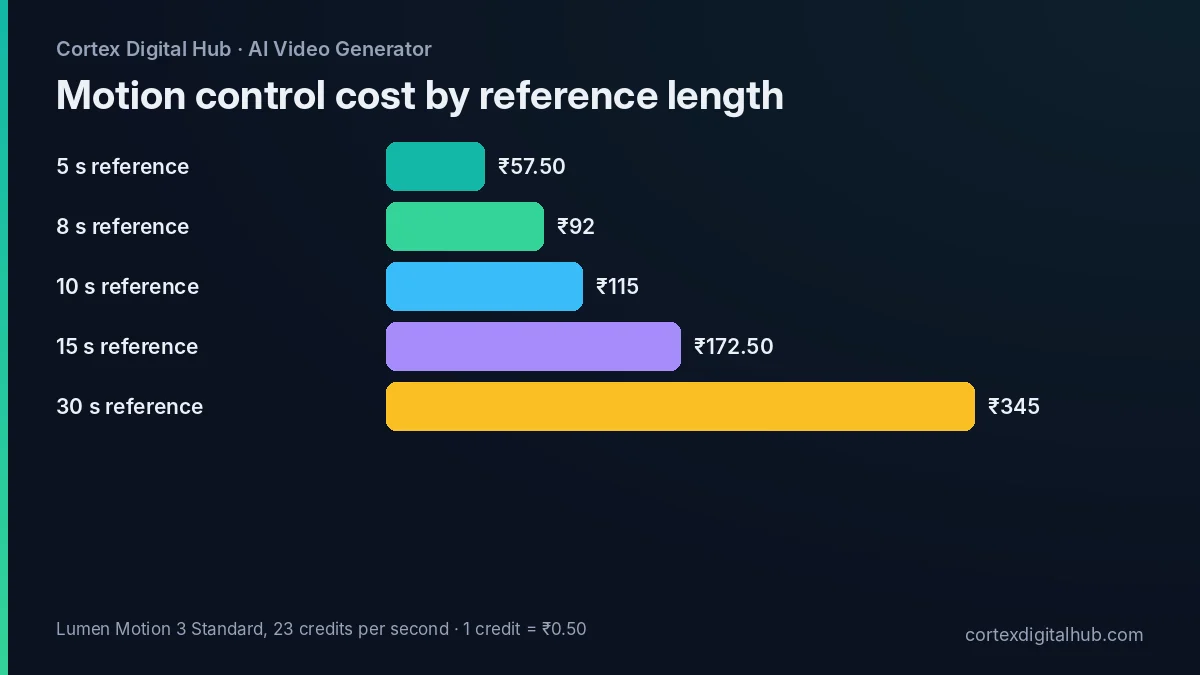 Reference length drives the cost: trim to the seconds you need.
What goes in the prompt?
With motion control the reference supplies the movement, so the prompt has less to do. Keep it short and use it to protect the look and set the scene. For a brand mascot in a stall setting you might write:
The mascot keeps the same face, outfit and colours, dancing in a bright market lane, steady camera, warm evening light.
Do not describe a different dance in words, because it can fight with the reference. Use the Avoid box under Advanced for extra limbs, warped hands, face change, text. If the face drifts, try another Seed, or give the model an easier photo with a larger, clearer subject. Reference images can also help hold a character steady; the reference images guide explains when to use them on models that support them.
Common problems and fixes
- Hands look odd. Hands move fast in dance. Pick a reference with slower arm movement, or keep the hands visible and large in the photo.
- The body shape changes. The photo and reference differ too much in framing. Re-crop the photo or choose another clip.
- The background wobbles. Use a plain background in the photo, or cut it out and add a clean colour.
- The result feels stiff. Choose a reference with more natural weight shift, and avoid very rapid footwork.
- It costs more than you planned. You supplied a long reference. Trim it and run again.
Run your first test on a short 5-second clip. At ₹57.50 it is a small price for learning how your photo behaves before you commit to a longer reference.
Finish and share
Download the MP4 from History within 7 days. For Reels, set the shape with the video resizer. If you will add a trending song, generate with Sound off and add the track in your editing app. Label the clip as AI-made where the platform asks you to; as of 2026, check the platform's help page for current labelling rules.
If you want the dance to run longer, you can continue a finished clip with Extend video, which is covered in extend, edit and restyle an AI video. Remember that Extend is billed on the input clip plus the new seconds.
Key takeaways
- Motion control copies movement from a reference video onto your still photo.
- It is available on Lumen Motion 3 and Lumen Motion 2.6.
- Use a full-body photo and a reference clip with the same framing.
- One dancer, a still camera, a plain background and simple steps work best.
- Billing follows the input video's length, so trim first: 5 s is ₹57.50 on Lumen Motion 3 Standard.
- Get consent, avoid children's faces and celebrity likenesses, and use clips you have rights to.
Frequently asked questions
Can I make a dance video from a single photo?
Yes, with motion control. You upload the still and a short reference video of the dance, and the model moves your photo's subject the way the reference moves. It copies the movement, not the dancer's face.
What is motion control in AI video?
Motion control animates a still image using the movement from a video you provide. It is available on Lumen Motion 3 and Lumen Motion 2.6. You supply the look through the photo and the motion through the reference clip.
What is the best reference video for a dance?
Pick a clip with one dancer, the full body in frame, a static camera and a plain background. Keep it 5 to 10 seconds with clear arm and leg movement. The reference should have a similar framing to your photo.
How is motion control billed?
It is billed on the input video's length, so a longer reference costs more. On Lumen Motion 3 Standard a 5-second reference is 115 credits, or ₹57.50. Trim the reference with the free Trim tool first.
Can I use a celebrity's dance video as the reference?
Avoid it. Use a clip you filmed or have clear rights to use, and do not mimic or impersonate a celebrity or politician. Copyright and platform rules vary, so check the platform's help page as of 2026.
Is it okay to animate a friend's photo to dance?
Only with their clear consent, ideally given in writing. Do not animate a real person who has not agreed, and never animate real children's faces. A photo of yourself, a mascot or an illustration is the safest choice.
Why does my photo's face or body look wrong in the dance?
It usually happens when the photo and the reference differ a lot in framing or pose. Use a full-body photo with arms visible, match the reference's camera distance, and keep the dance simple.
Should I keep sound on for a dance video?
Sound can add ambience or music matched to the movement, but for a trending song you will add your own track in an editing app. Turn sound off in that case, so the two do not clash.
How long does an AI dance video take to render?
Usually two to four minutes for 5 to 10 seconds at 1080p, longer for longer clips. You can leave the page while it renders, and finished MP4s stay in History for 7 days.