
AI timelapse video: prompts for day-to-night, clouds, traffic and plants
An AI timelapse video simulates hours or days of change in a few seconds, from a city turning to night to a seedling opening. Here are the prompt structure, the best subjects, and how long each clip should be.
· 5 min read · 1.1K views · by the Cortex Digital Hub team
Describe the scene, the passing of time and a locked camera, or upload a day photo and a night photo as first and last frames. From ₹24 a clip · no watermark · runs in your browser
Make a timelapse → → Opens AI Video Generator · runs in your browser
An AI timelapse video simulates hours of change in a few seconds: a sky moving from day to night, clouds racing across a skyline, a seedling opening. You describe a fixed scene, say that time passes quickly, and keep the camera locked. The AI Video Generator does the rest. It is a look, not a recording, so use it for concepts and backgrounds. Prices are as of October 2026.
How do you structure an AI timelapse video prompt?
A timelapse prompt has four jobs: fix the scene, name the change, say that time is passing, and lock the camera. Miss the time cue and you get an ordinary video.
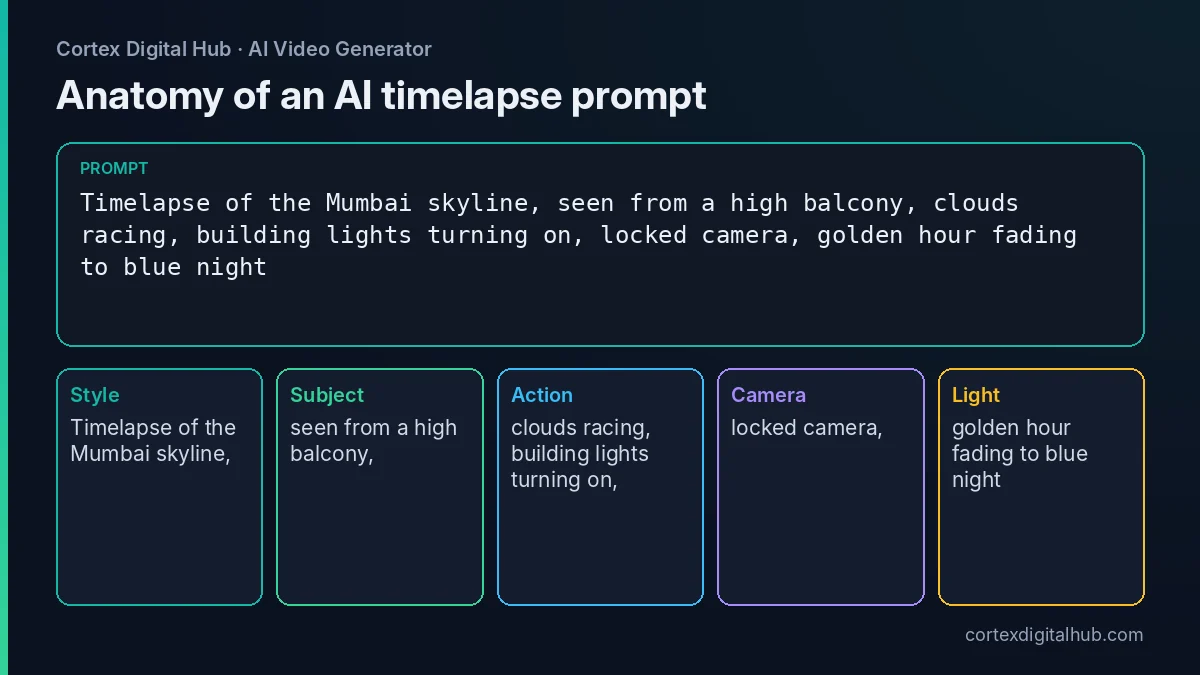 Scene, change, time cue and locked camera: four parts, one clear idea.
A full example:
Timelapse of the Mumbai skyline from a high balcony, clouds racing across the sky, sun setting and building lights turning on one by one, locked camera, golden hour to blue night
Keep one scene and one big change per clip. If you want rain, a festival crowd and a sunset in one shot, split them into separate clips and join them in an editor. The basics are in text to video prompts that work.
What are the best subjects for an AI timelapse?
Some scenes hold up better than others. Smooth, large-scale change reads well; fine detail and crowds tend to wobble.
| Subject | Prompt cue | Camera | Risk |
|---|---|---|---|
| Day to night city | "lights turning on, sky deepening" | Locked, high angle | Low |
| Moving clouds | "clouds racing, shadows sweeping" | Locked | Low |
| Traffic light trails | "long exposure trails on a flyover" | Locked | Medium |
| Plant growth | "seedling unfurling, hours passing" | Locked macro | Medium |
| Busy market crowd | "people moving in fast blur" | Locked | High |
Avoid identifiable faces in crowd scenes, and never recreate a real person's likeness. A blurred, distant crowd is safer than close-ups.
How do you make a day-to-night timelapse?
This is where first and last frame control earns its place. Take your own photo of a street, a villa or a skyline in daylight, and a second version at night, either photographed or edited. Upload the day photo as the first frame and the night photo as the last, and describe a locked camera with a smooth change of light.
Models with this feature are Lumen Frames, Lumen Omni and Prism 6. Lumen Frames goes up to 15 seconds at 23 credits a second. The post on first and last frame control walks through matching the two frames so the building does not shift.
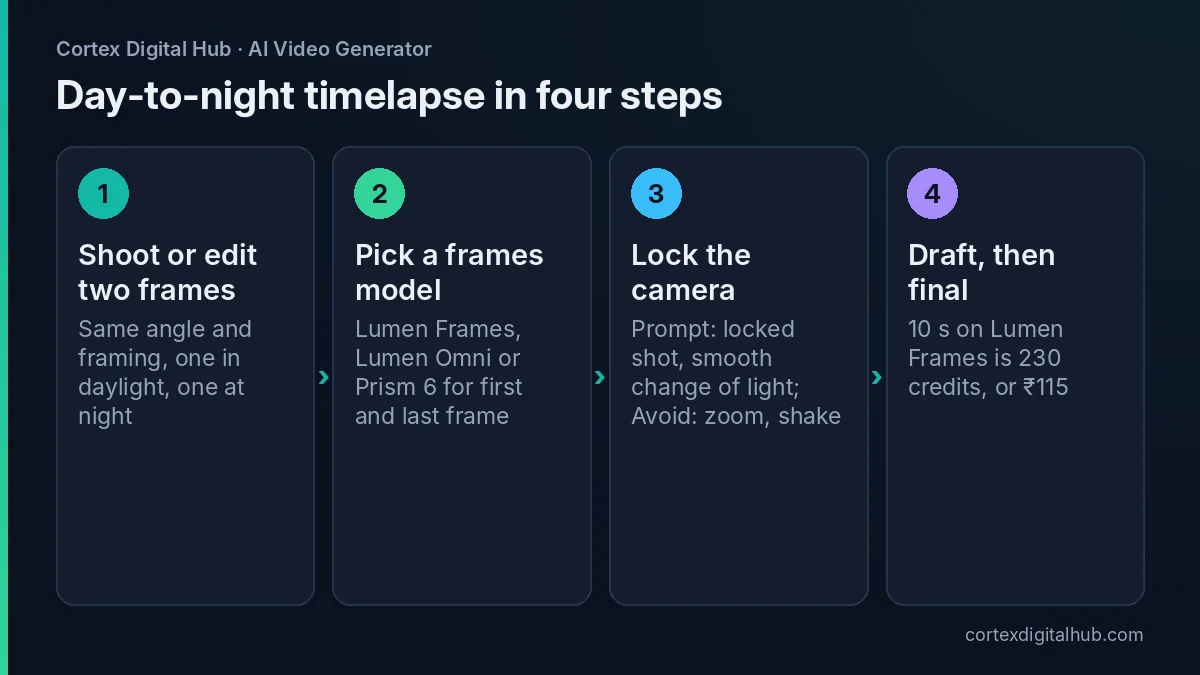 Same angle, same framing, two lighting conditions; the model fills the hours between.
How do clouds, traffic and plants behave?
- Clouds:
Timelapse of monsoon clouds rolling over Western Ghats hills, shadows sweeping across green slopes, locked wide shot. Clouds are the friendliest subject, so use them to learn the style. - Traffic:
Night timelapse of cars streaming along a Chennai flyover, long exposure light trails in red and white, locked high angle. - Plant growth:
Macro timelapse of a tulsi seedling unfurling from soil in a clay pot, soft window light, locked camera. The scale of growth is invented, so do not use it as proof of how a fertiliser or product performs.
In the Avoid field, add "camera shake, zoom, handheld" so the model keeps the frame still.
How long should an AI timelapse be?
Shorter than you think. A timelapse is meant to feel quick, so five to ten seconds works for most subjects, and 15 seconds suits a full day-to-night cycle. Past that, the model repeats itself or the scene drifts. If you need a long piece, make several short clips and cut them together, as explained in how to make an AI video longer than 30 seconds.
| Clip | Model | Credits | Cost |
|---|---|---|---|
| 6 s draft | Nova Lite | 48 | ₹24 |
| 10 s draft | Orbit 3, 480p | 140 | ₹70 |
| 10 s final | Lumen Motion 3 Standard | 230 | ₹115 |
| 10 s day-to-night | Lumen Frames | 230 | ₹115 |
| 15 s day-to-night | Lumen Frames | 345 | ₹172.50 |
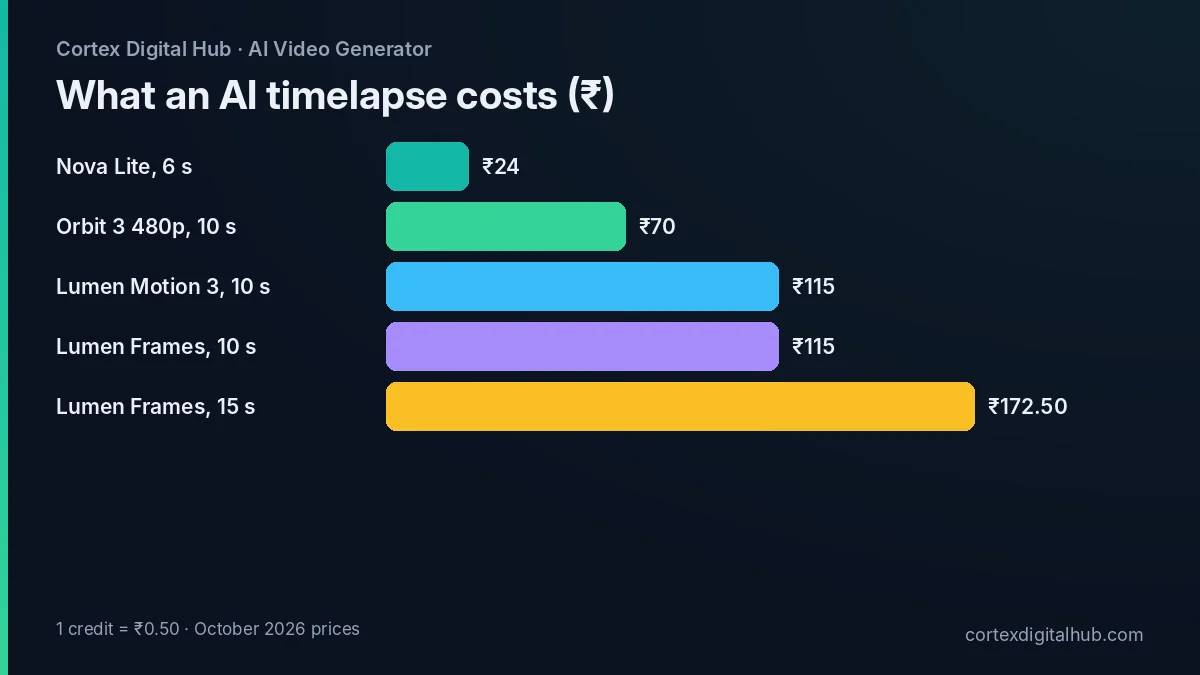 Test the idea at ₹24 before you pay ₹115 or more for the final.
Where does an AI timelapse help a small business?
A timelapse gives a static brand a sense of time and place without a shoot. Some honest uses:
- A homestay in Coorg: dawn mist lifting off the coffee estate, then the verandah catching the sun.
- A real estate brand: a day-to-night shot of a rendered tower, labelled as a concept, for a launch teaser.
- A rooftop restaurant in Delhi: dusk turning to evening lights behind the tables, as an intro clip for a Reel.
- A nursery or plant brand: a seedling opening, shown as an illustration rather than a claim about growth speed.
- A coaching institute: sunrise over a campus, used as a calm opening for an admissions video.
Use it as the opening or the closing shot, then cut to real footage or product photos. A viewer forgives a stylised timelapse when it sits next to something real. If you are documenting actual progress, such as a building or a garden, record a real timelapse on a phone and keep the AI version for mood only.
What mistakes ruin an AI timelapse?
Most failures come from the prompt, not the model. Watch for these:
- Two big changes in one clip, such as sunset plus rain plus crowd.
- No camera instruction, so the model drifts or zooms and the change reads as movement.
- A start photo with a busy foreground, which flickers as the light changes.
- Asking for exact times or clock hands; the model approximates, so ask for the feeling of hours passing.
- Skipping the draft. One ₹24 test shows whether the light change is smooth before you spend more.
How do you finish a timelapse for Reels or WhatsApp?
Pick the format before you generate, usually 9:16 for Reels and status. If you forget, the free Video resizer changes the shape later, though the model cannot add scene that was never drawn. Trim the best seconds with the free Trim video tool. Sound models add ambience such as wind or traffic hum; switch sound off with the 🔊 button if you will add your own track. For file size, see the guide to compressing video for WhatsApp.
Key takeaways
- An AI timelapse video is a simulated look, not recorded footage.
- Fix the scene, name the change, add a time cue and lock the camera.
- Clouds and day-to-night cities are the easiest subjects; crowds are the hardest.
- Use first and last frame control with a day photo and a night photo.
- Five to ten seconds is enough for most clips, and 15 for a full cycle.
- Draft at ₹24 on Nova Lite, then pay for the final once.
Frequently asked questions
How do I make an AI timelapse video?
Describe a fixed scene, state that time passes quickly, and name the change: sun setting, clouds racing, lights turning on. Keep the camera locked. Draft on a cheap model, then make the final on Lumen Motion 3 or another larger model.
Is an AI timelapse a real timelapse?
No. A real timelapse is recorded footage sped up. An AI timelapse simulates that look. It suits concept visuals and backgrounds, but for documenting actual progress on a site or in a lab, use real timelapse from a phone.
Can I make a day to night timelapse from my photo?
Yes. Use first and last frame control: upload the day photo as the first frame and a night version as the last. Lumen Frames, Lumen Omni and Prism 6 support this. Describe a locked camera and a smooth change of light.
How long should an AI timelapse clip be?
Five to ten seconds is enough for most timelapses, because the change is meant to feel fast. Use up to 15 seconds for a day-to-night cycle. Longer clips cost more and add little.
Which model is good for AI timelapse?
Try Lumen Motion 3 Standard first, Lumen Frames for day-to-night between two photos, and Orbit 3 for cheap drafts or long clips. Use Nova 2K or Vela 2.5 when you need sharper detail for the final.
Why does my timelapse look like a normal video?
The prompt may lack a time cue. Add phrases such as 'timelapse, hours passing in seconds', 'clouds racing' or 'shadows sweeping across the ground', and keep the camera locked so the change reads as time, not movement.
How do I make traffic light trails with AI?
Say 'night timelapse, long exposure light trails, cars streaming along a flyover', and keep the camera locked on a high angle. Add 'single locked shot' and avoid people in the prompt. Test a draft before paying for the final.
How much does an AI timelapse cost?
A 10-second Lumen Motion 3 Standard clip is 230 credits, or ₹115. A 10-second Orbit 3 draft at 480p is 140 credits, or ₹70, and a 6-second Nova Lite draft is ₹24. Prices are as of October 2026.
Can I use an AI timelapse as a Reels background?
Yes. Set the format to 9:16, turn sound off if you will add a trending track, and keep text clear of the top and bottom edges. The free Resize video for Instagram Reels guide shows safe areas.