
AI video for coaching institutes: admission Reels, concept clips and more
AI video for coaching institutes helps an academy fill the admission season with Reels, short concept animations and festive greetings without a studio. This guide covers prompts, Hindi and regional dictation, costs in rupees and what not to fake.
· 5 min read · 1.2K views · by the Cortex Digital Hub team
Dictate your prompt in Hindi or a regional language with Speak, set the format to 9:16, and read the credit total on the Generate button before you start. From ₹24 a clip · no watermark · runs in your browser
Make an institute video → → Opens AI Video Generator · runs in your browser
AI video for coaching institutes works best on the jobs where a visual sells the idea: an admission-season Reel, a short concept animation that opens a lesson, a festive greeting for students and parents. Generate the scene in the AI Video Generator, then add your institute name, batch dates and phone number in an editor. A 5-second clip costs ₹57.50 on Lumen Motion 3 Standard.
What can an institute make with AI video?
Pick content where the mood or the idea matters more than a specific face.
- Admission-season Reels: a student's desk at dawn with books and a steaming cup of chai, a calendar turning to the batch start date, a bell ringing in a corridor.
- Concept openers: a swinging pendulum for a physics lesson, a planet orbiting for geography, molecules colliding for chemistry.
- Festive greetings: a diya on a study table for Diwali, a Teachers' Day card scene.
- Batch announcements: a clean, animated backdrop for "New NEET batch from Monday" text.
- Loop clips for status: 3 to 5 second visuals that parents share.
These work because none of them depend on a real face being accurate.
How do I show success without real faces?
Parents want to see results, but a coaching institute should be careful. Do not use AI to invent toppers, ranks or testimonials. Do not show a real child's face in a promotion without written consent from a parent or guardian.
What you can do is create a topper-style mood with no identifiable person: a trophy on a polished desk, confetti falling in slow motion, a silhouette of a student with arms raised against a sunrise, a hand holding a certificate with the details blurred. If you have real results, state them as text in your own words, and only if they are true and you can show proof.
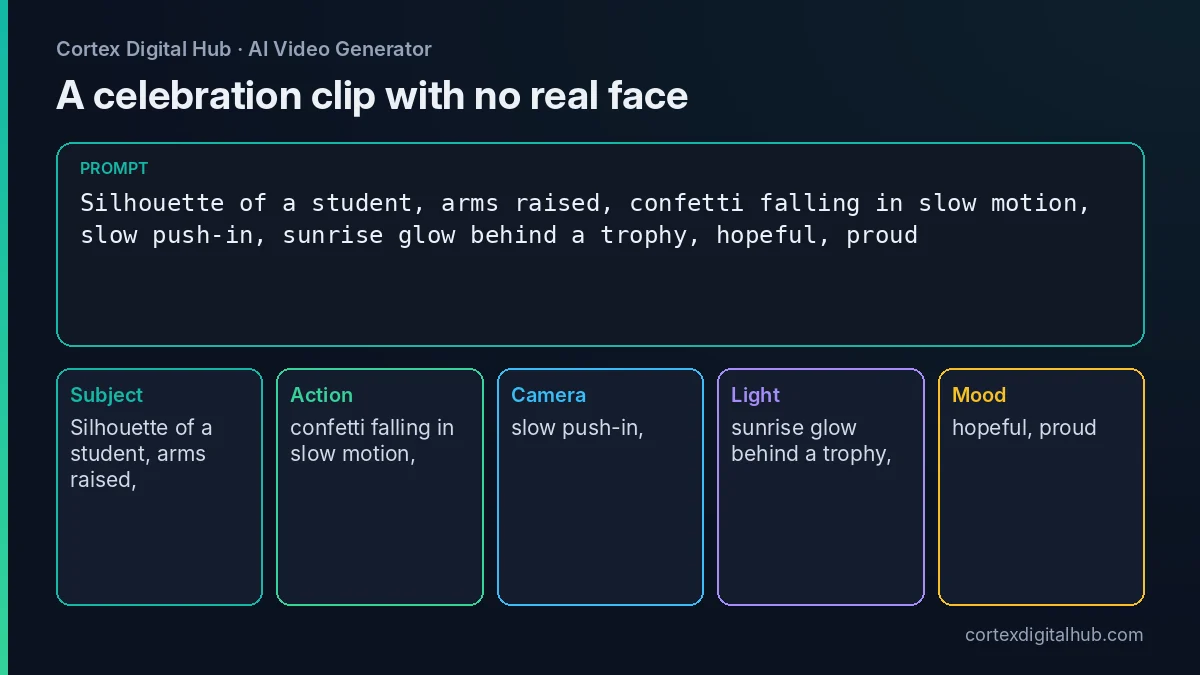 A silhouette, confetti and a trophy give a celebration mood with no real face on screen.
How do I write AI video prompts for coaching institutes?
Use the same structure as any prompt: subject, action, camera, light, mood. See text-to-video prompts that work for the basics. Two examples:
A student's desk at sunrise with open books and a steaming cup of chai, pages turning gently in a breeze, slow push-in, warm golden light, calm hopeful mood
A glowing pendulum swings in a dark room, light trails following its path, locked camera, soft blue light, clean educational style
If your team is more comfortable in Hindi, Telugu, Tamil, Kannada or Marathi, press Speak and dictate. Models tend to follow English most reliably, so try one cheap draft, and press Improve if the polished prompt reads better. Keep the text you want on screen, such as batch dates and fees, out of the prompt entirely and add it later.
Which is better for an institute: AI clips or real footage?
| Need | AI video | Real footage |
|---|---|---|
| Admission-season mood Reel | Strong fit | Not needed |
| Concept animation opener | Good, if accuracy is not critical | Use your own diagrams |
| Faculty introduction | Only with consent | Better |
| Results and toppers | Mood only, no invented claims | Required for proof |
| Classroom tour | Animate your own photo | Better |
| Festive greeting | Strong fit | Not needed |
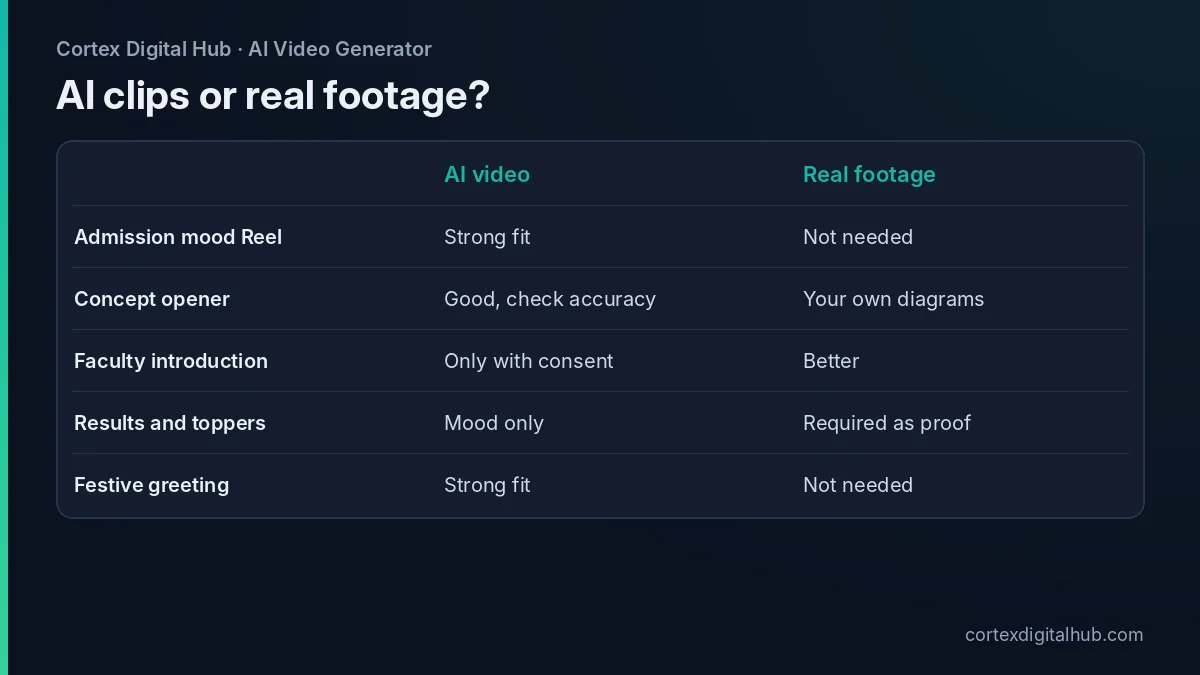 Use AI for mood and visuals; use real footage and real documents for faculty and results.
What does it cost?
Credits are billed per second, at 1 credit = ₹0.50. As of October 2026:
- A 5-second scene on Lumen Motion 3 Standard: 115 credits, ₹57.50.
- A 15-second Reel of three scenes: 345 credits, ₹172.50.
- A cheap draft on Orbit 3 at 480p: ₹35 per 5 seconds.
- The ₹249 pack (520 credits): about four 5-second clips on Lumen Motion 3 Standard.
A pattern that suits the admission season: draft three Reel concepts on Orbit 3 (₹105), pick one, then make the final scenes for ₹172.50. For a year of festival and batch posts, keep a small bank of reusable background clips, such as a study desk, a bell, confetti and a sunrise, and change only the text on top. Credits for failed or declined clips are returned automatically.
Concept animations: useful, but check the science
AI is good at beautiful, not at exact. A pendulum might swing with the wrong rhythm, a planetary orbit might look too playful, and a molecule might be drawn with the wrong number of bonds. Use these clips as attractive openers of 3 to 5 seconds, then switch to your own accurate diagram or whiteboard. Faculty should review every concept clip before it goes out, and you should not use them as the teaching material itself.
You can also start from a photo or a diagram using image to video when you want a drawn figure to move slightly, such as a chart axis lighting up. Keep the motion gentle.
How do I plan an admission-season content week?
Plan the week before you generate anything, so every clip has a job. Say an academy in Kota or Hyderabad wants five posts before a new batch begins:
- Monday: a study-desk dawn Reel announcing the batch start date.
- Tuesday: a concept opener for a free demo class.
- Wednesday: a short loop of a bell and an opening door, for status.
- Thursday: a faculty message, filmed for real with the teacher's consent.
- Friday: a last-seats reminder over a calm animated backdrop.
Four of the five are AI clips at about ₹57.50 each, so the week's visuals cost ₹230 as of October 2026. The fifth is real, because faculty trust is the thing parents are buying.
Sending the clips to students and parents
Finish with the free tools, which run on your device. Cut the opening with the trim video tool and reframe with the video resizer. For WhatsApp broadcasts, follow the guide to compress video for WhatsApp or use video to GIF for a short loop. Send only to contacts who have agreed to hear from you, and check WhatsApp's current business messaging rules as of 2026. More ideas are in AI video for WhatsApp status and business.
Key takeaways
- Use AI video for mood and visuals: admission Reels, concept openers, festive greetings and batch announcements.
- Never invent toppers, ranks or testimonials, and never show a child's face without guardian consent.
- Dictate prompts in Hindi or a regional language with Speak, and test one cheap draft first.
- A 15-second Reel is ₹172.50 on Lumen Motion 3 Standard; drafts on Orbit 3 480p are ₹35 per 5 seconds.
- Add dates, fees and phone numbers in an editor, and have faculty check every concept clip.
Frequently asked questions
How can a coaching institute use AI video?
For admission-season Reels, short concept animations that open a lesson, festive greetings and batch announcements. Generate the visuals, then add your institute name, fees and contact details as text in an editor.
Can I make topper-style videos without real students' faces?
Yes. Use silhouettes, illustrated or stylised scenes, a trophy on a desk, confetti and hands holding a marksheet blur. Never show real children's faces without guardian consent, and never invent ranks or results.
Can I write prompts in Hindi or other Indian languages?
The Speak button dictates in Hindi, Telugu, Tamil, Kannada and Marathi as well as English. Models usually follow English prompts most reliably, so test a Hindi prompt with a cheap draft first, and use Improve if the result misses.
How much does an admission Reel cost?
A 15-second Reel from three 5-second clips on Lumen Motion 3 Standard is 345 credits, which is ₹172.50. A cheap draft of each scene on Orbit 3 at 480p is ₹35. Prices are as of October 2026.
Are AI concept animations accurate enough to teach with?
Not for exact diagrams. Models can draw a pendulum or a cell that looks right but is subtly wrong. Use AI clips as attractive intros and visuals, and keep textbook-accurate diagrams from your own material.
Can I show my real faculty in AI video?
Only with their written consent, and only in ways they have agreed to. A safer choice is to use their photo for a short entry animation after they approve, and keep claims about them factual.
What format should an institute Reel use?
Use 9:16 for Reels, Shorts and status. Keep the main subject in the centre and your text away from the edges. Use the free video resizer for a 4:5 or 16:9 copy for other platforms.
Can I use AI video in WhatsApp admission broadcasts?
Yes. Compress the clip to fit WhatsApp's size limits using the free tools, and send it to parents who have agreed to receive messages. Check WhatsApp's current business messaging rules as of 2026.