
AI Video for Event Management: Decor Previews and Client Pitches
A short AI clip can show a client how a mandap, stage or reception hall might feel before a single flower is ordered. Here is how event planners in India can build decor previews and venue mood clips, and label them clearly as concepts.
· 5 min read · 580 views · by the Cortex Digital Hub team
Upload a venue photo as the first frame, describe the decor and the camera move, and get a 5-second concept clip for your client deck. From ₹24 a clip · no watermark · runs in your browser
Preview a decor idea → → Opens AI Video Generator · runs in your browser
Event planners sell a feeling before they sell a service, and that is hard to do with a still mood board. AI video for event management closes that gap: a venue photo and a short prompt become a 5-second concept clip showing how a stage, mandap or reception hall might look and move. Build it in the AI Video Generator, label it as a concept, and use it to win the booking.
What does AI video do for an event planner?
It turns an idea into something a client can watch. Three uses earn their keep.
- Decor concept previews. Show a floral canopy, a draped ceiling or a lit entrance moving in soft light.
- Venue mood clips. Convey the evening feel of a lawn, a banquet hall or a rooftop in a 5-second loop.
- Pitch openers. Start a proposal deck with a moving clip instead of a static slide.
None of this replaces your real portfolio. It sits next to it. A client in Jaipur deciding between two planners will still ask for photos of your past work, but a concept clip shows you have already thought about their day.
How to turn a venue photo into a decor preview
Image to video uses your photo as the first frame, so the room, the angle and the colours start from something real. Then you describe only what changes.
- Take a clear, well-lit photo of the venue, at least 1080 pixels wide.
- Open the generator, choose image to video, and upload the photo.
- Write the change and the camera move in one or two sentences.
- Draft on a cheap model, then make the final.
A prompt that works:
Wedding reception hall, marigold and jasmine garlands cascading from the ceiling, fairy lights warming slowly, soft slow push-in toward the stage, golden evening light, no people
The Avoid box under Advanced is useful here. Put in "people, text, logos" so the clip stays about the space.
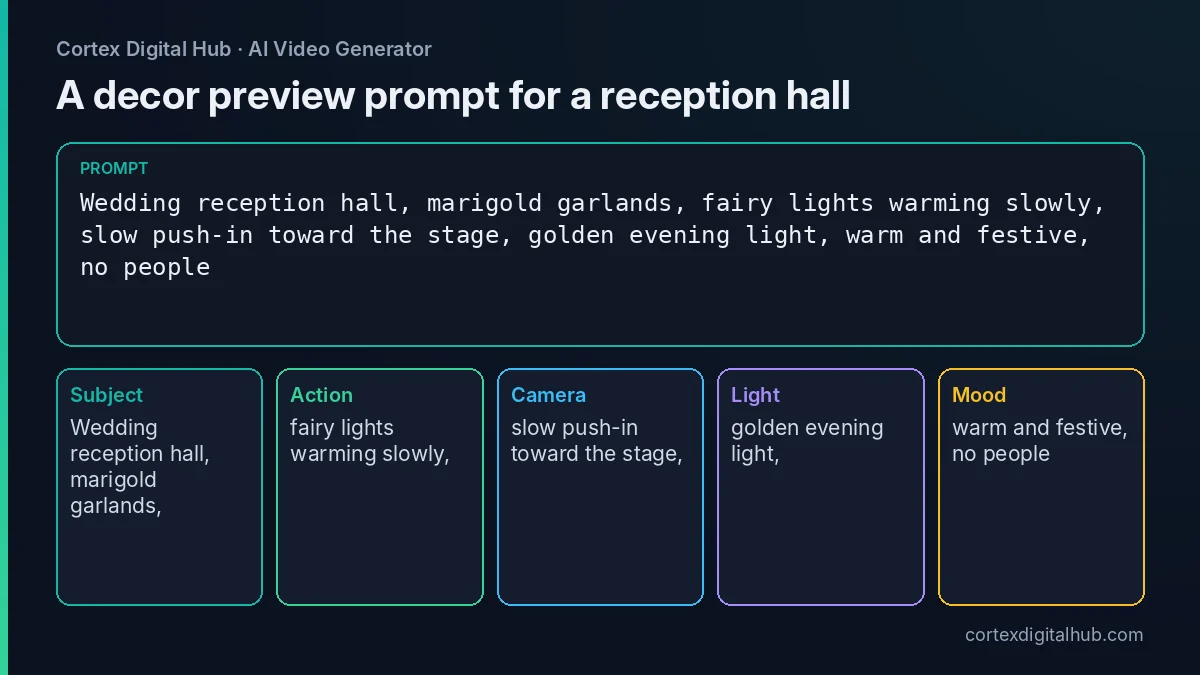 A decor preview prompt names the space, what changes, the camera move and the light, and keeps people out.
Which model should I use for event previews?
Start with Lumen Motion 3 Standard. It is the all-rounder, and 5 seconds costs 115 credits, or ₹57.50. For a slide that will be shown on a big screen at your office or on a hall projector, step up to Nova 2K, which gives the sharpest single frame at 175 credits for 5 seconds, or ₹87.50.
| Job | Model and setting | Cost |
|---|---|---|
| Quick idea test | Nova Lite, 768p (6 s minimum) | ₹24 for 6 s |
| Client deck clip | Lumen Motion 3, Standard | ₹57.50 |
| WhatsApp-ready 1080p | Lumen Motion 3, 1080p | ₹92.50 |
| Projector or big screen | Nova 2K | ₹87.50 |
Prices are as of October 2026. A pitch with three concept clips for three decor themes costs about ₹172.50 on Lumen Motion 3 Standard. The exact total shows on the Generate button before you start.
Keep the decor style consistent across clips
A pitch usually has several scenes: entrance, stage, dining. If each clip looks like a different wedding, the story falls apart. Reference images fix this. Upload 2 to 4 images of the fabric, flower palette or prop style you plan to use, tag them with the @ button, and the model keeps that look across clips. Read more in the guide to consistent looks with reference images.
If you only need to change one thing in a clip you already like, use Edit video to adjust it with a prompt, rather than starting over. Edit is billed on the input video's length, so trim first with the free Trim Video tool.
How to label concept clips clearly
This matters more than any prompt. A client who sees an AI clip and then finds a different room on the day will not blame the software; they will blame you.
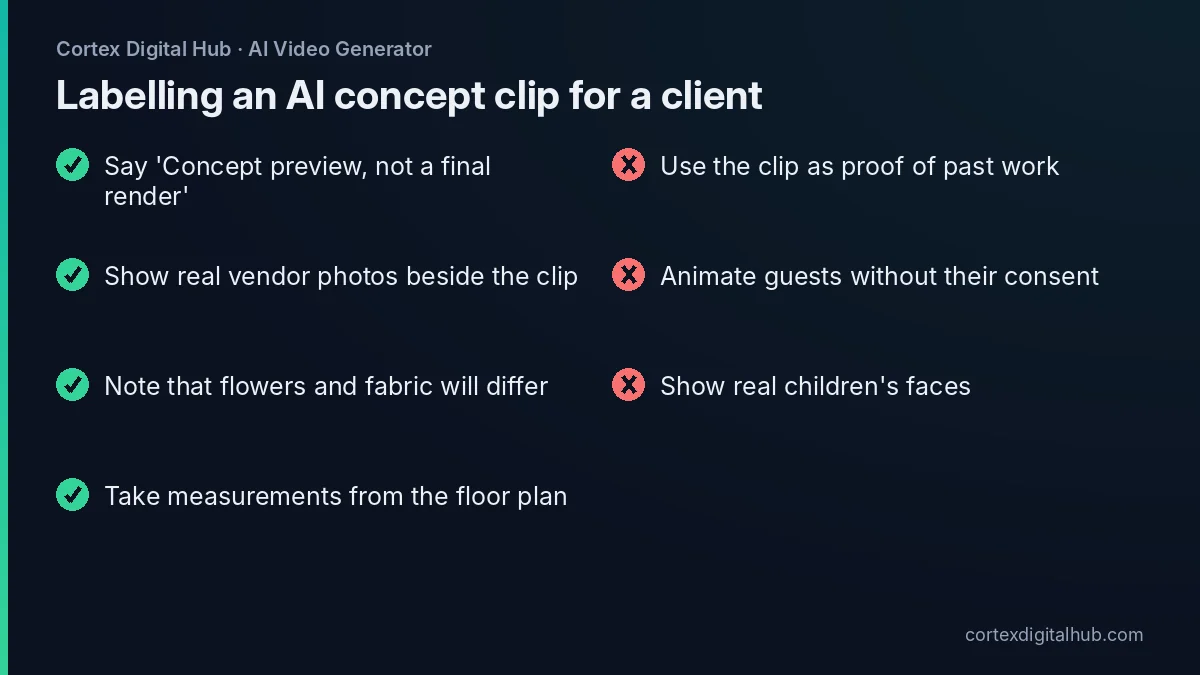 Label every AI clip as a concept and put real vendor photos next to it.
Good habits:
- Write "Concept preview, not a final render" on the slide or in the message.
- Show real photos of the same florist or decorator beside the clip.
- Say that fabric, flowers and lighting will differ in person.
- Share measurements and layout from a floor plan, not from the clip.
- Do not show identifiable guests or family members, and never real children.
If your venue is a new property, a 3D floor plan video can show the layout accurately, while the AI clip shows the mood.
Where else can event planners use short clips?
Once you have the habit, the same workflow stretches across the whole event cycle.
- Save-the-date and invitation teasers. A 5-second clip of a lit entrance or a floral arch, shared on WhatsApp status, works as a soft invitation. Add the family's details yourself in a free editor, so the text stays correct.
- Corporate launches. A stage reveal concept for a product launch in Bengaluru or Pune, with the brand colours as reference images, lets a marketing head react before the set is built.
- Your own marketing. Instagram Reels of themed set-ups, with sound turned off so you can add a trending track. See the guide to AI videos for Reels and Shorts.
- Vendor briefs. Send a decorator the clip along with the photos so everyone shares one picture of the idea.
A practical rhythm: build two or three concept clips per proposal, keep the best ones as a small library, and reuse the venue photos you already hold. Do not recycle a concept made for one client in another client's pitch if it looks like their private event; start fresh from their venue photo instead.
How to send the preview to a client
Most clients will open it on a phone. Make a 9:16 version with the Video Resizer, then shrink it with the Video Compressor so it sends quickly. The WhatsApp compression guide shows the settings. Everything runs on your own device. Platform limits change, so as of 2026 check WhatsApp's help page for the current file size cap.
Key takeaways
- A 5-second concept clip makes a decor pitch easier to picture than a mood board.
- Start from a real venue photo, change one thing, and use one camera move.
- Lumen Motion 3 Standard costs ₹57.50 for 5 seconds; Nova Lite tests start at ₹24.
- Use 2 to 4 reference images to keep the palette consistent across scenes.
- Always label clips as concepts and show real vendor photos beside them.
- Never animate real guests without consent, and never real children.
Frequently asked questions
How can AI video help with event management?
It lets you show a client a moving preview of a decor idea, a stage reveal or a venue mood before anything is built. A 5 to 10 second clip makes a pitch easier to picture than a flat mood board.
Can I turn a venue photo into a decor preview video?
Yes. Use the photo as the first frame with image to video, then describe what changes, such as marigold garlands appearing or lights warming up. Keep the prompt to one subject and one camera move.
How much does an AI concept clip cost for a pitch?
On Lumen Motion 3 Standard a 5-second clip costs 115 credits, which is ₹57.50. A 1080p version costs ₹92.50. A cheaper test on Nova Lite starts at ₹24 for 6 seconds.
Should I tell clients the video is AI generated?
Yes. Label it as a concept or mood preview, not a guaranteed final result. Say that real flowers, fabrics and lighting will differ, and show the actual vendor photos beside it.
Will the AI clip match the real venue exactly?
Not exactly. Image to video keeps the look of your photo as a starting point, but details like pillars, signage and layout can drift. Use it for mood and colour, and use floor plans for measurements.
Can I keep the same decor style across several clips?
Yes, by using 2 to 4 reference images of the decor, fabric or colour palette. Tag them in the prompt with the @ button so each clip follows the same look.
What aspect ratio should an event preview clip be?
Use 16:9 for client decks and screens, and 9:16 for Reels and WhatsApp status. Set Format before you generate, because changing shape afterwards means cropping with the free Video Resizer.
Is it safe to put guests or family members in these clips?
Do not animate real people without their clear consent, and avoid real children's faces. For previews, keep the clip to the space, the decor and the light, with no identifiable guests.
How do I send the preview clip to a client on WhatsApp?
Compress the MP4 first so it goes through quickly and stays sharp. The free Video Compressor and the WhatsApp compression guide cover it, and the clip stays on your own device.