
AI video for school promotion: admissions and annual day without children's faces
AI video for school promotion can turn a campus photo or an illustration into a warm admissions or annual day clip. Here is how to make it child-safe, what to animate, and what each short clip costs in rupees.
· 5 min read · 1.4K views · by the Cortex Digital Hub team
Animate your campus photo or an illustrated scene for admissions and annual day, with no real children's faces involved. From ₹24 a clip · no watermark · runs in your browser
Make a school clip → → Opens AI Video Generator · runs in your browser
AI video for school promotion works well when it shows the place, not the pupils. You animate a photo of your campus, an auditorium stage or an illustrated scene using the AI Video Generator, then add admission dates and fees as captions. The firm rule is that no real child's face is generated or animated. Prices are as of October 2026.
What does AI video for school promotion look like?
Think of a 6-clip admissions teaser. A school gate in soft morning light. A library with dust motes in a sunbeam. A science lab with glassware catching the sun. A playground at sunrise with swings moving in the breeze. A stage with curtains parting. A closing card with the contact number.
None of these needs a child. They show the environment parents are choosing, which is often what they want to see. Add the human warmth with illustrated characters or with real footage you film yourself with consent.
Why shouldn't you generate children's faces?
It is a safety line, not a style choice. Generated faces of children can look like real pupils, may be mistaken for specific students, and raise trust and consent problems for parents. Animating a real student's photo is worse, because you are altering the likeness of a minor.
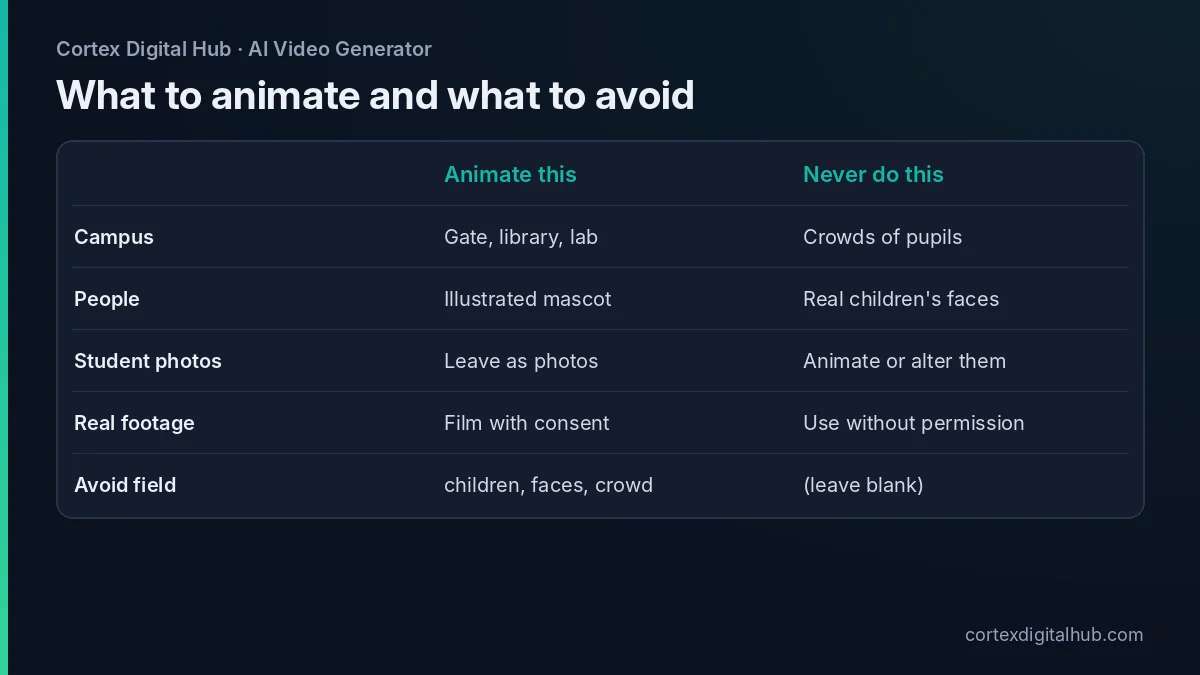 Spaces and illustrations are safe; real or lookalike children's faces are not.
Follow these rules:
- Never generate or animate real children's faces.
- Do not create lookalike pupils or "typical students".
- Put "children, students, faces, crowd" in the Avoid field.
- For real student footage, film it on a camera with written parental consent and your school's approval.
- Keep religious and festival content respectful and plain.
How do you make an admissions teaser?
Start with real photos of your own campus, taken in good light. Upload one as the first frame and write only the motion.
Slow push-in through a school gate with bougainvillea in Nashik, morning sunlight, leaves moving gently, no people, calm and welcoming
Keep each clip to one place and one camera move, and run a draft on Nova Lite first. The guide to animating a photo with AI explains how to choose a sharp start image. Then stitch clips together in a phone editor and add text cards: "Admissions open 2027-28", the class range, the phone number and your location.
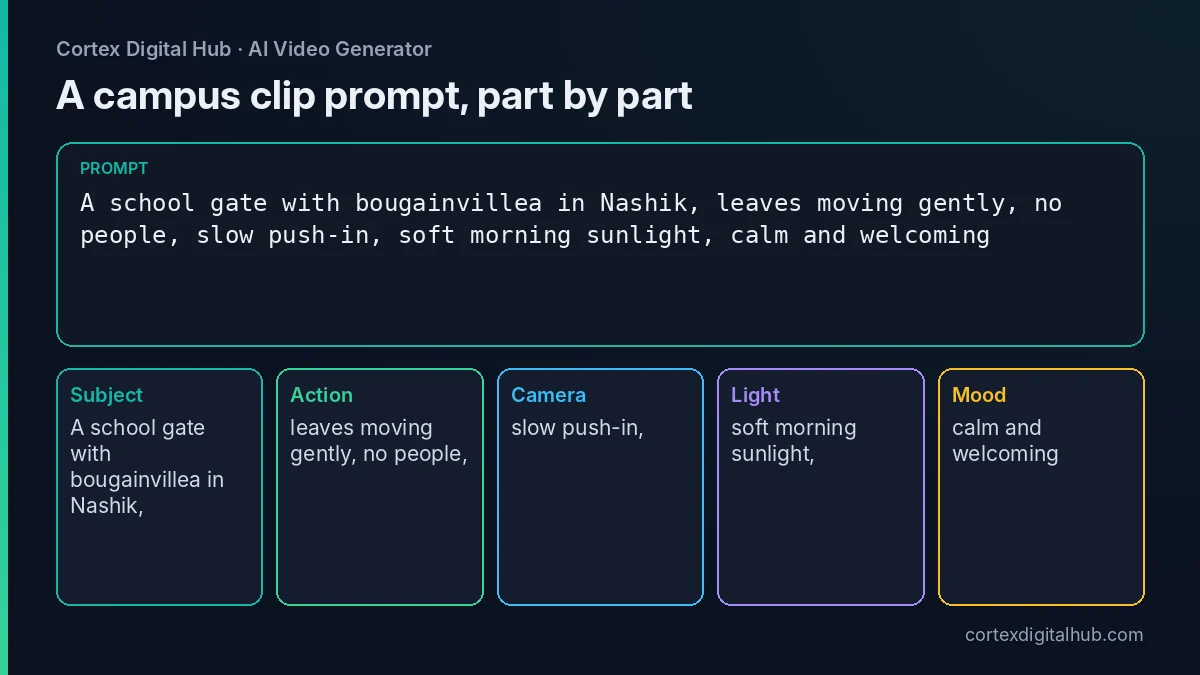 Place, movement, camera and light, with no people in the frame.
What about an annual day promo?
Annual day is about excitement, so use the stage, lights and colours rather than performers.
- Stage reveal:
Slow dolly toward an empty auditorium stage with maroon curtains opening, spotlights warming up, balloons floating at the sides - Poster in motion:
Colourful paper lanterns and bunting swaying gently over a school courtyard at dusk - Illustrated mascot:
2D cartoon owl in a graduation cap waving beside a stage, flat colours, friendly, bright
Illustrated characters need consistency. If your school has an original mascot, upload 2 to 4 reference images and tag it with @, as described in the post on consistent characters with reference images. Do not copy a known cartoon or brand character.
Which illustrated styles suit a school?
When you want people in the story, choose a stylised look that is clearly not a photograph. A flat 2D cartoon, a watercolour storybook scene or soft clay figures all read as friendly, and parents will not mistake them for real pupils. Add the style words to the prompt: "watercolour storybook style", "flat 2D vector cartoon", "soft clay animation look".
Say a primary school in Indore wants a "first day" clip. Rather than show a child, show an illustrated backpack, a lunchbox and a pencil case arranged on a desk, with a gentle camera drift and warm light. It tells the same story without a face. Keep characters generic and kind, avoid uniforms that resemble a rival school's, and make sure any text you add is checked by a human before posting.
What should you check before posting?
A short routine saves awkward calls from parents.
- Does any frame contain a child's face, real or generated? If so, regenerate.
- Are the dates, fees, class range and phone number correct in the caption?
- Did the principal or admissions head approve the video?
- Are festival or religious elements shown respectfully and plainly?
- Does the clip claim a result, such as "100% results" or "best school"? Remove it unless you can prove it, and check the advertising rules that apply to schools in your state.
- Is the file small enough for WhatsApp groups?
Keep the original photo and the prompt in a folder, so you can recreate or edit a clip next year. Finished MP4s stay in History for 7 days, so download what you want to keep.
How much does a school promo cost?
| Clip | Model | Length | Credits | Cost |
|---|---|---|---|---|
| Draft | Nova Lite | 6 s | 48 | ₹24 |
| Campus clip | Lumen Motion 3 Standard | 5 s | 115 | ₹57.50 |
| Sharper hero | Nova 2K | 5 s | 175 | ₹87.50 |
| Illustrated mascot | Lumen Motion 3 Standard | 5 s | 115 | ₹57.50 |
Say a school in Coimbatore makes five clips for its admissions teaser. At 5 seconds each on Lumen Motion 3 Standard, that is 575 credits, or ₹287.50. The ₹249 pack covers about four clips, so a small top-up completes the set. Draft first to avoid paying twice.
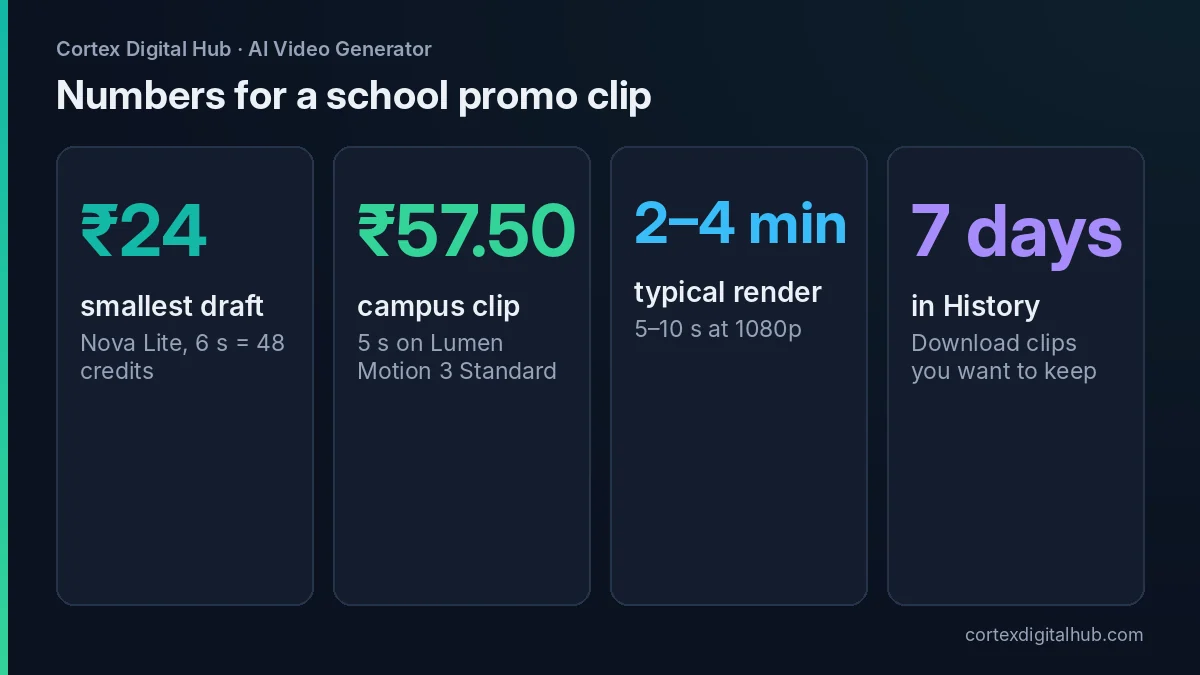 A small budget and a short render time make a weekly admissions drive practical.
How do you share it with parents?
Most parents will see it on WhatsApp or Instagram. Set the shape to 9:16 with the free Video resizer, and shrink the file with the guide to compressing video for WhatsApp so that it opens quickly on a basic data plan. Trim extra seconds with the Trim video tool.
Write the dates, fees and contact details in the caption and on a text card, not in the prompt. Generated text is unreliable, and parents need accurate numbers. For posting ideas see AI videos for Instagram Reels and YouTube Shorts. The Speak button lets staff dictate prompts in English, Hindi, Telugu, Tamil, Kannada or Marathi.
Key takeaways
- AI video for school promotion should show the campus and illustrations, never real children's faces.
- Put "children, students, faces, crowd" in the Avoid field.
- Animate your own campus photos for an honest, recognisable look.
- Use an original mascot with reference images for consistent illustrated clips.
- Add dates, fees and phone numbers as captions in your editor.
- Five clips cost about ₹287.50 on Lumen Motion 3 Standard.
Frequently asked questions
Can schools use AI video for admissions promotion?
Yes. Animate your campus photos, classrooms, playground at sunrise and stage setups, or make illustrated scenes. Keep real children out of generated clips, and add admission dates, fees and contact details as captions in your editor.
Is it safe to put students in AI videos?
No. Never generate real children's faces, never animate a student's photo, and never create lookalike pupils. Use campus spaces, objects and illustrated characters. If you film real students, do it on a camera with written parental consent.
What can I show instead of children in a school video?
Empty classrooms with morning light, a library, a science lab, a school gate with bougainvillea, a playground at sunrise, a stage with curtains, or a cartoon or watercolour style scene with stylised characters.
How do I make an annual day promo with AI?
Animate a photo of your stage or auditorium, add balloons, lights and curtains in the prompt, and use an illustrated style for any characters. Add the date, time and venue as a text card in your editor.
Can I use cartoon characters for my school videos?
Yes, original stylised characters work well and avoid real faces. Do not copy a known cartoon or brand character. Use reference images of your own mascot if you want it consistent across clips.
How much does a school admissions video cost?
Five 5-second clips on Lumen Motion 3 Standard cost 575 credits, or ₹287.50. Drafts on Nova Lite add ₹24 each. A ₹249 pack covers about four clips. Prices are as of October 2026.
Do I need parent permission for AI videos?
If no real child appears, there is no child to consent for, which is why this approach is safer. If you use real student footage or photos, get written parental consent first and follow your school's policy and any rules that apply.
Which language can I use for the prompt?
The Speak button accepts English, Hindi, Telugu, Tamil, Kannada and Marathi. Add the same language to your captions in an editor, since generated clips do not carry reliable text.
What size should an admissions video be?
Use 9:16 at 1080 by 1920 for Reels and WhatsApp status, and 16:9 for a website banner or YouTube. The free Video resizer changes the shape, and the compressor keeps files small for WhatsApp groups.