
Website Background Video AI: Make a Hero Loop That Still Loads Fast
An AI-made hero loop can lift a landing page, but a heavy video will slow it down. Here is how to generate a short website background video, compress it for fast loading, set muted autoplay with a poster image, and crop it for mobile.
· 5 min read · 1.2K views · by the Cortex Digital Hub team
Generate a calm 16:9 loop with no sound, then compress it with the free tools before it goes on your page. From ₹24 a clip · no watermark · runs in your browser
Make a hero loop → → Opens AI Video Generator · runs in your browser
A moving hero can make a landing page feel alive, but a heavy file can also push your page speed down. A website background video made with AI works best when it is short, calm, muted and small. Generate the loop in the AI Video Generator, compress it with the free tools, add a poster image, and test on a real phone.
What makes a good website background video?
A background video supports your text; it should not compete with it. The ingredients are always the same.
- Slow, ambient motion. Drifting mist, flowing fabric, moving light, rippling water.
- A calm area for text. Dark or soft zones where your headline stays readable.
- No sound. The video plays muted.
- A short loop. Four to ten seconds that repeat without a visible jump.
- No faces, no text, no logos inside the clip.
Say a yoga studio in Rishikesh wants a hero showing morning mist over the Ganga with soft light moving across the water. That is slow and ambient, and the headline can sit on the quiet sky area.
How do I generate the website background video?
- Set Format to 16:9 and keep Sound off.
- Choose a modest resolution. A background rarely needs 4K. Orbit 3 at 480p costs 70 credits for 5 seconds (₹35), and Lumen Motion 3 Standard costs ₹57.50.
- Write slow motion only. One subject, one gentle camera move or none.
- For a seamless loop, use the same image as first and last frame on a model such as Lumen Frames. Read about first and last frame control.
- Draft, then finalise.
A prompt that works:
Morning mist drifting over a calm river at sunrise, soft golden light moving across the water, camera locked, wide shot, quiet and spacious sky area, no people, no text
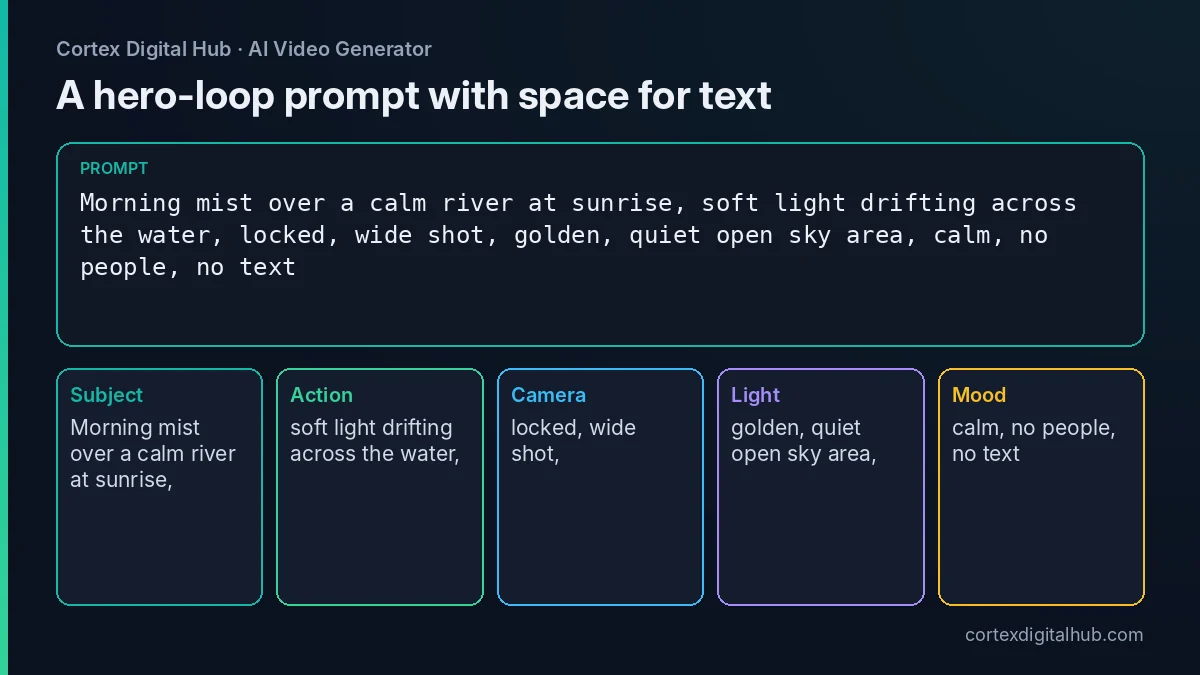 Ask for slow ambient motion and leave quiet space where the headline will sit.
If you start from a photo of your product or place, the guide to animating a photo with AI covers the setup.
How do I compress a background video for page speed?
Compression decides whether the hero helps or hurts. The Largest Contentful Paint metric, or LCP, measures how soon the biggest visible element appears, and a heavy video or a missing poster can delay it. Browsers and tools differ, so always measure your own page.
Practical steps, all free and on your device:
- Trim dead frames with Trim Video.
- Keep resolution to what the layout needs. Full-width at 1280 pixels is usually plenty for a background.
- Run the clip through the Video Compressor.
- Optionally make a WebM with MP4 to WebM to offer alongside the MP4.
- Aim for a few megabytes at most, and smaller for mobile visitors.
| Choice | Lighter option | Heavier option |
|---|---|---|
| Length | 4 to 8 s loop | 30 s clip |
| Resolution | 720p to 1280 wide | 4K |
| Sound | None | Audio track |
| Format | MP4 plus WebM | Large GIF |
| Poster | Compressed WebP | Missing or huge JPG |
How to set up muted autoplay with a poster image
Browsers generally allow autoplay only when the video is muted, and phones need playsinline so the video does not open full screen. As of 2026, check each browser's help page for current autoplay rules. A simple pattern:
<video autoplay muted loop playsinline preload="metadata"
       poster="hero-poster.webp">
  <source src="hero.webm" type="video/webm">
  <source src="hero.mp4" type="video/mp4">
</video>
The poster is a still frame from the clip. Export one frame, then shrink it with the Image Compressor and save it as WebP; see JPG vs PNG vs WebP for the trade-offs. Respect visitors who prefer less motion: show only the poster when their device sets reduced-motion.
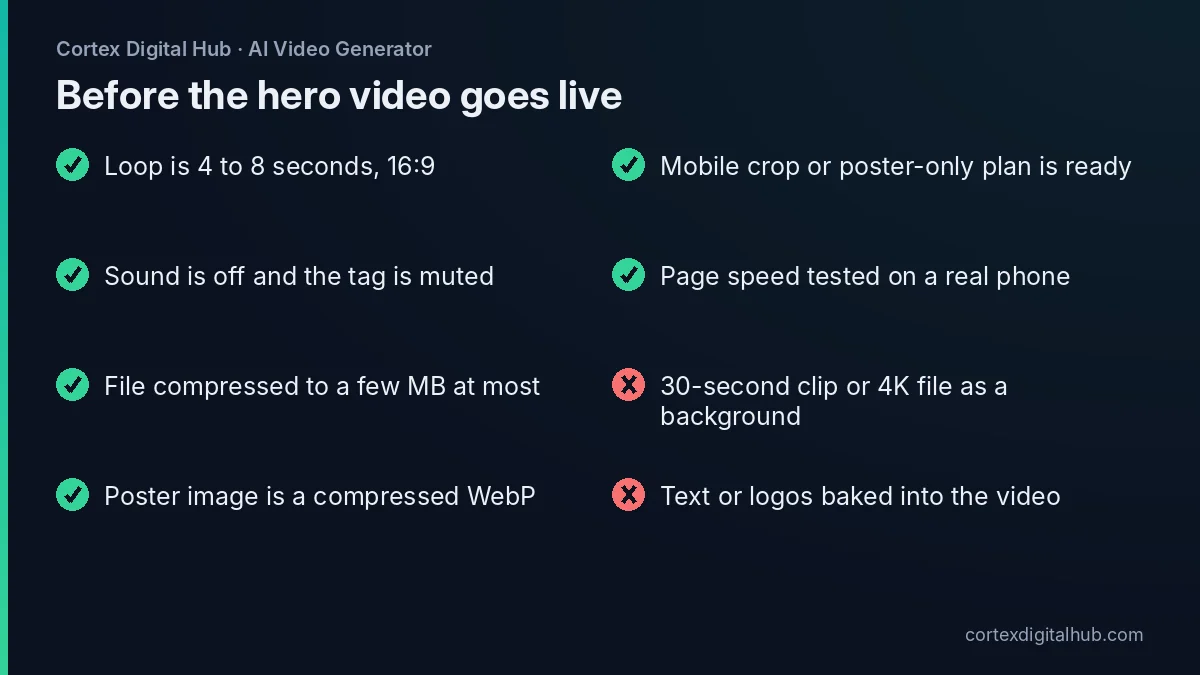 Short, muted, compressed, with a poster and a mobile plan.
How do I handle mobile and the 16:9 crop?
A 16:9 clip on a tall phone screen is cropped to its centre. Plan for it.
- Keep the subject near the centre of the frame when you generate.
- Make a separate 9:16 version with the Video Resizer or the 1080x1920 resizer for narrow screens.
- Or serve only the poster image to small screens and keep the video for desktop.
- Check the page on a real phone over mobile data, not only on office Wi-Fi.
What does a website background video cost, and when should I skip it?
Backgrounds are one of the cheapest uses of AI video because you want calm, short and low resolution. Prices are as of October 2026, at 1 credit = ₹0.50.
| Loop | Model | Cost |
|---|---|---|
| 5 s at 480p | Orbit 3 | ₹35 |
| 5 s Standard | Lumen Motion 3 | ₹57.50 |
| 5 s seamless loop | Lumen Frames | ₹57.50 |
| 5 s at 2K for a showroom screen | Nova 2K | ₹87.50 |
Make two or three variations on a cheap model and pick the one that sits best behind your headline. Finished clips remain in History for 7 days, so download the winner and keep the original MP4 safe in your own storage.
Skip the video when speed matters more than atmosphere. A clinic booking page, a checkout page, or a page that mostly gets visitors on slow mobile data will be better with a sharp still image. A hero video is decoration, not information, so never hide key details such as price, phone number or address inside it. Check contrast too: put a soft dark overlay behind white text so it stays readable at every frame of the loop.
If your site gets most of its visitors from WhatsApp links on budget phones, test on one before you commit. If the page feels slower than before, drop the video on small screens and keep the poster.
Key takeaways
- A good website background video is short, calm, muted and small.
- Generate 16:9 with Sound off, and keep resolution modest; a 5-second Orbit 3 480p clip costs ₹35.
- Compress before upload, and aim for a few megabytes at most.
- Use
autoplay muted loop playsinlineplus a compressed poster image. - Plan the mobile crop, or show only the poster on small screens.
- Test your page speed before and after adding the video.
Frequently asked questions
Can I use AI video as a website background?
Yes. Generate a short, calm 16:9 clip with no sound, compress it, and play it muted on loop behind your hero text. Keep it light so it does not slow the page, and always provide a poster image.
How long should a website background video be?
Between 4 and 10 seconds is a good range for a loop. Short clips mean smaller files and faster loading, and gentle motion hides the repeat. Longer clips are rarely needed for a hero.
What file size is good for a hero video?
Smaller is better. A reasonable target for a hero loop is a few megabytes at most, and less on mobile. Compress with the free Video Compressor, and test your page speed after adding it.
Which format works best for a background video?
MP4 is the safest choice because it plays almost everywhere. WebM can be smaller in some browsers. You can offer both and let the browser pick, and convert on your own device with the free converters.
Why must a background video be muted?
Browsers generally only allow autoplay when the video is muted, and a silent background suits a hero section anyway. As of 2026, check each browser's help page for current autoplay rules.
What is a poster image and why do I need one?
A poster is a still image shown before the video loads, or if it never plays. It makes the page look finished straight away and can help loading, so use a compressed frame from the clip.
How do I crop the background video for mobile?
Generate 16:9 for desktop, then make a 9:16 or 4:5 version with the free Video Resizer, or serve a poster image only on small screens. Check where your subject sits so the crop does not cut it.
Will a video background hurt my page speed?
It can if the file is big or loads first. Keep it short and compressed, add a lightweight poster image, and test with your usual page speed tool. Skip the video on mobile if speed matters more.
How much does an AI website background video cost?
A 5-second 480p loop on Orbit 3 costs 70 credits, or ₹35. A 5-second loop on Lumen Frames costs 115 credits, or ₹57.50. Backgrounds rarely need 4K, so keep the model and resolution modest.