
AI Video Prompt in Hindi, Telugu and Tamil: Speak, Improve and Mixed-Language Tips
You can write an AI video prompt in Hindi or speak it aloud in Telugu, Tamil, Kannada or Marathi using the Speak button. This guide shows how to dictate, polish with Improve, mix languages and test cheaply when a regional prompt does not land.
· 4 min read · 1.3K views · by the Cortex Digital Hub team
Tap Speak, choose your language, describe the scene aloud, then press Improve and run a cheap draft to check the result. From ₹24 a clip · no watermark · runs in your browser
Speak a prompt → → Opens AI Video Generator · runs in your browser
Yes, you can write or say an AI video prompt in Hindi, and in Telugu, Tamil, Kannada or Marathi too. The Speak button in the AI Video Generator turns your voice into prompt text, and Improve polishes it. Keep the scene simple, read the text before you generate, and test on a cheap draft first.
How do you use Speak in Hindi, Telugu and Tamil?
Speak sits next to the prompt box. It listens and writes what you say into the box, so you can describe a scene while walking around your shop instead of typing on a small keyboard.
The language chips are EN, हिं (Hindi), తె (Telugu), த (Tamil), ಕ (Kannada), म (Marathi) and US English.
- Open the generator and tap the prompt box.
- Tap Speak and pick the chip for your language.
- Say the scene in short sentences: subject, action, camera, light.
- Stop, then read the text. Fix any word it misheard.
- Press Improve if you want a cleaner version, and read that too.
- Choose a cheap model and run a draft.
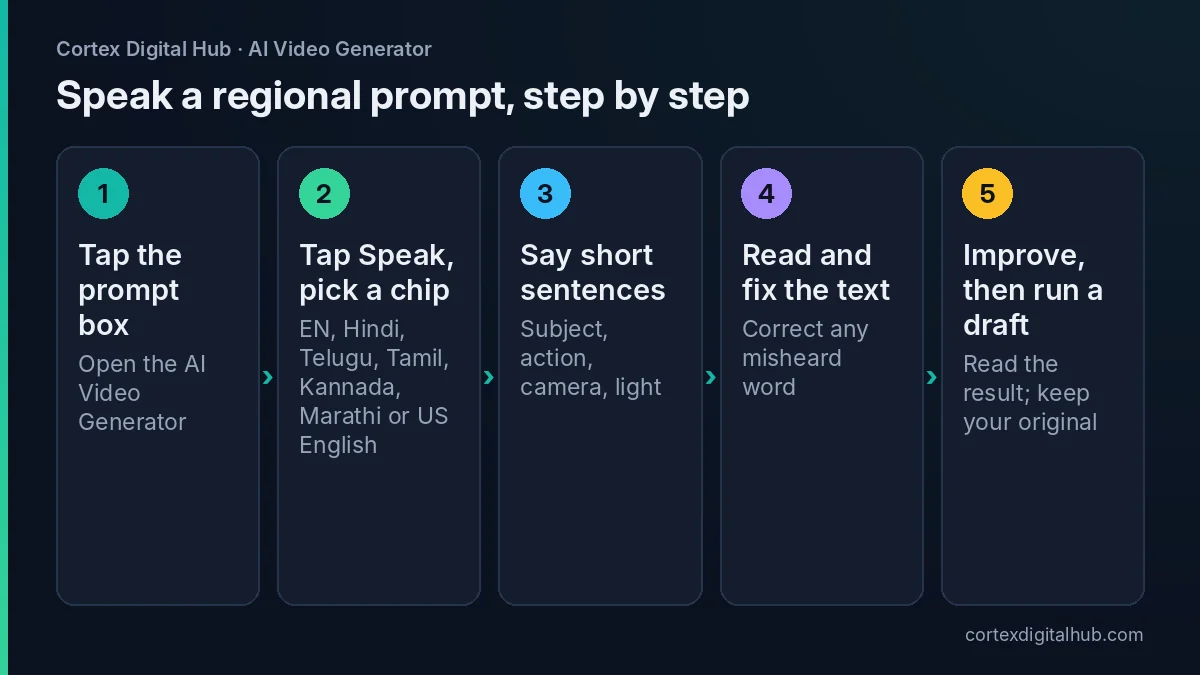
The main steps from a spoken prompt to a draft clip.
Accents, background noise and fast speech can all cause errors. A quiet corner and slower speech help more than any setting.
Example prompts in each language
Here are short examples you can adapt. Each has one subject, one action, one camera move and one light.
Hindi: सुबह की धुंध में एक चाय की दुकान, गिलास से भाप उठ रही है, कैमरा धीरे से आगे बढ़ता है, गर्म सुनहरी रोशनी।
Telugu: హైదరాబాద్లో ఉదయం ఇరానీ చాయ్ కప్పు నుండి ఆవిరి లేస్తోంది, కెమెరా నెమ్మదిగా దగ్గరగా వెళ్తుంది, వెచ్చని కాంతి.
Tamil: சென்னை கடற்கரையில் சூரிய உதயம், அலைகள் மெதுவாக வருகின்றன, கேமரா மெதுவாக முன்னே நகர்கிறது, பொன்னிற ஒளி.
Kannada: ಬೆಂಗಳೂರಿನ ಬೆಳಗಿನ ಫಿಲ್ಟರ್ ಕಾಫಿ, ಲೋಟದಿಂದ ಹಬೆ ಏಳುತ್ತಿದೆ, ಕ್ಯಾಮೆರಾ ನಿಧಾನವಾಗಿ ಹತ್ತಿರ ಬರುತ್ತದೆ.
Marathi: पुण्यातील सकाळची मिसळ पाव, वाफ वर येत आहे, कॅमेरा हळूहळू जवळ येतो, उबदार प्रकाश.
Results can vary by phrasing and model, so treat these as starting points and look at your first draft. If a detail is missing, rewrite that phrase in simple words, or use the English term for it.
What does Improve do for an AI video prompt in Hindi?
Improve polishes your prompt so the model reads it more clearly. It is useful when your first version is rough, short or full of fillers. It is not a guarantee, so always read what comes back.
A good habit:
- Keep your original in a note, in case Improve changes the meaning.
- Check that the subject, the place and the mood still match your idea.
- Delete anything it added that you did not want, such as extra characters.
- Run a draft, then tweak one thing at a time.
If you prefer to control everything, leave Improve off and also leave "Let the model expand my prompt" under Advanced switched off. For the basic structure of a strong prompt, read our text-to-video prompt guide.
Should you mix languages in one prompt?
Mixing works well for most people, because we think and speak in a mix, and our image to video guide shows the same idea when a photo supplies the look and your words supply only the motion. A practical split is:
- Your language for the story and feeling: "सुबह की धुंध", "అమ్మ వంట", "பண்டிகை நேரம்".
- Simple English for camera and light words: close-up, slow push-in, golden hour, soft window light.
Here is a Roman-script Hinglish example:
Ek chai wala morning mein, steam uth rahi hai glass se, slow push-in, warm golden hour light, Mumbai street.
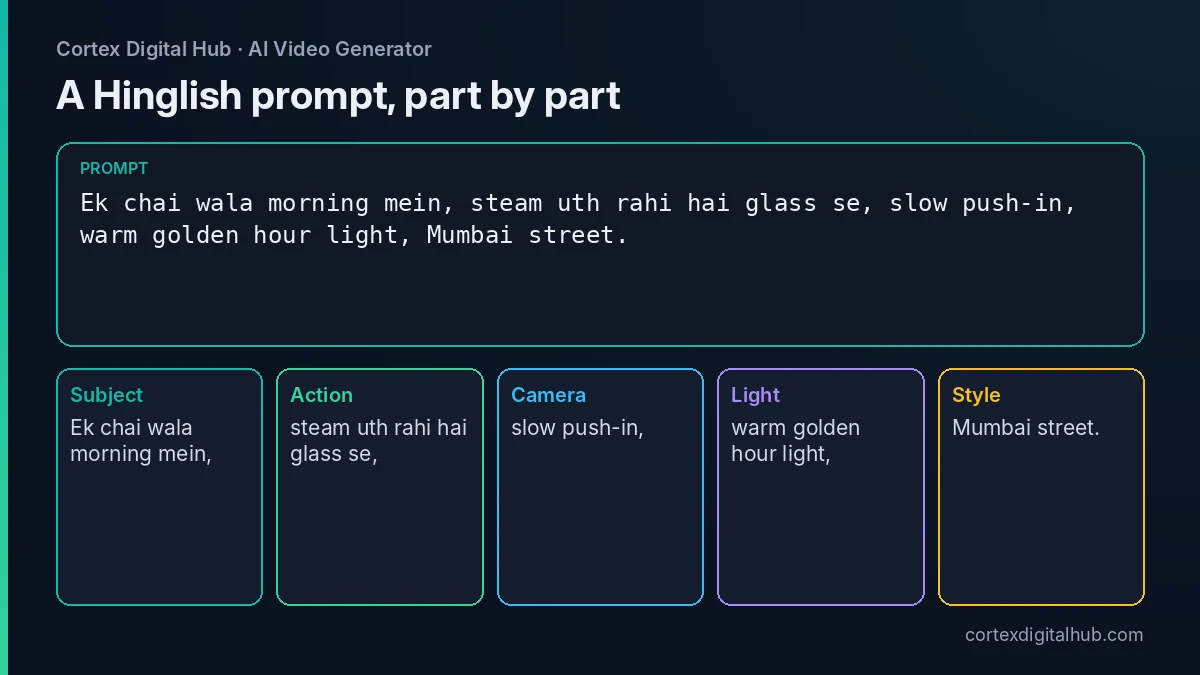
A mixed-language prompt keeps the story local and the camera words simple.
Test both a fully regional version and a mixed one on a draft, and keep whichever gives the better clip.
Tips that make regional prompts work
- Short sentences. One idea per sentence, separated by commas or full stops.
- One subject, one camera move. Extra ideas confuse any language.
- Name the place. Hyderabad, Chennai, Pune and Jaipur all carry visual cues.
- Avoid slang and idioms. The model reads pictures, so describe what the camera sees.
- Keep on-screen text out of the prompt. Hindi, Telugu or Tamil lettering generated inside a clip often comes out wrong. Add titles and prices in your editor.
- Check dialogue by ear. Lumen Motion 2.6 handles dialogue and sound, but spoken quality in regional languages can vary. Test a short clip, or record your own voice-over.
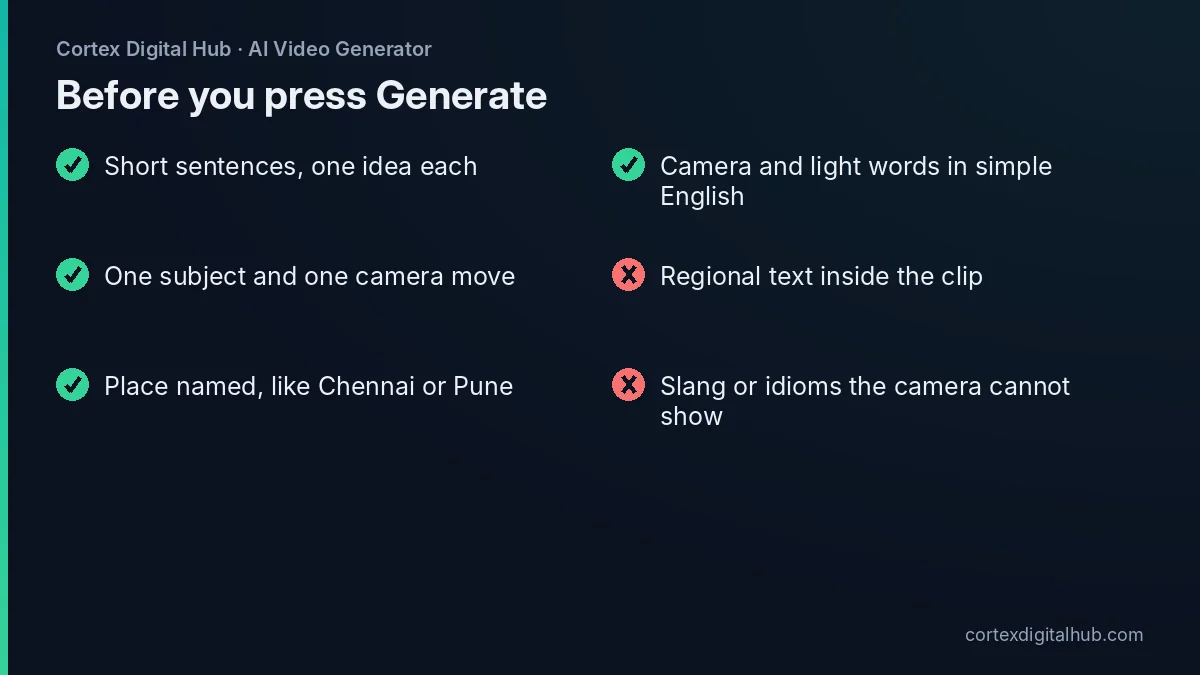
A quick checklist before you press Generate on a regional prompt.
What does testing cost?
Credits are billed per second of finished video, 1 credit = ₹0.50, and the Generate button shows the total before you start. Prices are as of October 2026.
| Draft | Model | Cost |
|---|---|---|
| Smallest test clip (6 s) | Nova Lite | ₹24 |
| 5-second draft | Orbit 3, 480p | ₹35 |
| 5-second final | Lumen Motion 3 Standard | ₹57.50 |
If a clip fails or the model declines the prompt, the credits come back automatically. A shop owner in Vijayawada could try the same scene in Telugu and in English for ₹70 on Orbit 3 and pick the better one. For what happens behind the Generate button, see how the AI Video Generator works.
For a WhatsApp-first workflow, the WhatsApp Status and business guide is a good next read. Finish with the free Trim Video tool and the Video Compressor before sharing on WhatsApp.
Key takeaways
- Speak dictates in EN, हिं, తె, த, ಕ, म and US English. Pick the chip first, then read the text it writes.
- Improve polishes a prompt. Always read the result and keep your original.
- Short sentences with one subject, one action, one camera move work in every language.
- Mixing works: your language for the story, simple English for camera and light words.
- Add on-screen text in your editor, since generated regional lettering is unreliable.
- Test on a ₹24 to ₹35 draft before you spend on a final.
Frequently asked questions
Can I write an AI video prompt in Hindi?
Yes. You can type or speak a prompt in Hindi in the prompt box. Results can vary by phrasing, so read the output of your first draft. If an important detail goes missing, rewrite that part in simple English words and try again.
Which languages does the Speak button support?
Speak can dictate in English, Hindi, Telugu, Tamil, Kannada, Marathi and US English. Choose the language chip before you talk. Check the text that appears in the prompt box, because accents and background noise can cause small errors.
What does the Improve button do?
Improve polishes your prompt so it reads more clearly for the model. Read the result before you press Generate, keep what matches your idea, and edit anything that changed your meaning. It is a helper, not a replacement for a clear brief.
Should I mix English and Hindi in one prompt?
You can. A common approach is to keep your language for the story and use simple English for visual terms like close-up, slow push-in or golden hour. Test a cheap draft to see which wording gives the result you want.
Can an AI video show Hindi or Tamil text on screen?
Generated text in non-Latin scripts is often unreliable and can come out garbled. Add titles, prices and captions in your editor, where you control the font and spelling, and keep the AI clip for the picture.
Can AI video speak Hindi or Telugu dialogue?
Lumen Motion 2.6 is built for dialogue and sound, but spoken quality in regional languages can vary. Test a short clip first, listen carefully, and consider recording your own voice-over in your editor for important messages.
How much does it cost to test a regional prompt?
Very little. A 5-second Orbit 3 draft at 480p is 70 credits, or ₹35, and Nova Lite starts at ₹24. At 1 credit = ₹0.50, the Generate button shows the exact total first. Credits return if a clip fails.
Why does my Hindi prompt give a different scene than I expected?
Long or vague prompts leave the model guessing. Name one subject, one action, one camera move and the light, in short sentences. Remove extra ideas, check the spelling, and run another draft after each change.