
Multi Shot AI Video: Plan a 3 to 6 Shot Story That Holds Together
A multi shot AI video cuts between several angles inside one short clip, the way a real ad does. Here is how to plan three to six shots, write a shot list, keep the look consistent and join separate clips when you need more length.
· 5 min read · 1K views · by the Cortex Digital Hub team
Choose a multi-shot model, write one line per shot, and see the exact credit total on the Generate button before you start. From ₹24 a clip · no watermark · runs in your browser
Plan a multi-shot clip → → Opens AI Video Generator · runs in your browser
A multi shot AI video cuts between angles the way a real advertisement does: wide, close, detail, payoff. The AI Video Generator can do this inside one clip on multi-shot models, and you can also build longer stories by making each shot separately and joining them. The trick is planning three to six shots on paper first, so every cut has a reason.
What is a multi shot AI video?
A single-shot clip is one continuous take: one subject, one camera move. A multi shot clip contains several shots in sequence. Say a biryani cloud kitchen in Hyderabad wants a 15-second ad. Instead of one slow push-in on the handi, the clip might open on steam rising, cut to a hand lifting the lid, cut to a close-up of saffron rice, and end on the packed box.
On the site, Lumen Motion 3 and Orbit 2.6 are the multi-shot models, and Director 4 handles scene direction on its own. Lumen Motion 3 Standard is the best place to start.
How to plan a multi shot AI video
Plan before you prompt. A good short story has a job for every shot.
- Pick the one thing a viewer should remember. A pack, an offer, a launch date.
- Choose 3 to 6 shots. For 15 seconds, that is 2 to 5 seconds per shot.
- Give each shot a job: establish, reveal, detail, proof, payoff.
- Keep one subject and one setting across all shots, with only the angle changing.
- Write one line per shot. Subject, camera, light.
Here is a shot-list template you can copy.
| Shot | Seconds | Job | Prompt line |
|---|---|---|---|
| 1 | 3 | Establish | Wide: steaming handi on a wooden counter, warm kitchen light |
| 2 | 3 | Reveal | Medium: hand lifts the lid, steam rolls up |
| 3 | 3 | Detail | Macro close-up: saffron strands on basmati rice |
| 4 | 3 | Proof | Side angle: rice being plated into a box |
| 5 | 3 | Payoff | Hero: sealed box on the counter, slow push-in |
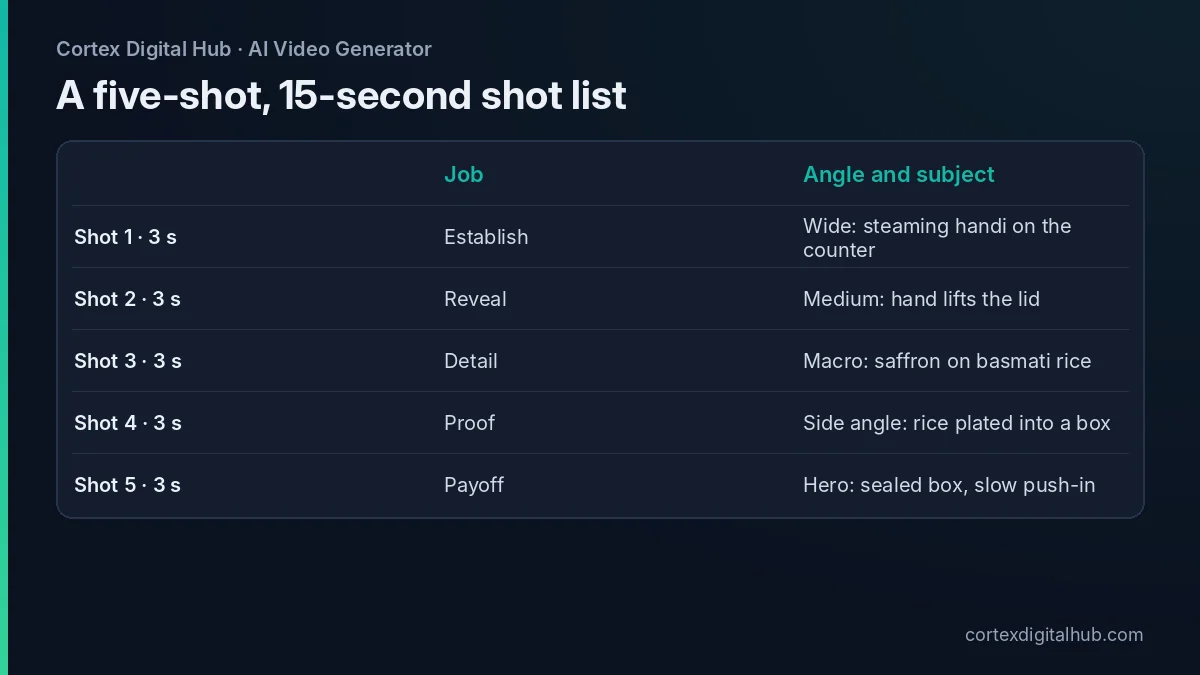 Each shot gets one job, one angle and about three seconds, so a 15-second story stays readable.
How do I write the prompt for several shots?
State the overall style once, then list the shots in order, one short line each. Keep the nouns the same in every line.
Warm, cinematic food ad, same steel handi and wooden counter throughout. Shot 1: wide, steam rising. Shot 2: hand lifts the lid. Shot 3: macro on saffron rice. Shot 4: rice plated into a box. Shot 5: sealed box, slow push-in. Sound on.
Do not describe emotions at length. Say what moves and where the camera goes. If you want help phrasing it, the Improve button polishes the prompt, and Ideas offers starting points. Our guide to text-to-video prompts that work covers the full formula.
How to keep the look consistent between shots
Consistency is where multi shot clips usually fall down. Three habits help.
- Use reference images. Upload 2 to 4 images of the product, face or place and tag them with the @ button. The reference-image guide shows the setup.
- Repeat the anchor words. If shot 1 says "steel handi", shot 4 should too.
- Fix the light. One light description for the whole clip, such as "warm evening kitchen light", beats a different mood in each line.
Only use reference images of people who have agreed to appear, and never use real children's faces.
When should I make shots separately and join them?
Make shots separately when you need more than 15 seconds, when one shot keeps failing, or when you want tighter control. Each shot is its own clip, so a weak one can be redone alone.
- Chain with first and last frame. On Lumen Frames, Lumen Omni or Prism 6, use the final still of clip A as the first frame of clip B. Read how in first and last frame control.
- Extend a good shot. Extend video continues a clip by 4 to 30 seconds. See extending and editing.
- Join in any editor. Download the MP4s and cut them together on your phone or laptop. Match the aspect ratio and resolution first. The free Video Resizer sorts out mismatched shapes, and Trim Video removes dead frames at the start and end of each clip.
Common multi shot mistakes to avoid
Most failed multi-shot clips share a few causes, and all are fixable before you spend credits.
- Too many shots. Eight shots in 10 seconds means each lasts barely over a second. The viewer sees flicker, not a story. Cut to five.
- Changing the subject. If shot 2 shows a steel handi and shot 4 a brass pot, the model has no reason to match them. Name the object once and keep the name.
- Two camera moves in one shot. A push-in and a pan together confuse the motion. One move per shot keeps it clean.
- No payoff. End on the thing you want remembered: the pack, the logo space, the offer. Leave a clean last second so you can place text there in your editor.
- Forgetting the format. Set Format to 9:16 for Reels before you generate, not after. Cropping a 16:9 story later cuts off the subject.
A useful test: read your shot list aloud as if briefing a camera operator. If you stumble on a line, the model probably will too.
What does a multi shot AI video cost?
Prices are as of October 2026, at 1 credit = ₹0.50.
| Approach | Total length | Credits | Cost |
|---|---|---|---|
| One multi-shot clip, Lumen Motion 3 Standard | 15 s | 345 | ₹172.50 |
| One multi-shot clip, Orbit 2.6 at 480p | 15 s | 405 | ₹202.50 |
| Four 5 s shots, Lumen Motion 3 Standard | 20 s | 460 | ₹230 |
| Four 5 s drafts, Orbit 3 at 480p | 20 s | 280 | ₹140 |
Draft the story on a cheap model first, check that the order of shots makes sense, then spend on the final. The ₹249 pack is 520 credits, enough for one 15-second multi-shot clip on Lumen Motion 3 Standard with 175 credits to spare.
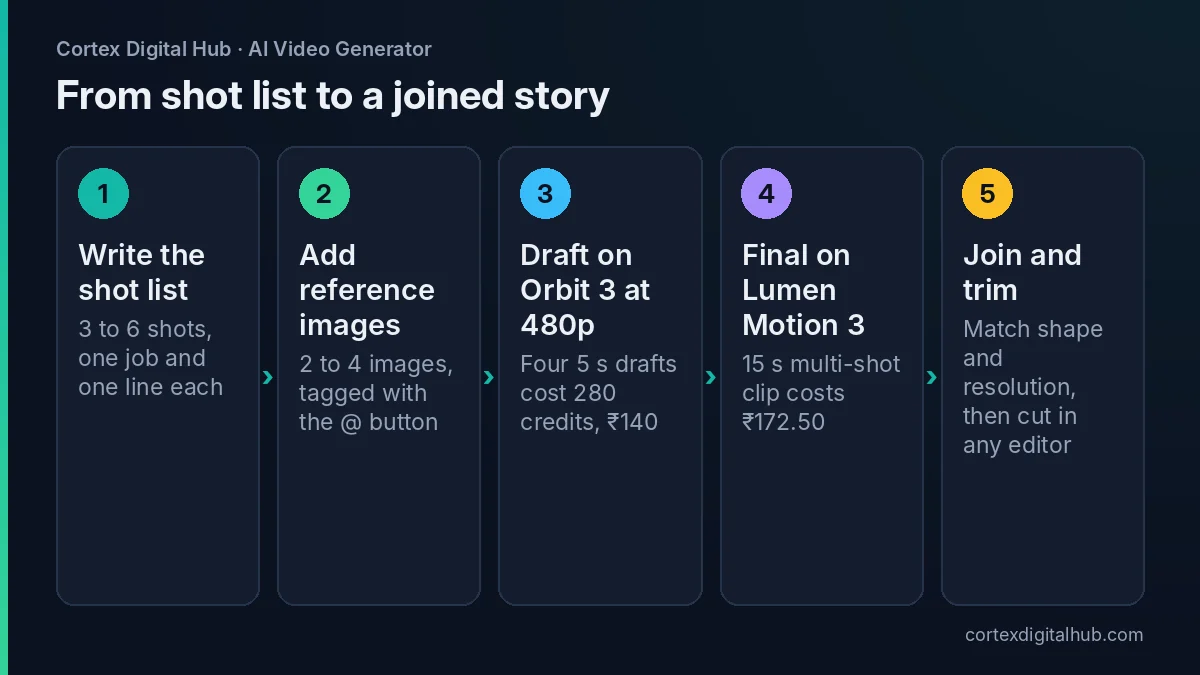 Plan on paper, draft cheaply, fix the weak shots, then join the finals.
Key takeaways
- A multi shot AI video cuts between angles; three to six shots suits a 10 to 15 second clip.
- Write a shot list first: one line, one job and about three seconds per shot.
- Use 2 to 4 reference images and repeat anchor words to keep one look.
- Chain longer stories with first and last frame control, or join separate clips in an editor.
- A 15-second multi-shot clip on Lumen Motion 3 Standard costs ₹172.50.
- Draft on a cheap model before paying for the final.
Frequently asked questions
What is a multi shot AI video?
It is a single short clip that cuts between several camera angles or scenes, such as a wide shot, a close-up and a detail, instead of one continuous take. On the site, Lumen Motion 3 and Orbit 2.6 are the multi-shot models.
How many shots can I put in one AI video?
For a 10 to 15 second clip, three to six shots is a practical range. Each shot then gets about two to five seconds, which is enough to read. More than that and the cuts feel rushed.
How do I write a prompt for a multi shot clip?
Describe each shot in order, one short line each, with the subject, the camera and the light. Keep the same subject and setting across the lines, and put the overall style once at the start.
How do I keep the same look across shots?
Use 2 to 4 reference images of the subject, product or place, and tag them with the @ button. Repeat the same subject and light words in every shot line so the model has one look to follow.
How much does a 15 second multi shot AI video cost?
On Lumen Motion 3 Standard, 15 seconds is 345 credits, which is ₹172.50. On Orbit 2.6 at 480p it is 405 credits, or ₹202.50. The Generate button shows the exact total first.
Can I join separate AI clips into one longer story?
Yes. Make each shot as its own clip, download the MP4s, and join them in any video editor on your phone or laptop. Match the aspect ratio and resolution first so the cuts look even.
What is the difference between multi shot and Extend video?
Multi shot cuts between different angles inside one generation. Extend continues the same clip for another 4 to 30 seconds. Use multi shot for variety and Extend when you want a single shot to run longer.
Can the last frame of one clip start the next?
Yes, with models that support first and last frame control, such as Lumen Frames. Use a still from the end of clip A as the first frame of clip B, and the two connect smoothly.
Should I keep sound on for a multi shot video?
Keep it on if you want ambience that follows the cuts. Switch it off if you plan to add a trending track in your editor, since a second music layer on top of generated music rarely works.