
Unlock the e-Aadhaar PDF password once and keep a copy that just opens
Every time Venkat opened his mother's e-Aadhaar, the phone asked for a password, and the bank's upload box would not take a locked file at all. How to unlock a PDF password you already know, in the browser, and keep a copy that opens straight away.
· 5 min read · 525 views · by the Cortex Digital Hub team
Drop the locked PDF, type the password you already use to open it and download a copy that opens without one. Add several statements and the same password is tried on each. Free · your own files only · nothing uploaded
Unlock your PDF → → Opens Unlock PDF · runs in your browser
Venkat Reddy was at his mother's bank in Kukatpally on a Saturday morning to update her KYC. The officer asked for the e-Aadhaar on WhatsApp. Venkat had the PDF on his phone, and every time he opened it the phone asked for a password. Then the officer said the upload box on their side would not take a file with a password on it. Could he send one that just opens? This guide is the unlock PDF password fix for exactly that: a file whose password you already know, unlocked once in your browser, so you keep a copy that opens straight away and nothing goes to anyone's server.
Why the e-Aadhaar asks for a password every time
UIDAI locks the downloaded e-Aadhaar so that a lost phone or a misdirected email does not hand someone your details. Banks do the same with statements and card bills, and many companies with salary slips. That is sensible for the copy sitting in your inbox. It gets tiresome when you open the file ten times a month, and it becomes a real snag when a form, a portal or a person on the other end cannot open it.
The password is not a secret code you have to request. For the e-Aadhaar, UIDAI's own FAQ gives the rule and four examples:
| Name on the Aadhaar | Year of birth | Password |
|---|---|---|
| SURESH KUMAR | 1990 | SURE1990 |
| SAI KUMAR | 1990 | SAIK1990 |
| P. KUMAR | 1990 | P.KU1990 |
| RIA | 1990 | RIA1990 |
First four letters of the name in capitals, then the year of birth. Spaces are skipped, a dot after an initial counts, and a short name is used whole. Bank statements are different: each bank sets its own pattern, and the email that brought the statement usually says which. It is often built from part of your name, your date of birth, your customer ID or the last digits of an account or card number.
How to unlock a PDF password, step by step
Venkat did this on his phone at the counter, in about a minute.
- He opened Unlock PDF and dropped in the e-Aadhaar. The page said one file needed a password to open.
- He opened the small "e-Aadhaar password?" helper under the password box, typed his mother's name as printed (LAKSHMI DEVI) and her year of birth. It showed LAKS1958 and a "Use this password" button.
- He pressed it, which filled the password box, then pressed Unlock PDF.
- A preview of page 1 appeared with the page count and the note "opens without a password". He pressed Download and sent that copy.
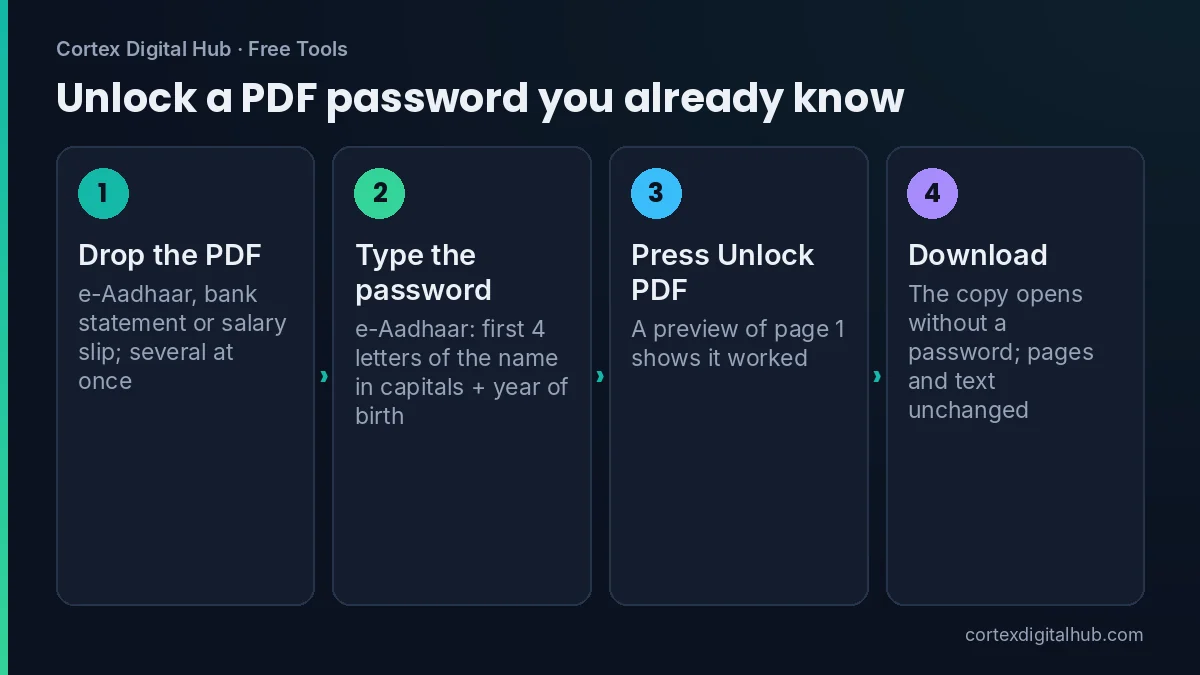
If the password is wrong, the file is marked "Wrong password for this file" and nothing is saved, so you can simply try again. The Show button next to the box helps when you are not sure what you typed.
One catch with the helper: it builds the password from letters only. For a name like P. KUMAR it would leave out the dot, and for a three-letter name it waits for a fourth letter. In those two cases type the password yourself, exactly as in the table above.
Six months of bank statements, one password
A week later the same bank wanted six months of his mother's savings account statements for a fixed deposit form. They came as six emailed PDFs, each with the same password. Venkat added all six to the tool at once, typed the password one time, and it was tried on each file. The results showed six cards, one per statement, and a "Download all (ZIP)" button.
If one statement had a different password, it would show an error on its own card while the others went through. Run that one again with its own password.
What stays the same, and what does not
Unlocking removes the password and any print or copy limits. Nothing else changes: every page, the text, the photo, the QR code on the e-Aadhaar and any links are copied as they are. Some PDFs open without a password but refuse to print or let you copy text. If it is your own document, drop it in and press Unlock PDF; those limits come off without a password.
Everything runs in your browser. The tool page loads a PDF engine into the tab and works on the file there, which is why it can be free and why your Aadhaar never touches our server. There is more on that in why browser-based tools are safer than upload sites.
Honest limits
- Only files whose password you know. The tool does not guess, crack or recover passwords. If you have truly lost a bank's password rule, ask the bank; for the e-Aadhaar, the rule above always applies.
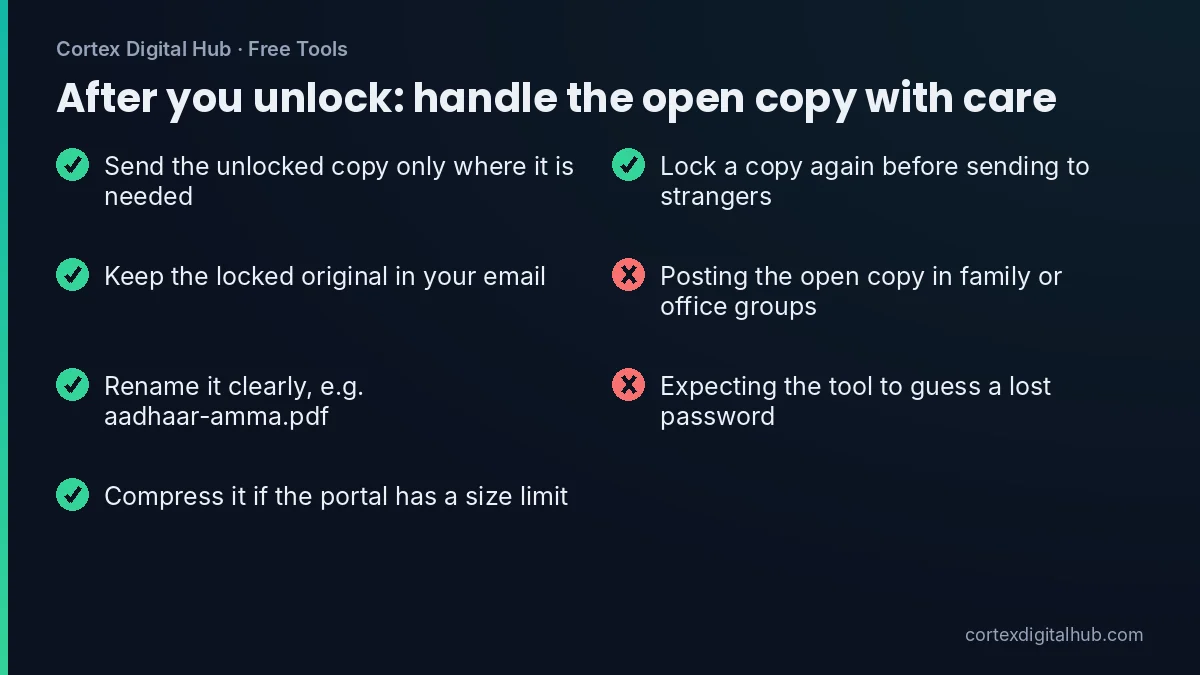
- The new copy opens for anyone. That is the point, but it also means you should store and share it with care. Do not leave an unlocked Aadhaar lying in a shared folder or a group chat.
- It does not edit the content. A wrong name or address on the Aadhaar has to be corrected through UIDAI, not in a PDF tool.
What to do next with the unlocked copy
Once the file opens freely, the other PDF tools can work on it too. Most of them cannot open a locked PDF, which is another reason to unlock first.
- The portal has a size limit. Many forms cap uploads at 100 KB to 2 MB. Compress PDF shrinks it to a size you choose; the compress PDF to 100 KB guide walks through the tightest case.
- The form wants Aadhaar and PAN in one file. Put them together with Merge PDF, in the order the form asks for.
- Someone wants a picture, not a PDF. PDF to JPG turns the page into an image you can attach or crop.
- You are sending it on. If it is going to someone you do not know well, lock a copy again with your own password using Protect PDF, and tell them the password on a call.
If the form also asks for a photo of you, the Aadhaar and passport application photo rules post covers sizes. All the PDF tools sit together on the PDF tools page.
Back at the counter
The officer opened the copy on her screen without asking for anything, and the KYC update went through before the bank's lunch break. Venkat kept the original locked file in his email and saved the unlocked one in a folder on his phone named for his mother. The next time someone asks for it, he will not be standing at a counter doing arithmetic with her birth year.
Frequently asked questions
What is the password of the e-Aadhaar PDF?
The first four letters of the name as printed on the Aadhaar, in capital letters, followed by the year of birth. SURESH KUMAR born in 1990 is SURE1990. Spaces are skipped, so SAI KUMAR is SAIK1990.
My name starts with an initial, like P. KUMAR. What is my password?
As per the official example, the dot counts: P. KUMAR born in 1990 is P.KU1990. Type it straight into the password box, because the helper in the tool builds the password from letters only.
My name has only three letters. What then?
Use the whole name and the year. The official example is RIA born in 1990, password RIA1990.
Can the tool open a PDF if I have forgotten the password?
No. You type the password you already use, and the tool saves a copy without it. It does not guess or break passwords.
Is my Aadhaar or my password uploaded anywhere?
No. The PDF engine runs inside your browser, so the file and the password stay on your phone or laptop.
Can I unlock six months of bank statements at once?
Yes, if they share one password. Add them together, type it once, and download each copy or all of them as a ZIP.
Does unlocking change anything else in the PDF?
No. Only the password and any print or copy limits are removed. Pages, text, images and links stay as they were.