
A UPI QR code and printable counter card for your shop, free
Salim's chai stall near the Nagpur bus stand had a faded, curling QR sticker that half the phones could not read. How a free UPI QR code generator made him a new code and a printable counter card in ten minutes, what the code holds, and what it cannot do.
· 5 min read · 1.1K views · by the Cortex Digital Hub team
Type your UPI ID and the name customers should see. Add a heading and a line in any language, pick a colour and download an A6 or A5 card to print, or the card as an image for WhatsApp. Free · no sign-up · payments go straight to you
Make your UPI QR card → → Opens UPI QR Code Generator · runs in your browser
Salim Sheikh sells chai, bun-maska and samosas from a stall near the Ganeshpeth bus stand in Nagpur. Most of his customers pay by UPI now, a few rupees at a time, many in a hurry to catch a bus. For two years a laminated QR sticker sat on his counter. Steam, rain and thumbs had faded it, a corner had curled up, and by November every third customer was tilting their phone at it, giving up and asking for his number instead. His nephew Arif found a free UPI QR code generator that made a new code from Salim's UPI ID, checked that it scanned, and laid it out as a card ready to print. It took ten minutes and twenty rupees at the print shop.
What is inside a UPI QR code
A UPI QR code is not an app or an account. It is a short line of text drawn as a pattern of squares. That text says: pay this UPI ID, show this name, and, if you want, this amount and this note. When a customer scans it, their UPI app reads the line, shows your name and asks them to confirm. The money goes from their bank to yours.
That is why a code made on any page is fine as long as the UPI ID in it is yours. It is also why the UPI QR Code Generator can be free: it only writes your details into the pattern, in your own browser. Payments never pass through us, and we never see them.
How to use the UPI QR code generator
Arif did this on his phone, standing at the counter between orders.
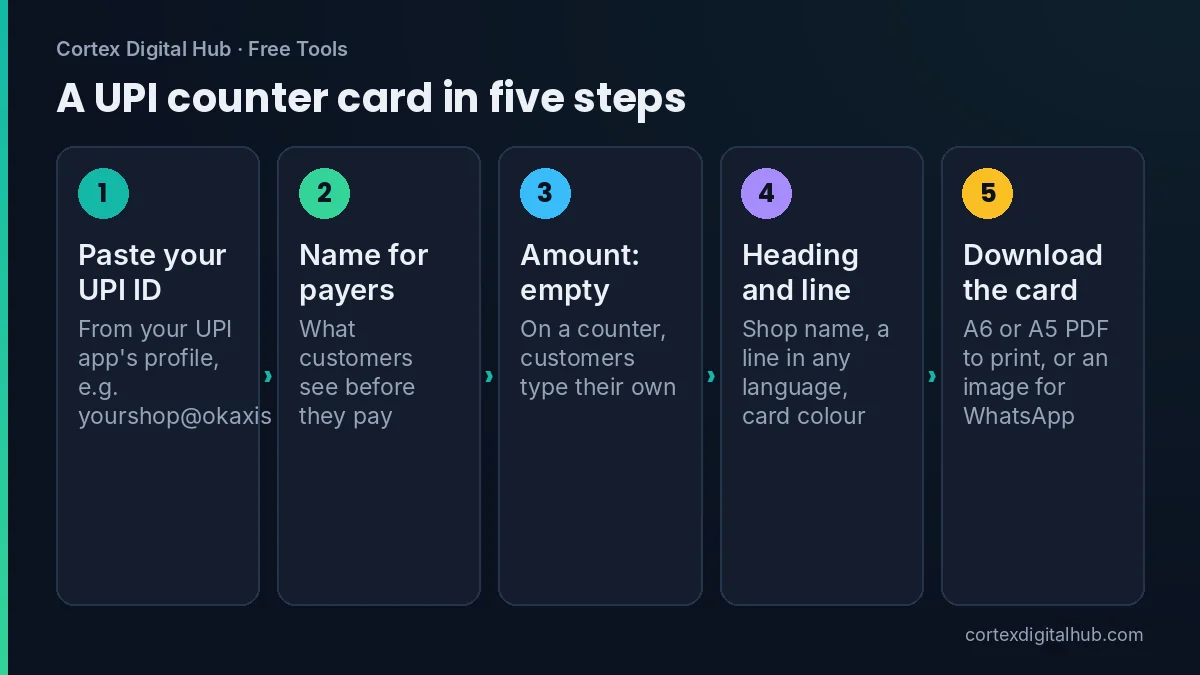
- UPI ID. He copied Salim's UPI ID from the profile screen of his UPI app and pasted it in. The tool checks it looks like a UPI ID (a name, then @, then a handle) and says so if it does not.
- Name shown to the payer. He typed "Salim Tea Stall". Customers see this in their app before they pay.
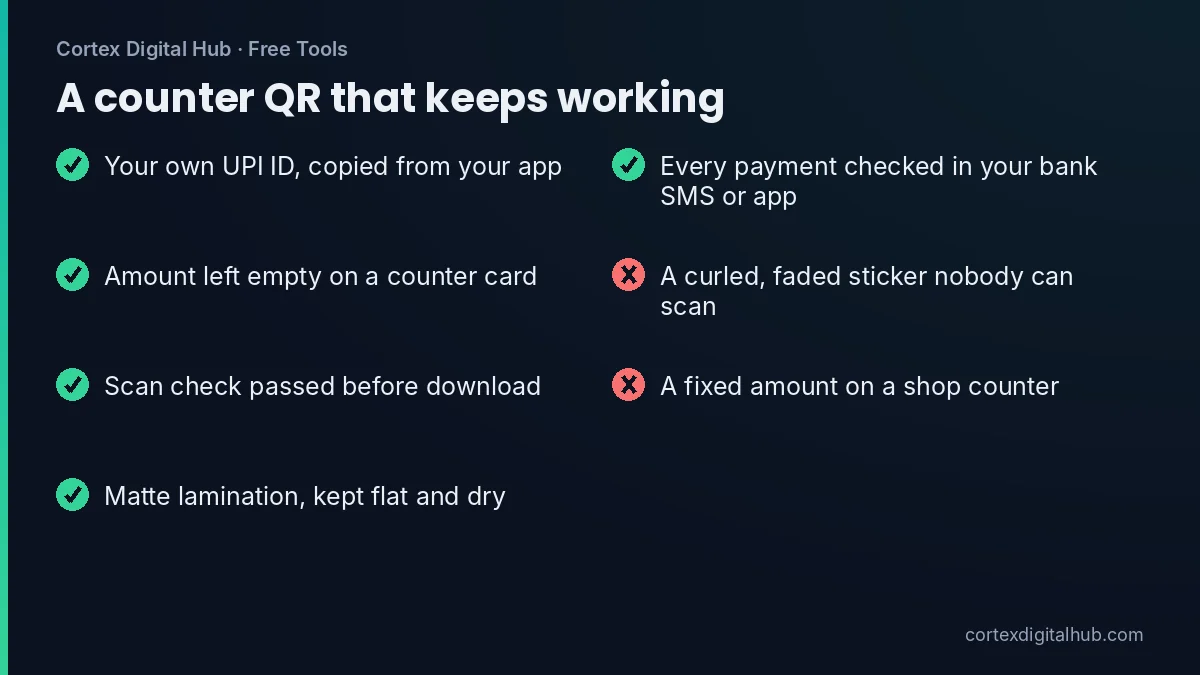
- Fixed amount. He left it empty. On a counter, people pay different amounts, so they should type their own.
- Note. Also empty. A note helps for one-off payments, like "Dec tuition fee".
- Counter card. He typed the heading "Salim Tea Stall" and, in the line under the code, "यहाँ स्कैन करें · Scan here". The line takes any language.
- Card colour and size. He picked a deep green to match the stall's awning and chose A6 for a counter stand.
- Scan check. Under the code the tool showed "Scan check passed: this code reads back exactly." Every code is read back like this before you download it.
- Download. He saved the card PDF to print and the card as an image to put on the stall's WhatsApp status.
The card has the shop name on a coloured band at the top, "Scan and pay with any UPI app", the code, the UPI ID written under it, the optional line, and a small reminder at the bottom: "Check the name shown in your UPI app before you pay."
Choosing what goes on the card
| Field | For a shop counter | For a single sale |
|---|---|---|
| Fixed amount | Leave empty | Set it, up to ₹1,00,000 |
| Note | Leave empty | "Order 214" or "Dec fee" |
| Print size | A6 stand, or A5 for the wall | Card as image on WhatsApp |
| Logo | Optional, keep it small | Optional |
| Line under the code | Any language, short | Thank-you line |
A fixed amount locks the code to one price. That suits a home baker sending a ₹650 cake order, or a tutor collecting one month's fee. On a counter, it would make every customer pay the same, which is not what you want.
Print it so it lasts
The A6 card is 105 × 148 mm, the size of a postcard, and the PDF is drawn at about 300 pixels per inch at that size, so the print shop has a sharp file. A5 is twice as large, for a wall or a pillar where people scan from a step away.
Salim's print shop laminated the card and slipped it into a clear acrylic stand. Matte lamination is kinder to phone cameras than glossy, which throws back the tube light. Keep the code flat and out of the steam if you can; a curled corner is the usual reason a code stops scanning.
The code itself can use your colours, rounded dots and a logo. The tool warns when the colours are too close or when a light code sits on a dark background, which some older scanners cannot read. If you add a logo, a PNG with a see-through background looks cleanest; Remove Background makes one from a photo of a sticker or a board, and the transparent PNG guide explains the rest.
Honest limits
- It does not confirm payments. A QR code cannot tell you that money arrived. Check your bank SMS or your UPI app for each payment before you hand over the order, especially for larger amounts.
- No sound box. The speaker that announces payments at bigger shops comes from a bank or payment company, not from the code.
- It is your personal UPI ID. If your bank has given you a merchant QR, that works too. This tool is for when you do not have one, or yours has faded, been lost, or shows an old number.
- Check the name. Customers should see your name when they scan. If a code ever shows someone else's name, it is not yours; replace it.
What to do next
Once the payment code is up, the same family of tools covers the rest of the stall's paperwork and posts.
- A second code for the stall's WhatsApp chat or a link to its menu: the QR Code Generator makes link, WhatsApp, Wi-Fi and contact-card codes with the same scan check. Use the SVG download for big prints; PNG vs SVG for logos explains why it stays sharp.
- A photo of the new counter for the shop's WhatsApp status: tidy it in the Photo Editor and shrink it with the Image Compressor so it sends quickly.
More are on the image tools page.
A week later
The new card has been on the counter for a week. Customers scan it without tilting their phones, and the queue at 8:15 when the Amravati bus comes in moves a little faster. Arif saved the card PDF on Salim's phone, so the next time the steam wins, a fresh print is twenty rupees away.
Frequently asked questions
Does the money come to my bank account directly?
Yes. The QR code only holds your UPI ID, your name and an optional amount. The customer's UPI app pays your bank directly; we are not involved and see nothing.
Which apps can scan this UPI QR code?
Any UPI app that scans UPI QR codes, including your bank's own app and the popular payment apps.
Should I put a fixed amount on a shop counter card?
No. Leave the amount empty so customers type what they owe. A fixed amount suits a single product or one invoice, not a counter.
Where do I find my UPI ID?
In your UPI app's profile or settings. It looks like a name or number, then @, then the bank or app handle, for example yourshop@okaxis or 98480xxxxx@ybl.
What size does the counter card print at?
A6 (105 × 148 mm) for a counter stand or A5 (148 × 210 mm) for a wall. The card is drawn at 1240 × 1748 pixels, which is about 300 pixels per inch at A6.
Will I get a sound or an alert when someone pays?
Not from the QR code. It only tells the customer's app where to send money. Alerts come from your bank's SMS or your UPI app, so check those before handing over the order.
Can I add my shop logo in the middle of the code?
Yes. Adding a logo switches the code to its strongest error correction, and the scan check tells you if the logo got too big to read.