
AI Video for Car Dealers: Showroom Hero Shots, Wheel Spins and Festive Offers
AI video for car dealers turns a showroom photo into a polished hero clip with a slow push-in, a light sweep over the paint or a wheel turning. This guide shares prompts, rupee costs and the rules that keep the clip true to the vehicle on sale.
· 5 min read · 1.2K views · by the Cortex Digital Hub team
Use your own photo of the vehicle as the first frame, ask for one slow camera move, and keep the car exactly as it is. From ₹24 a clip · no watermark · runs in your browser
Make a showroom clip → → Opens AI Video Generator · runs in your browser
AI video for car dealers works when it stays true to the vehicle: one real photo of the car or bike, one slow camera move, and a clean showroom feel. Use the AI Video Generator to turn a photo into a 5-second hero clip for Reels and WhatsApp, then add your offer, price and phone number as text.
What can AI video do for a dealer with one photo?
A showroom photo is a good starting point because the vehicle, the paint and the lighting are already right. Image to video makes that photo the first frame and adds movement.
Three clips cover most dealer needs:
- The hero push-in. The camera moves slowly towards the front of the car.
- The light sweep. A soft highlight glides across the bonnet or tank and shows off the paint.
- The wheel and detail clip. A close view of an alloy wheel turning or a headlight glowing.
A dealership in Ludhiana can make all three from one photo set in an afternoon. Our guide to animating a photo with AI explains the basic method, and AI product video from one photo covers similar ground for objects.
Which prompts work for wheel spins and light sweeps?
Say what moves and keep to one subject and one camera move. Describe the light, because reflections on paint are what make a car look premium.
A white compact SUV in a bright showroom, slow dolly push-in towards the front grille, a soft white light sweep gliding across the bonnet, glossy floor reflections, clean and premium, steady camera.
Close-up of a silver alloy wheel on a black hatchback, the wheel turning slowly, soft rim light, shallow depth of field, steady camera, showroom background.
A red motorcycle on a plain grey studio floor, camera orbits slowly to the right, a soft highlight moves along the fuel tank, crisp reflections.
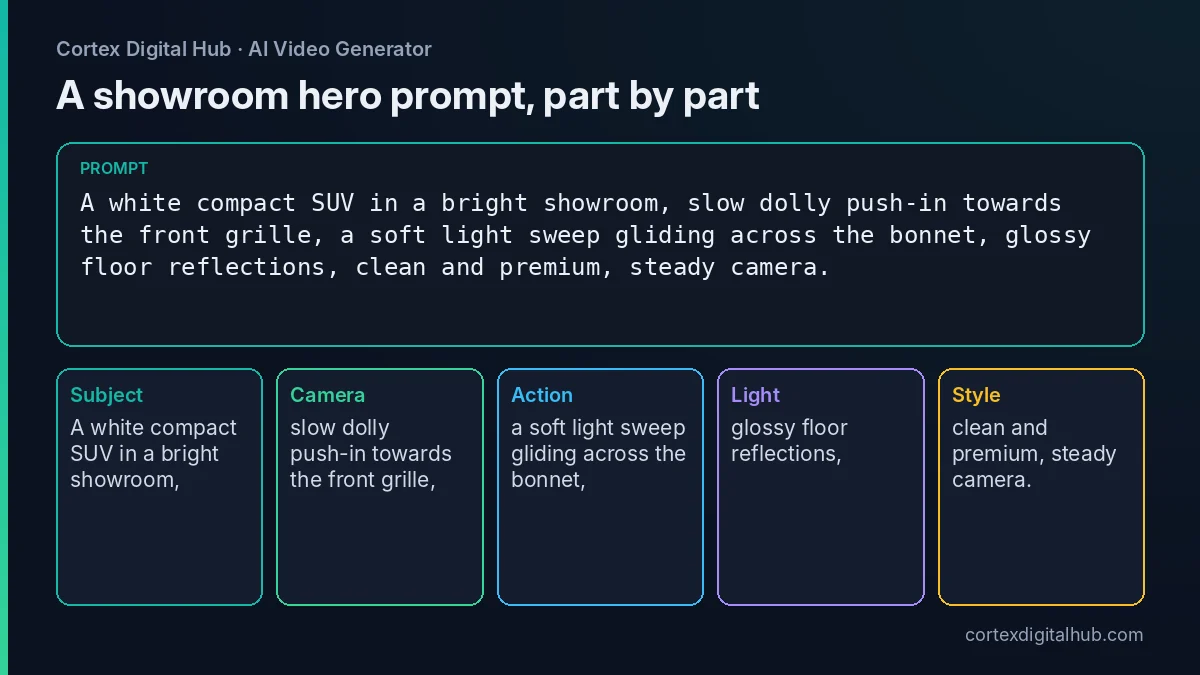
A showroom hero prompt split into subject, motion, camera and light.
Use the Avoid box for "warped badge, changed wheels, extra doors, melting body, flicker". Cars have hard edges and fixed shapes, so if a result bends the body line or alters the logo, discard it and shorten the clip or simplify the move. For more on structure, see the text-to-video prompt guide.
How do you stay honest about the actual vehicle?
Customers decide on what they see. If the clip does not match what they find in the showroom, you lose trust, and may breach advertising rules. A few clear habits keep you safe:
- Use a photo of the actual unit, or the correct model, variant and colour.
- Do not change the paint colour, wheels, badges or features with the prompt.
- Reject any clip where the shape, logo or number of doors changes.
- Do not show accessories or add-ons that are not included in the price.
- Put prices, EMI, exchange bonus and dates in text you type yourself, and keep terms exact.
- Never show a real person's face without consent, and do not use anyone's number plate or personal details.
Advertising rules for vehicles and finance differ by state and platform. As of 2026, check the platform's help page and applicable guidelines before paid promotion. Make no claims on mileage, safety ratings or resale value that you cannot back up.
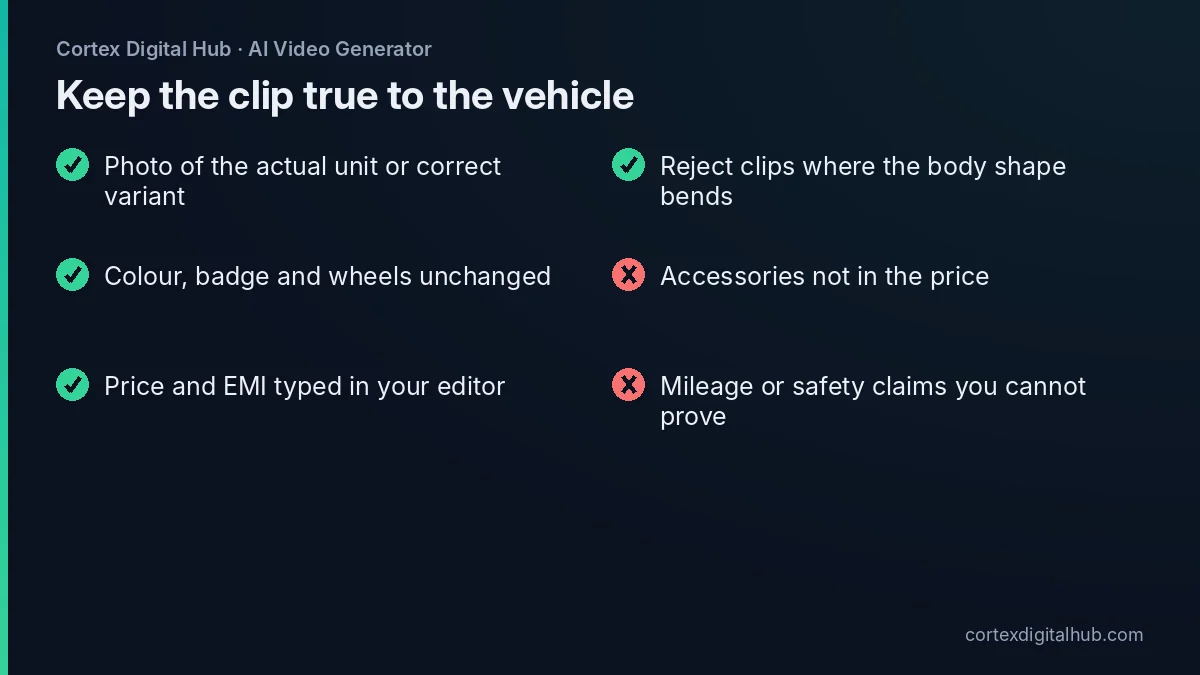
What to keep, and what to reject, before a vehicle clip goes live.
What does a dealer clip cost?
Credits are billed per second of finished video, 1 credit = ₹0.50, and the exact total shows on the Generate button before you start. Prices are as of October 2026.
| Job | Model | 5 seconds costs |
|---|---|---|
| Draft to check the move | Orbit 3, 480p | ₹35 |
| Everyday showroom clip | Lumen Motion 3 Standard | ₹57.50 |
| Sharper hero for a banner | Lumen Motion 3 1080p | ₹92.50 |
| Very sharp single frames | Nova 2K | ₹87.50 |
The ₹249 pack gives 520 credits, about four 5-second clips on Lumen Motion 3 Standard. A bike dealer in Coimbatore could draft three ideas at ₹35 each and then make two finals in one pack. For all the rates, read the cost per clip breakdown.
Festive offers: Dhanteras, Diwali and Navratri
Festivals are when many dealers push offers. Use AI for the atmosphere and your own text for the deal.
- Place the vehicle photo in a warm showroom and ask for gently glowing diyas or soft string lights in the background.
- Keep the vehicle itself unchanged. Festive lights go around it, not on it.
- Add "Festive offer" text, the price, the date and your WhatsApp number in your editor.
A black sedan in a showroom decorated with marigold garlands and warm string lights, slow push-in, soft golden reflections on the bonnet, festive and elegant.
Keep religious symbols respectful: simple lights and flowers work better than a busy collage.
Walkaround ideas for bikes, scooters and used vehicles
Two-wheelers suit short clips because the shape is simple and the details are obvious. A slow orbit around a motorcycle, a headlight that glows softly, or a highlight that moves along the fuel tank all give the sense of a showroom without a film crew.
For used vehicles, be extra careful. Buyers expect to see the real condition, so use AI clips only for a tidy intro and show the actual dents, interior and odometer in your own photos and phone videos. A clip that makes a used car look newer than it is can cause disputes and damage your name.
A simple posting plan for a week:
- Monday: a hero push-in of this week's featured car.
- Wednesday: a wheel or headlight close-up with the EMI offer as text.
- Friday: a festive-style clip with a weekend test-drive invitation.
- Weekend: a real phone walkaround, to prove the vehicle is as shown.
Three AI clips on Lumen Motion 3 Standard come to 345 credits, or ₹172.50, which fits inside one ₹249 pack with 175 credits to spare.
Format, finishing and sharing
Set Format to 9:16 for Reels, Stories and WhatsApp Status, and keep the vehicle towards the middle so captions and buttons do not cover it. Trim extra seconds with the free Trim Video tool, and shrink files for sending with the Video Compressor. Our WhatsApp Status and business guide has more on broadcasts.
Finished MP4s stay in History for 7 days, so download the ones you plan to use.
Key takeaways
- Start from a real photo of the vehicle and ask for one slow camera move.
- Use prompts for hero push-ins, light sweeps and wheel or detail close-ups.
- Never change colour, trim, badges or features, and reject any clip where the body shape bends.
- Put price, EMI and dates in text you type, not in the prompt.
- A 5-second clip costs ₹35 as a draft and ₹57.50 on Lumen Motion 3 Standard.
- Check vehicle and finance advertising rules and the platform's help page before paid promotion.
Frequently asked questions
How can car and bike dealers use AI video?
Dealers can animate showroom photos into short hero clips, add festive offer intros and make WhatsApp Status teasers. Start from a photo of the real vehicle, keep colour and model unchanged, and put prices and terms in text you add yourself.
Can I make a wheel-spin or light-sweep clip from a photo?
Yes. Use the car photo as the first frame and describe one movement, such as a slow light sweep across the bonnet or a gentle wheel turn. Keep the camera steady and check that badges and shapes stay correct.
Is it okay to change the colour or trim in an AI car video?
No. Showing a colour, variant or feature the buyer will not get is misleading. Use photos of the actual unit or the correct model colour, and discard any clip where the badge, wheels or body shape change.
How much does a showroom clip cost?
A 5-second clip on Lumen Motion 3 Standard is 115 credits, or ₹57.50, and at 1080p it is ₹92.50. Orbit 3 at 480p is ₹35 for a draft. At 1 credit = ₹0.50, the total shows on the Generate button first.
Should I put prices and EMI offers inside the AI video?
Add them as text in your editor, not through the prompt. Models can garble numbers. Offer terms, dates and finance details should be exact, and check advertising rules and the platform's help page, as these change.
What is the best format for a car dealer Reel?
9:16 vertical suits Reels, Stories and WhatsApp Status. For a YouTube walkaround or a website banner, 16:9 is better. Set Format before you generate so the car is framed for the screen.
Can I use AI video for two-wheeler and scooter dealers?
Yes. Bikes and scooters work well with a slow orbit, a headlight glow or a light sweep over the tank. Start from a clear side-on photo, ask for one camera move, and verify that the logo and wheels look right.
Can I add sound to a car video?
Sound models can add ambience or music that fits the motion. Engine sounds may not match the real vehicle, so for a trending or licensed track, turn Sound off and add the audio yourself, checking the platform's music rules.