
AI video for interior design: from mood board to client walkthrough
AI video for interior design turns a mood board, a render or a material photo into a short moving clip a client can feel. This guide shows what to animate, which prompts work, and what each clip costs in rupees.
· 5 min read · 1K views · by the Cortex Digital Hub team
Upload a render or a material photo, describe one slow camera move, and get a clip you can drop into a client deck or a Reel. From ₹24 a clip · no watermark · runs in your browser
Animate a render → → Opens AI Video Generator · runs in your browser
AI video for interior design lets you turn a mood board, a render or a fabric photo into a 5-second moving clip. You describe one slow camera move, such as a push-in across a sofa or a pan over a marble counter, and the AI Video Generator animates it. It works best for atmosphere and materials, not for exact dimensions. Prices below are as of October 2026.
What is AI video good at in interior design?
Think of it as a way to show feeling, not measurements. A client who cannot read a plan can still react to a clip where warm light slides across a teak console.
Good uses:
- Animating a single mood-board image so a theme such as "Japandi" or "Jaipur modern" moves.
- Short material close-ups: linen, brass, fluted wood, veined stone.
- A reveal between an old room and the new design.
- Instagram Reels and WhatsApp status clips that show a finished project in motion.
Weak uses: anything where the client will measure from the video. The model fills in detail it cannot see, so a door can move or a wall can grow. Treat the clip as a concept visual and keep your drawings as the source of truth.
How do you go from mood board to motion?
Start from one strong still. A rendered view from your design software is ideal because the lines are clean and the lighting is already decided. Then follow a short routine.
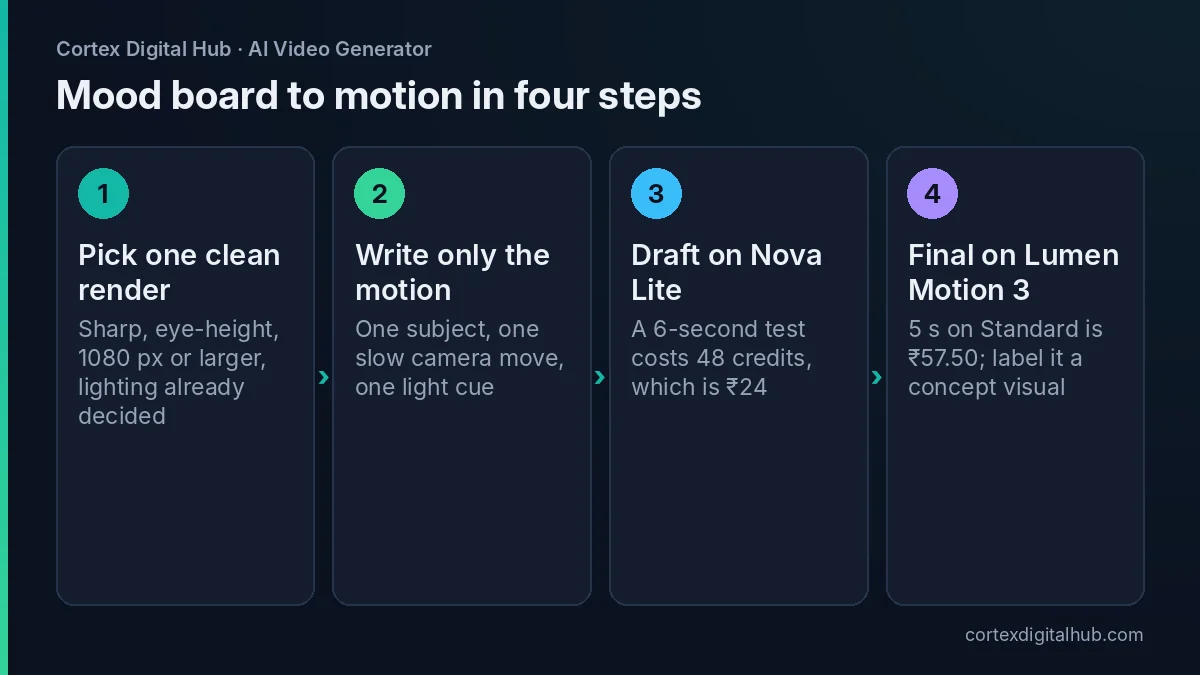 The same four steps work for a single mood-board image or a full set of renders.
Write only the motion, because the photo already supplies the look. A prompt that works:
Slow push-in toward a sage green sofa in a bright Bengaluru living room, curtains moving gently in the breeze, soft morning light, shallow depth of field
Keep to one subject and one camera move. If you ask for a pan, a zoom and a spin together, the room tends to warp. The guide on animating a photo with AI goes deeper on picking the start image.
Can you make a room walkthrough from renders?
Partly. A true walkthrough needs the model to invent the space between two views, so keep each clip to one room and one move. The cleanest method is first and last frame control: upload render A as the first frame and render B as the last, then describe a slow dolly. First and last frame control is available on Lumen Frames, Lumen Omni and Prism 6.
Chain clips instead of asking for a long one. Say you have a living room, a kitchen and a bedroom: make three 5-second clips, trim them with the free Trim video tool, and join them in your editor. If the client needs the exact layout, use the 3D plan to video tool, which builds from the actual plan.
How do you shoot material close-ups with AI?
Close-ups hide the model's weak spots, because there is little room for wrong geometry. Name the material, the light and one tiny movement.
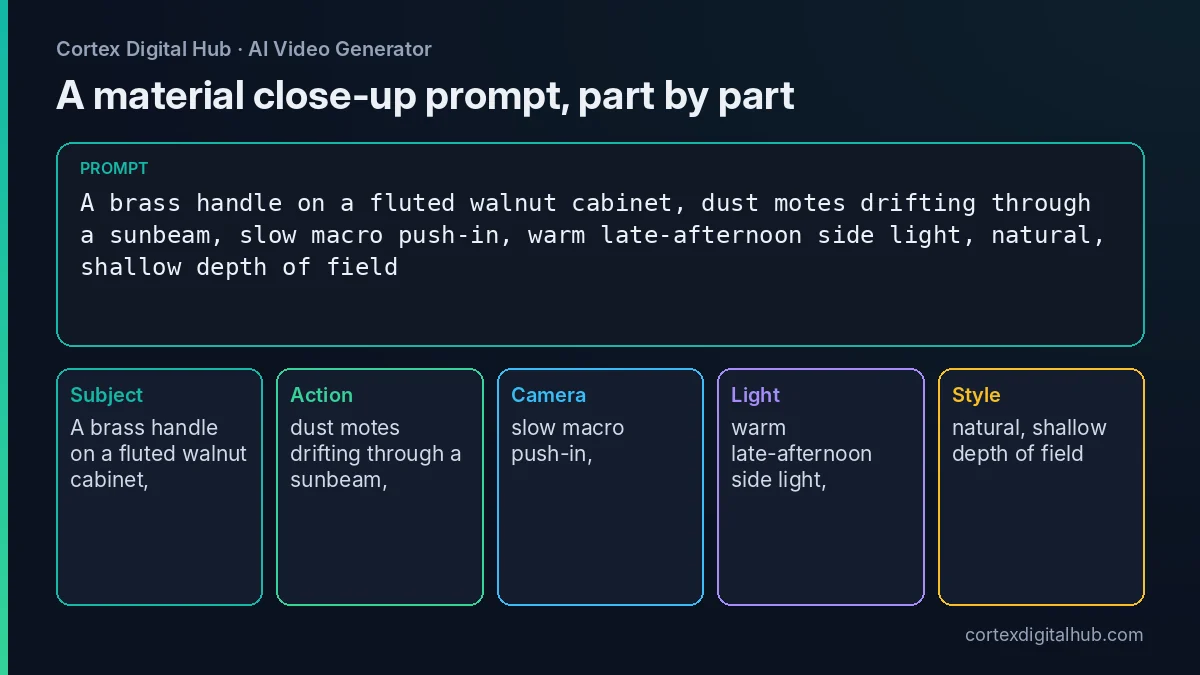 A close-up prompt names the material, one gentle move and the light.
Ideas to try: dust motes drifting through a sunbeam over a jute rug, a hand-held look across hand-block printed cushions, rain on a window beside a reading nook. For consistent colours across clips, add 2 to 4 reference images of your fabric and tag them with @. The post on reference images explains how this keeps a product or place steady.
Which prompts suit common interior styles?
Keep the subject and move short, then borrow the light and texture words of the style. Each of these is a single clip:
- Japandi bedroom:
Slow pan across a low oak bed with linen bedding, paper lantern glowing, calm morning light - Jaipur modern lounge:
Gentle dolly toward a block-printed cushion on a mustard sofa, sheer curtain moving, warm evening light - Compact Mumbai kitchen:
Slow push-in on a matte green kitchen counter with brass taps, steam from a steel tumbler, soft daylight - Pooja corner:
Still camera, a brass diya flame flickering beside carved teak doors, soft warm glow - Balcony garden:
Slow tilt up from terracotta pots to a string of fairy lights at dusk, leaves moving gently
For a pooja corner or any religious space, show it with respect and keep it plain. Do not add people or deities you did not intend to include; the model may invent them, so use the Avoid field to rule out faces and figures. Prompt basics are in the guide to text to video prompts that work.
What should a Reel for your portfolio look like?
Three to five clips of 3 to 5 seconds each is enough. Open with the strongest material close-up, move to the room, and finish with a hero shot of the finished space. Use 9:16, switch sound off with the 🔊 button, and add a licensed or platform-supplied track in your editor. The guide to resizing video for Instagram Reels covers safe zones and file size.
What does a client presentation cost?
Credits are billed per second of finished video, at 1 credit = ₹0.50, and the total shows on the Generate button before you start.
| Job | Model | Length | Credits | Cost |
|---|---|---|---|---|
| Mood-board draft | Nova Lite | 6 s | 48 | ₹24 |
| Material close-up | Lumen Motion 3 Standard | 5 s | 115 | ₹57.50 |
| Old room to new design | Lumen Frames | 5 s | 115 | ₹57.50 |
| Sharp hero slide | Nova 2K | 5 s | 175 | ₹87.50 |
| Cinematic reveal | Vela 2.5 at 720p | 5 s | 855 | ₹427.50 |
Say a Hyderabad studio makes six clips for one pitch. Six Nova Lite drafts cost 288 credits (₹144), and six finals on Lumen Motion 3 Standard cost 690 credits (₹345), so about ₹489 in total. Drafts first, finals second, is the habit that keeps the bill small. Not sure which model suits? See which AI video model to choose.
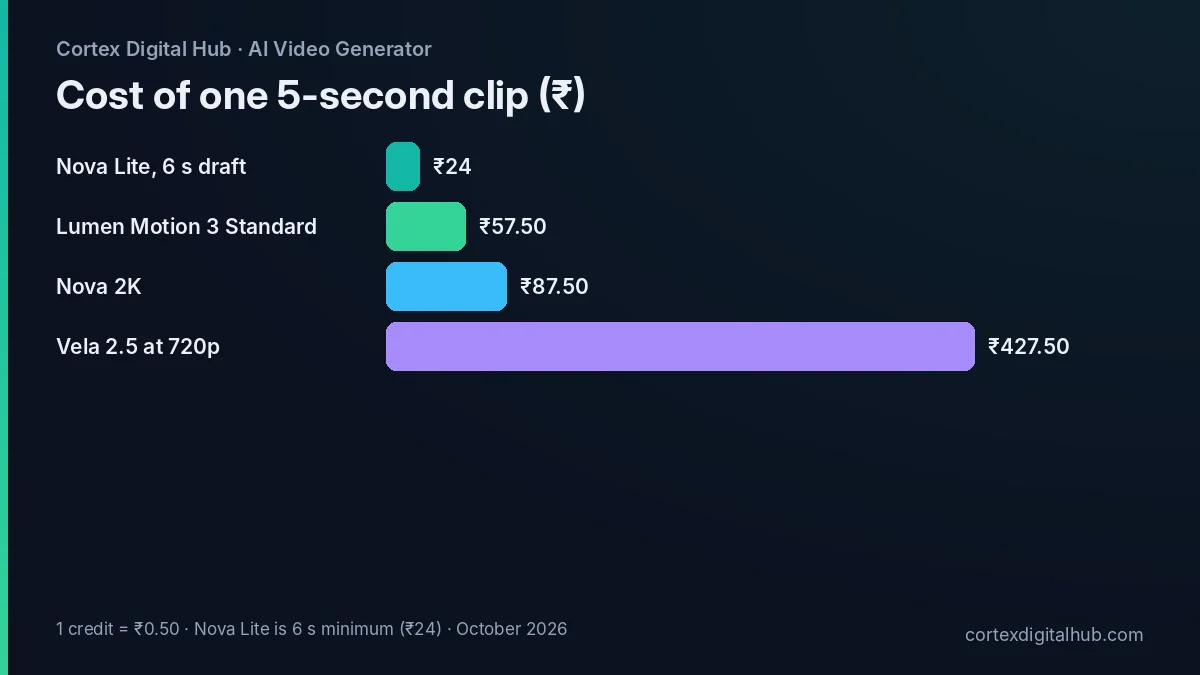 Draft on the cheapest model, then pay for sharpness only on clips that reach the client.
How do you stay honest with clients?
AI clips can drift: a cushion changes shape, a lamp moves, a fabric looks glossier than it is. Protect yourself.
- Label the clip "concept visual, not to scale" in the caption or on the slide.
- Show the real material sample alongside the clip.
- Keep drawings and bills of quantity separate from the video.
- Never animate a person's face without their consent.
Before sending, check the file. Reels want 9:16 at 1080 by 1920, which the free Video resizer can set, and WhatsApp prefers small files, so the guide to compressing video for WhatsApp helps.
Key takeaways
- AI video for interior design suits mood, materials and light, not exact dimensions.
- Start from a clean render and write only the motion: one subject, one camera move.
- Use first and last frame control for old-to-new reveals, and chain short clips.
- A six-clip pitch costs roughly ₹489 when you draft on Nova Lite first.
- Label clips as concept visuals so clients do not expect pixel-perfect results.
- Trim, resize and compress for free before you share.
Frequently asked questions
Can AI video replace a 3D walkthrough for my interior design client?
Not for exact layouts. AI video invents detail between frames, so it suits mood, materials and atmosphere. For a walkthrough that matches the real plan and dimensions, use a 3D render, then use AI video to add life to selected views.
How much does an interior design video cost with AI?
A 5-second clip on Lumen Motion 3 Standard is 115 credits, which is ₹57.50. A 6-second Nova Lite draft is ₹24. A six-clip client presentation, drafts plus finals, lands around ₹490. Prices are as of October 2026.
Which photo works best for animating a room?
A sharp, well-lit, straight-on image at 1080 pixels or larger, with the camera at about eye height. Avoid heavy wide-angle distortion and clutter. Render stills from your design software work well because the lines are clean.
How do I keep the same sofa and colours across several clips?
Use reference images. The generator accepts 2 to 4 references to keep a product or place consistent, and you can tag them with @ in the prompt. Models that support references include Vela 2.5, Nova 2K and Orbit 3.
Should I tell clients that a video is AI-generated?
Yes, label it as a concept or mood visual. Fabric, proportions and small details can drift, so a client may expect something your carpenter cannot build. A short caption such as 'concept visual, not to scale' avoids disputes.
Can I animate two renders into a before-and-after reveal?
Yes. Lumen Frames, Lumen Omni and Prism 6 support first and last frame control. Upload the old room as the first frame and the new design as the last frame, then describe a slow camera move and a gradual change of light.
What format should an interior design Reel be?
Use 9:16 vertical at 1080 by 1920 for Reels and Shorts, and 16:9 for a client deck or YouTube. Set the aspect ratio before generating, and use the free video resizer if you need another shape later.
Does the video have a watermark?
No. Clips from the AI Video Generator carry no watermark. Finished MP4s stay in History for 7 days, so download the ones you want to keep before they expire.
Can I add background music to an interior design clip?
Sound models generate ambience and music that match the motion, and you can switch sound off with the 🔊 button. For Reels, many designers switch it off and add a trending or licensed track in their editor.