
AI Video for LinkedIn Posts: B2B Clips in 1:1 and 4:5 Formats
AI video for LinkedIn works when it is short, quiet and useful, not flashy. This guide covers professional prompts, 1:1 and 4:5 shapes, captions-first editing, a posting cadence a small team can keep, and what each clip costs in rupees.
· 5 min read · 678 views · by the Cortex Digital Hub team
Describe a calm, professional scene, set the shape, and add your captions and message in an editor. From ₹24 a clip · no watermark · runs in your browser
Make a LinkedIn clip → → Opens AI Video Generator · runs in your browser
LinkedIn rewards posts that are clear and useful, and a small motion visual can make a dry point easier to stop on. AI video for LinkedIn is best used for calm background scenes and concept animations, with your real insight written as captions. Make the visual in the AI Video Generator, choose a feed-friendly shape, and add the message yourself.
What kind of AI video works on LinkedIn?
B2B viewers want to see competence, not spectacle. Visuals that suit the feed:
- Concept loops. Data lines flowing across a dark background for a fintech post.
- Workplace scenes. A warehouse aisle in Bhiwandi, a CNC machine in Coimbatore, a quiet co-working floor in Pune.
- Process teasers. A product or packaging shot moving slowly before you explain the process in text.
- Announcement backdrops. A subtle looping clip behind a hiring or launch message.
- Event recaps. Atmosphere clips from a venue image you hold the rights to.
Say a logistics start-up in Bengaluru wants to post about faster dispatch. A 5-second clip of a dim warehouse with soft light moving along conveyor lines does the job, and the message sits in the caption.
How do I make a professional AI video for LinkedIn?
- Write the message first in one sentence. The visual supports it.
- Choose a calm subject. One subject and one slow camera move.
- Generate without text. Add captions in an editor.
- Draft cheaply, then finalise.
A prompt that works:
Dim modern warehouse aisle, soft blue light moving slowly along conveyor lines, slow push-in, shallow depth of field, calm and precise, no people, no text
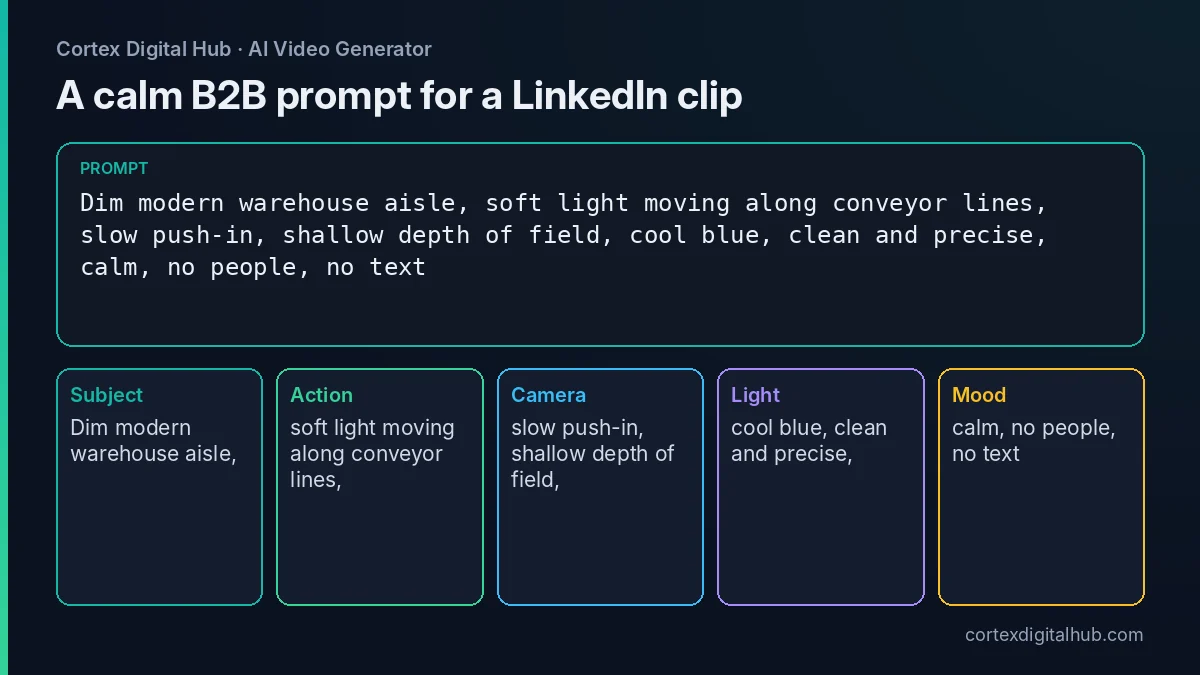 A professional LinkedIn clip is calm: one scene, one slow move, no people and no text.
Use the Improve button if the wording feels loose, and read text-to-video prompts that work for the full method. Avoid fake charts, invented client logos and fabricated numbers; a viewer who spots a made-up dashboard loses trust in everything else you say.
Which shape and length should I choose?
Square 1:1 and vertical 4:5 take up more room in a phone feed than a wide 16:9 clip. Check the Format list on your model; if the exact shape is not offered, generate 16:9 or 9:16 and set the final shape with the free Video Resizer. Platform limits change, so as of 2026 check LinkedIn's help page for supported ratios, lengths and file sizes.
| Shape | Good for | Note |
|---|---|---|
| 1:1 square | Quote visuals, announcements | Safe in most feeds |
| 4:5 vertical | Product or process teasers | More feed space on phones |
| 16:9 wide | Website embeds, decks | Smaller in the feed |
| 9:16 vertical | Reels, cross-posting | Check how it crops |
Lengths of 5 to 20 seconds suit AI visuals. For anything longer, such as a talk or demo, shoot a real video and use the AI clip only as an opener.
What does an AI clip for LinkedIn cost?
Prices are as of October 2026, at 1 credit = ₹0.50.
| Clip | Model | Cost |
|---|---|---|
| Test, 6 s | Nova Lite | ₹24 |
| 5 s clip | Lumen Motion 3 Standard | ₹57.50 |
| 10 s clip | Lumen Motion 3 Standard | ₹115 |
| 5 s at 1080p | Lumen Motion 3 | ₹92.50 |
A month of weekly posts, four 5-second clips on Lumen Motion 3 Standard, costs ₹230. The ₹249 pack covers that, and there is no subscription.
Why captions come first
Many people watch the feed with sound off, so write the key line on screen. The sequence that works:
- Hook line in the first two seconds, in large text.
- One point per screen, three to six words each.
- Your brand name or handle, small, in a corner.
- A clear closing line.
Do the captions in an editor, not inside the AI clip, so each letter is correct. Switch the AI sound off, as covered in AI video with native sound and music, and compress the file with the Video Compressor if it is large.
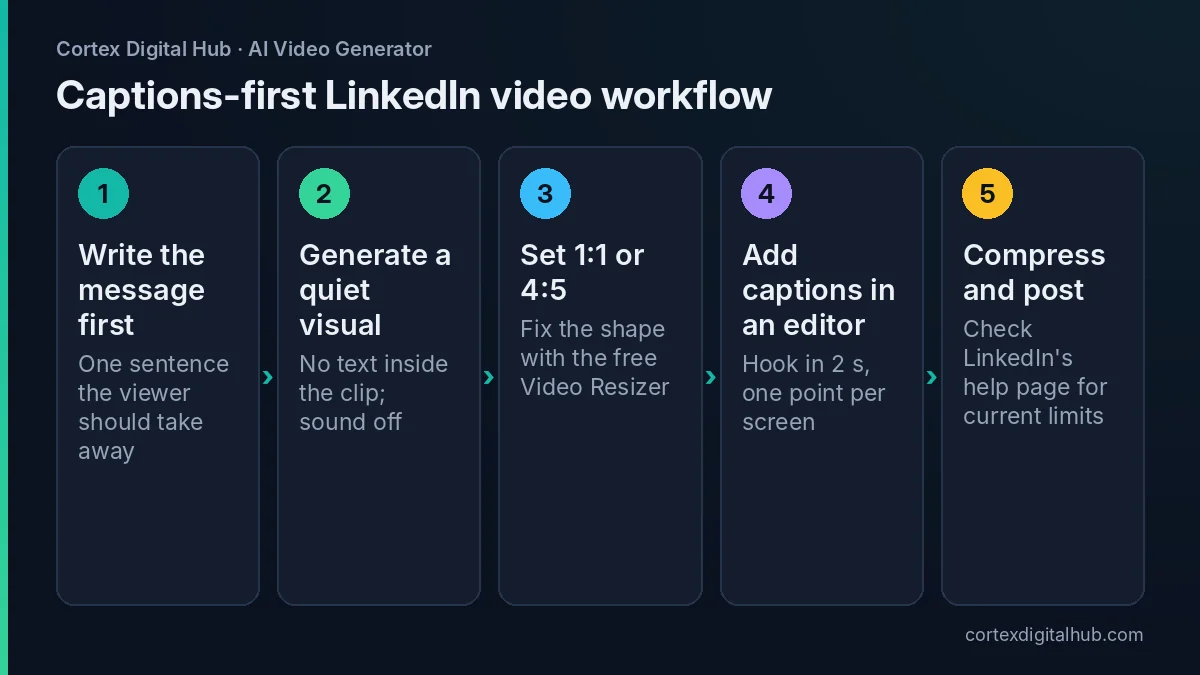 Write the message first, make a quiet visual, add captions, then post.
How often should I post video on LinkedIn?
Pick a rhythm you can keep. For a small team, one or two video posts a week alongside text posts is a realistic start. Mix formats: a concept loop, a short explainer, a hiring note. Reuse a clip with a different caption for Reels, resized with the 1080x1920 tool.
Be open about illustrative visuals, never fake a client or a testimonial, and never animate a real colleague or customer without their clear consent. Check your own post analytics after a month and adjust.
What should the LinkedIn post text say?
The video earns a pause; the text earns the read. Keep the same discipline you would in any B2B post.
- Line one is the hook. State the result or the question, not the company name.
- Keep paragraphs to one or two lines. Phones make long blocks hard to read.
- Give one useful idea. A lesson, a number from your own records, a short how-to.
- Say what the visual is. If it is an AI illustration, write "Illustrative visual" at the end of the post.
- Close with one question or action. Ask for a view, or point to a page.
A sample structure for the logistics post, with placeholders you would replace from your own records: "Dispatch delays were costing us repeat orders. Here is the three-step fix we put in place. Illustrative visual." Only claim numbers you can show from your own records, and never tag a customer or colleague in an AI scene.
How can small teams reuse one clip across channels?
One good 10-second clip can feed several posts if you plan for it. Generate a calm 16:9 clip, then cut variants rather than making new ones.
- Make the 4:5 or 1:1 version for LinkedIn first.
- Trim a 5-second cut with Trim Video for a teaser.
- Resize a 9:16 copy for Reels and WhatsApp status, using the Reels resizing guide.
- Change the captions for each audience: formal on LinkedIn, lighter on Instagram.
This stretches a ₹115 clip across three or four posts, and the look stays consistent across your channels.
Key takeaways
- Use AI video on LinkedIn for calm backgrounds and concept visuals, with your insight in the caption.
- Prefer 1:1 or 4:5 for feed space, and confirm current specs on LinkedIn's help page.
- Write captions first, since many viewers scroll with sound off.
- Avoid fake charts, client logos, quotes and real people without consent.
- A 5-second clip costs ₹57.50 on Lumen Motion 3 Standard; four a month cost ₹230.
- Post at a rhythm you can sustain and review your analytics.
Frequently asked questions
Does AI video work on LinkedIn?
It can, when it supports a useful message. B2B audiences respond better to calm, clear clips with captions than to flashy effects. Use AI for background visuals and illustrations, and put your real insight in the text.
What aspect ratio should a LinkedIn video be?
Square 1:1 and vertical 4:5 take more feed space on a phone than 16:9. Platform rules change, so as of 2026 check LinkedIn's help page for current supported ratios, lengths and file sizes.
How long should a LinkedIn video be?
Short is easier to finish. Clips of 5 to 20 seconds suit a visual hook or a concept animation, and you can go longer when you have a real talk or demo. Put the point in the first few seconds.
Should I add captions to LinkedIn videos?
Yes. Many people scroll at work with sound off, so write the key line as on-screen text and in the post. Add captions in an editor, not inside the AI clip, so every word is correct.
How much does an AI clip for LinkedIn cost?
A 5-second clip on Lumen Motion 3 Standard costs 115 credits, which is ₹57.50, and a 10-second clip costs ₹115. Tests on Nova Lite start at ₹24. The exact total shows before you generate.
What kind of AI visuals suit B2B?
Clean, abstract or workplace scenes: a warehouse floor, a dashboard glow on a desk, a factory line, a handshake-free office. Avoid cartoonish effects, fake charts, invented client logos and stock-style clichés.
Is it okay to use AI-generated people on LinkedIn?
Be careful. Do not impersonate a real person or fake an employee or customer. Prefer scenes, objects and abstract motion, and say in the post when an image is illustrative.
How often should a company post video on LinkedIn?
Consistency beats volume. One or two video posts a week is a rhythm many small teams can keep. Pick a schedule you can sustain, then watch your own post analytics to adjust.
Can I post the same clip on LinkedIn and Instagram?
Yes, with changes. Make a 4:5 or 1:1 version for LinkedIn and a 9:16 version for Reels. The free Video Resizer produces each shape on your device, and your captions can differ for each audience.