
Wedding Teaser Video AI: Turn Your Best Stills into a Teaser Reel
A wedding teaser video AI workflow lets a photographer animate a handful of approved stills into short cinematic shots, then cut them into a Reel. Here is the shot plan, the prompts, the rupee cost and the consent and music checks to run first.
· 4 min read · 1.2K views · by the Cortex Digital Hub team
Upload one approved frame, describe the motion in a line, and see the exact credit total before you press Generate. From ₹24 a clip · no watermark · runs in your browser
Animate a wedding still → → Opens AI Video Generator · runs in your browser
A wedding teaser video AI workflow takes five or six stills you have already edited and gives each a few seconds of gentle motion: drifting veils, a slow push-in, flickering diyas. You then cut the shots together on a beat. With the AI Video Generator, each 5-second shot costs about ₹57.50 on Lumen Motion 3 Standard, so a 30-second teaser lands near ₹345 as of October 2026.
It works best as a fast, same-week preview that sits in front of the full film or album, not as a replacement for the wedding video itself.
Get consent and check the music first
Do this before you generate anything. A teaser puts a real couple's faces in front of thousands of people, so treat it like any other published work.
- Ask the couple for a clear yes on animating their photos, and say where the teaser will be posted.
- Do not animate guests' faces without their say-so, and leave children out entirely.
- Do not make the couple say or do things they never did. Keep motion to light, believable movement.
- Handle religious moments (pheras, nikah, anand karaj, church vows) with care. Prefer a quiet push-in over any dramatic effect.
- Music: platform and licence rules vary, and as of 2026 you should check each platform's help page before posting a copyrighted song.
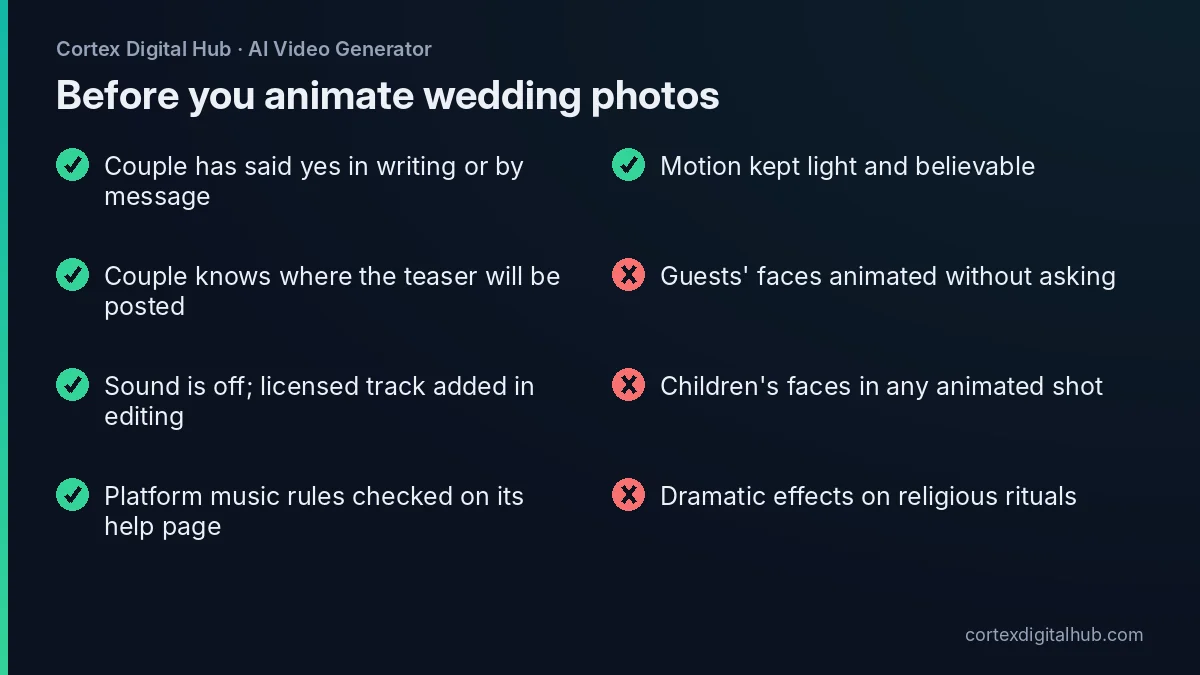 Run these checks once per wedding, before the first clip is generated.
How to make a wedding teaser video with AI
The method is the same one used for any photo-to-video clip, just with more care about taste. Your photo becomes the first frame, so the people, outfits and venue stay as you shot them. The prompt only needs to describe what moves.
- Pick five or six stills that already work as portraits: a close-up, a wide of the venue, a detail shot (mehendi, rings, a garland), and one candid.
- Upload one still, choose a model, set Length to 5 seconds and Format to 9:16 for Reels.
- Write one subject, one gentle action and one camera move in the prompt box.
- Press Generate. Rendering usually takes 2 to 4 minutes for a 5-second clip at 1080p.
- Download the keepers. Finished MP4s stay in History for 7 days.
- Cut the clips in your editor, add the licensed track, and export.
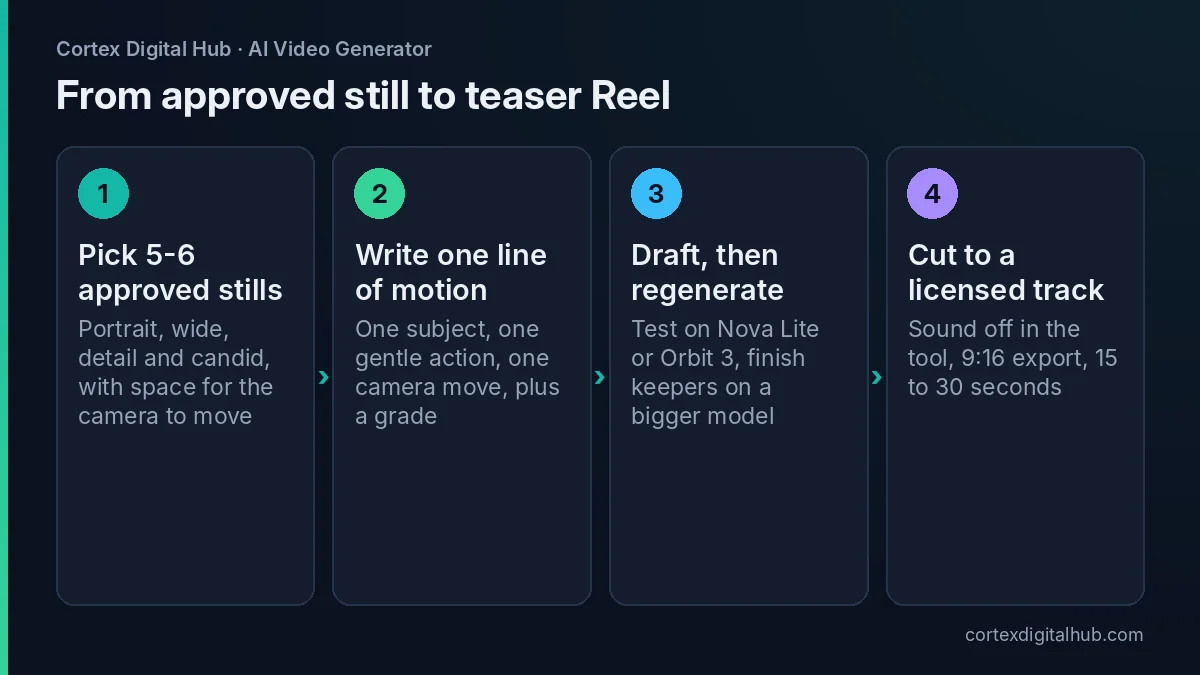 Six shots of 5 seconds each give a 30-second teaser with room to trim.
Which shots to animate, and the prompts
Not every still deserves motion. Pick frames with space around the subject so the camera has somewhere to move. Here is a sample plan for a Hyderabad wedding, with prompts you can adapt.
| Shot | Still to use | Prompt idea |
|---|---|---|
| 1. Opener | Wide of the mandap at dusk | Slow push-in toward the mandap, fairy lights twinkling, soft haze, warm golden light |
| 2. Detail | Hands with mehendi and bangles | Gentle handheld drift, bangles catching light, shallow depth of field |
| 3. Portrait | Couple in a doorway | Slow dolly in, veil lifting slightly in a breeze, soft window light |
| 4. Candid | Laughing moment | Static camera, subtle natural movement, warm cinematic colour grade |
| 5. Decor | Floral entrance arch | Slow crane up, petals trembling, shallow focus, golden hour |
| 6. Closer | Couple silhouette at sunset | Slow pull back, rim light, long soft shadows, cinematic |
Grade words that tend to help: "warm golden hour", "soft haze", "shallow depth of field", "film-like contrast", "gentle bokeh". Avoid asking for fast action, crowds or many faces in one shot. Use the Avoid box (negative prompt) for things like "flicker, warped hands, extra people".
What does a wedding teaser cost in rupees?
Credits are billed per second of finished video, and 1 credit is ₹0.50. The exact total shows on the Generate button before you start, and credits return automatically if a clip fails.
| Model and setting | Credits for 5 s | Price per 5-s shot | Six shots (30 s) |
|---|---|---|---|
| Lumen Motion 3 Standard | 115 | ₹57.50 | ₹345 |
| Lumen Motion 3, 1080p | 185 | ₹92.50 | ₹555 |
| Vela 2.5, 480p | 385 | ₹192.50 | ₹1,155 |
| Vela 2.5, 720p | 855 | ₹427.50 | ₹2,565 |
A sensible budget: test two or three shots on Nova Lite (6 seconds is its smallest clip, 48 credits, ₹24) or Orbit 3 at 480p (₹35 for 5 seconds). When the motion looks right, regenerate the keepers on Lumen Motion 3 or, for one hero shot, Vela 2.5. Not sure which to pick? The model chooser guide compares them.
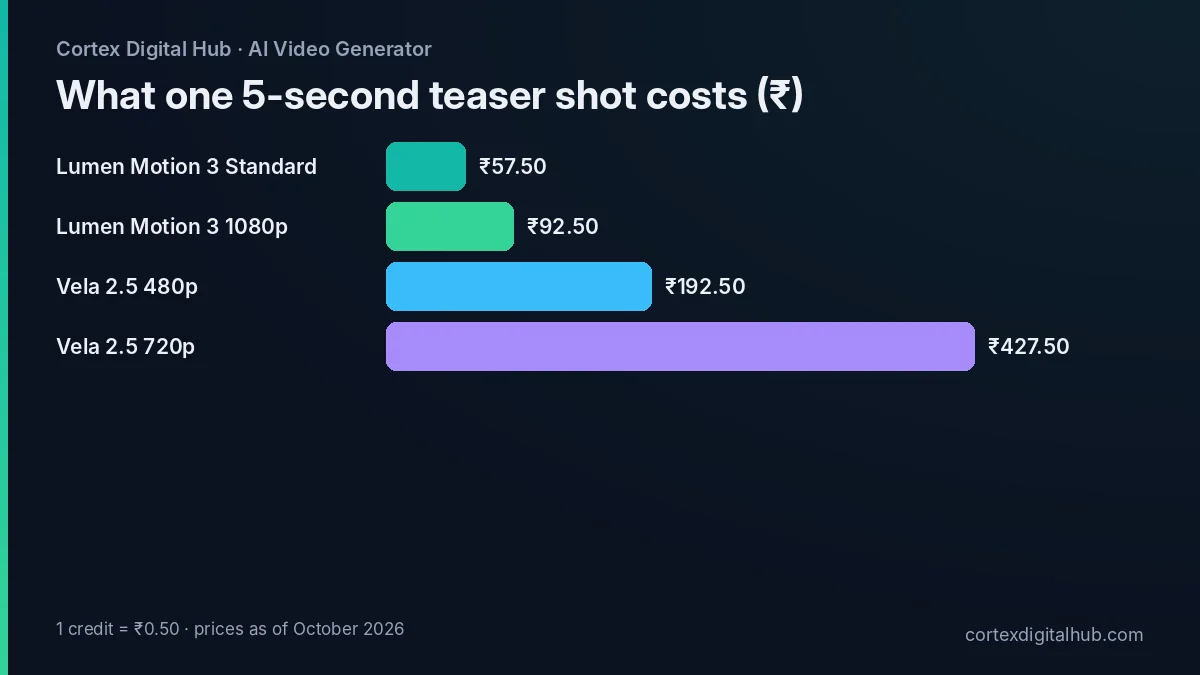 A 5-second shot ranges from ₹57.50 to ₹427.50 depending on model and resolution.
Do I turn the sound on for a wedding teaser?
Usually not. The sound models add ambience, effects and music that match the motion, which is nice for a standalone clip, but a teaser is cut to one track. Switch Sound off and lay your licensed song under the whole edit. If you do want a clip with soft ambience for a quiet opening shot, read how native sound and music works first.
Finishing for Reels and WhatsApp
Export 9:16 for Reels and Status. If the file is heavy, the free Video Compressor shrinks it on your device, and the guide to compressing video for WhatsApp covers the 16 MB limit. To fix the frame size, use the Video Resizer or follow the Instagram Reels resize guide. More on formats for short vertical video is in the Reels and Shorts guide.
Key takeaways
- Animate only approved stills, with the couple's consent, and leave children and guests out.
- One subject, one gentle action and one camera move per shot gives the most believable result.
- Six 5-second shots on Lumen Motion 3 Standard cost about ₹345; 1080p is about ₹555.
- Test on Nova Lite or Orbit 3, then regenerate only the keepers on a bigger model.
- Turn Sound off and add a track you have the rights to; check each platform's music rules.
- Tell clients which shots are animated stills, and keep the original photos as the main deliverable.
Frequently asked questions
Can I make a wedding teaser video with AI from photos?
Yes. Upload a favourite still as the first frame, write one line about what should move, and the AI Video Generator animates it into a short clip. Repeat for five or six stills, then cut the clips together in your editor.
Do I need the couple's permission to animate their photos?
Yes. Get written or message consent from the couple before animating their faces, and tell them how you will use the teaser. Avoid animating guests' faces without their say-so, and leave out children's faces.
Which AI video model is best for a wedding teaser?
Start with Lumen Motion 3 Standard for motion tests, then make hero shots on Vela 2.5 if you want a more cinematic look. Test the idea on a cheap model first so you only pay for finals once.
How much does a 30-second wedding teaser cost?
Six 5-second shots on Lumen Motion 3 Standard cost 115 credits each, which is ₹57.50 a shot or ₹345 in total. At 1080p it is 185 credits a shot, ₹92.50, so ₹555 for six. Prices are as of October 2026.
Can I use a trending song in the teaser?
Turn Sound off in the generator, then add the track in your editor or on the platform. Music rules differ by platform and licence, so as of 2026 check the platform's help page before posting.
Will the AI keep the couple looking like themselves?
Image to video starts from your photo, so the face is a strong anchor, but small drift can appear in longer or busier shots. Keep clips short, use one subject and one camera move, and discard any shot where the face changes.
What should I put in the prompt for a wedding shot?
Describe only the motion and the light: the subject, one gentle action, one camera move and the grade, such as a slow push-in with warm golden-hour light. The photo already supplies the people and the place.
How long should a wedding teaser be for Instagram Reels?
Most photographers aim for 15 to 30 seconds. Cut five or six 3- to 5-second shots to a beat. Check Instagram's help page for current Reel length limits, since they change.
Is it okay to tell clients the shots are AI-animated?
Yes, and it is a good habit. Say which shots are animated stills and which are filmed, so the couple knows what they are sharing. Keep the original photos as the main deliverable.