
Twelve days to the anniversary party: make a karaoke track from any song with a free vocal remover
Two sisters in Manila had twelve days to learn their parents' wedding song for a surprise duet, and every karaoke version online was a different arrangement. How a free vocal remover turned the actual song into a practice track in the browser, with a soft guide voice, and what it cannot do.
· 5 min read · 1K views · by the Cortex Digital Hub team
Drop a song or a video and it is split into the music and the voice. Play each, keep a soft guide vocal in the music if you like, and save MP3 or WAV. Free · songs up to 10 minutes · nothing uploaded
Make a karaoke track → → Opens Vocal Remover · runs in your browser
Grace and Joy Santos had twelve days. Their parents' 30th anniversary party in Manila was on the 15th, and the sisters had promised a surprise duet: the old love song their parents danced to at their own wedding. Joy could sing. Grace could hold a tune if someone held it with her. What they needed was the song without the singers, to practise every evening over a video call, Joy in Singapore for work and Grace at home. A vocal remover turned out to be the answer, but not before an evening lost to karaoke videos that did not match.
Why ready-made karaoke tracks did not work
The karaoke versions they found online were all slightly wrong. One was a cover with a different intro. One skipped the second verse. One was in a different key, so Grace's practice sounded nothing like the original the band would hand over at the party. Two had adverts in the middle that broke their rhythm, and none could be downloaded to practise offline on the train.
What they really wanted was the actual song, the recording their parents knew, with the voices taken out and everything else left exactly as it was. It is the same problem for a best-man duet at a wedding in Dublin, a sangeet performance in Toronto or a karaoke night at a friend's flat in Seoul.
How a vocal remover makes a karaoke track
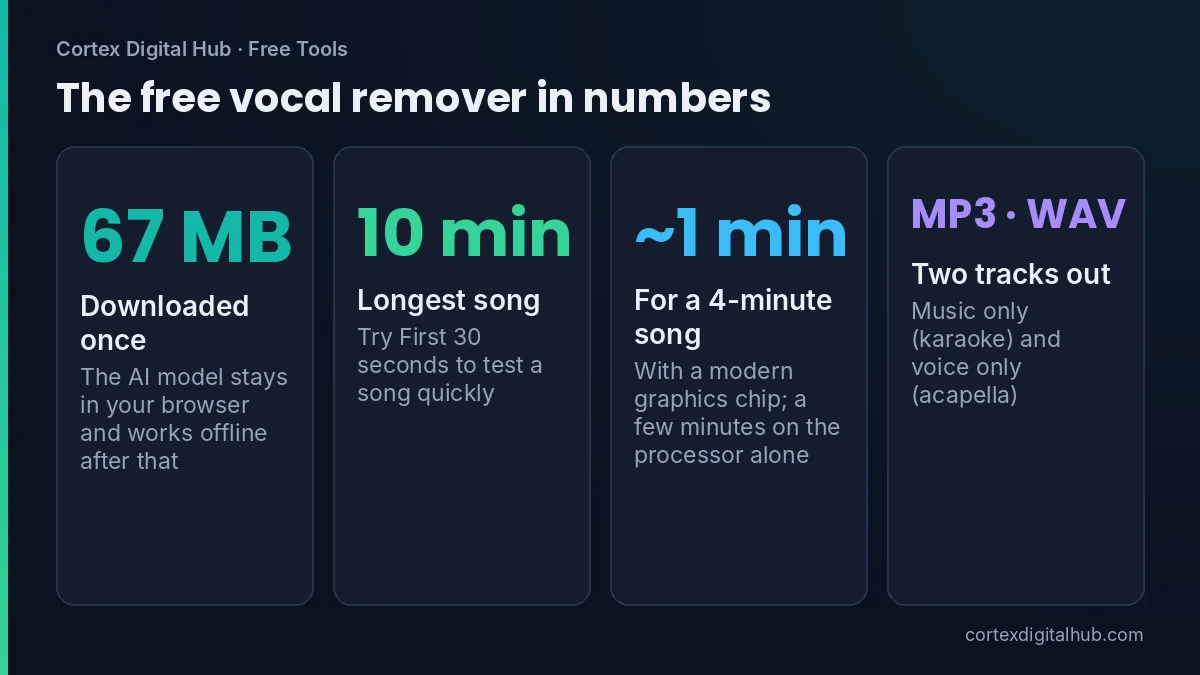
A song file is the voice and the music mixed into one track. A Vocal Remover pulls them apart again. Ours uses an AI model trained on thousands of songs to pick out the voice, so the music keeps its bass, drums and stereo width rather than sounding hollow. The model, about 67 MB, downloads into your browser once and stays there, and the song never leaves your device.
You get two tracks: music only, which is your karaoke track, and voice only, sometimes called the acapella.
Using the vocal remover, step by step
Grace did this on her laptop, with the song her father had kept as an MP3 for years:
- Opened the Vocal Remover and dropped in the MP3. M4A, WAV, FLAC and OGG work too, and so does a video, MP4, MOV or WebM, if the only copy of the song you have is a clip. To pull just the sound out of a video first, Video to MP3 does that too.
- Chose First 30 seconds to test it. The first run also downloads the model, so she did it on Wi-Fi.
- Played Music only and Voice only, switching between them. The singers were gone from the music; a faint echo of the chorus remained in one line, which the page warns about.
- Pressed Separate again with Whole song. Her laptop has no graphics chip worth mentioning, so a four-and-a-half-minute song took a few minutes; the page counted down the time left.
- Set Guide vocal to Soft and saved Music only as MP3, then set it to None and saved a second copy.
Songs up to 10 minutes work. If yours is a long medley, cut the part you need first with the MP3 Cutter.
The guide vocal trick for learning a song
This was the part that saved the duet. With Guide vocal on Soft, a faint trace of the original singers stays inside the music track. You can hear where the line starts and roughly where the tune goes, but your own voice sits on top. Medium keeps more of it.
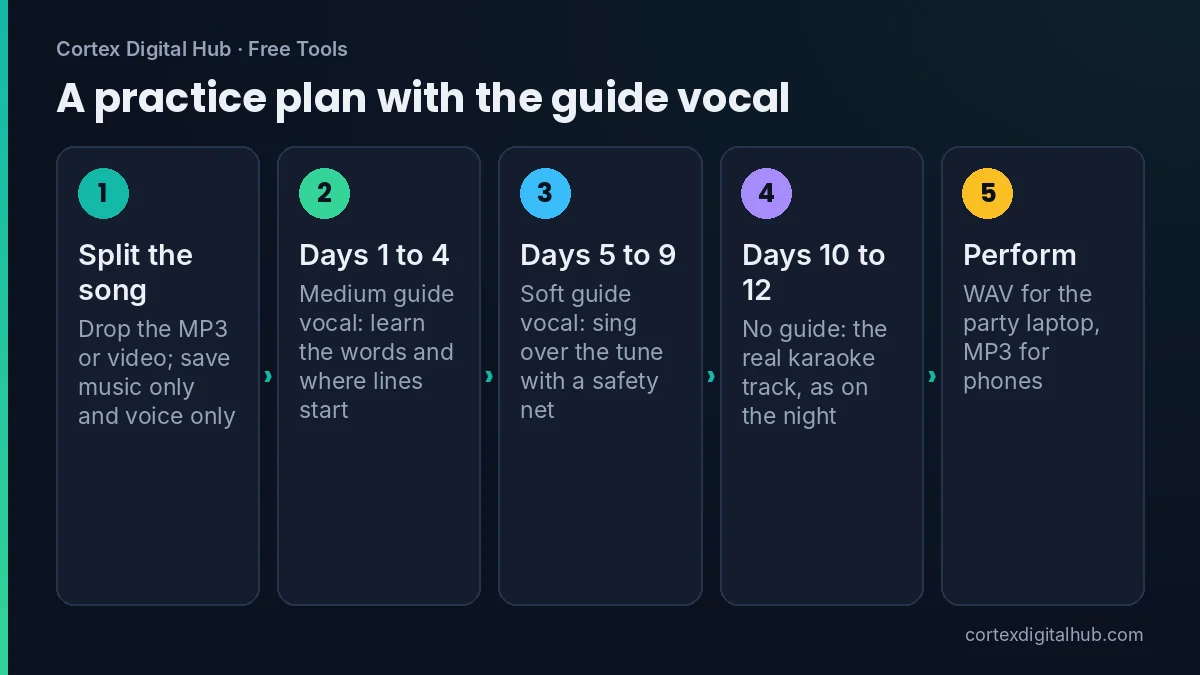
The sisters' twelve days went like this:
- Days 1 to 4: Medium guide. Learning words and where each line comes in.
- Days 5 to 9: Soft guide. Singing over the tune, with the original as a safety net.
- Days 10 to 12: No guide. The real karaoke track, exactly as it would sound at the party.
They also saved Voice only. Joy played it on loop to learn the harmony line separately, the way music teachers split parts.
Tips for a cleaner karaoke track
- Start from the best copy. A clean MP3 or a song from your own music collection separates better than a heavily compressed clip forwarded through a chat app.
- Expect a whisper in some songs. Echo, reverb and backing voices blended into the music can stay faintly. In most songs the lead voice comes out cleanly; old recordings with heavy echo are the hardest.
- Use WAV for the party laptop, MP3 for phones. WAV keeps the best quality. MP3 is small enough to share in a chat for practice.
- Test on the speaker you will use. A faint echo you can hear in earphones often disappears on a hall speaker under a crowd. Play the track once on the actual sound system before the day.
- Practise with the same file you will perform with. Send the final music-only track to whoever runs the music well in advance, and keep a copy on your own phone.
- Know what it does not do. It does not change the key or the tempo. If the original is too high for you, sing an octave lower or pick another song.
Rehearsing the performance itself
A week before the party, the sisters recorded a run-through and the air conditioner was louder than Grace. The Noise Remover is made for voices, so it took the hum out of their practice video without touching the picture. For a short highlights clip afterwards, Trim Video cuts the clip to the best minute without re-encoding.
One note on rights, which the tool page states plainly too: a karaoke track is fine for practice, a family party and singing at home. Posting the song or its parts publicly needs the permission of whoever owns it, the same as the original song.
What to do next
- Cut just the chorus of your karaoke track for a status or a story with the MP3 Cutter.
- Want a spoken intro before the song, in another language for overseas relatives? AI Voice Over reads a short script in 20 languages.
- Planning more for a wedding or a party? The guide to an AI wedding invitation video covers the opening act, and every audio and video tool is on the Video Tools page.
How the duet went
On the night, the band played the original for the dance floor, and then, for the sisters, the music-only track from Grace's laptop. Grace came in on time at every line. Their mother cried at the first chorus. Their father asked, afterwards, which karaoke site had that version, because he had never found one that matched.
Frequently asked questions
Is the vocal remover free?
Yes. There is no sign-up, no credits and no limit on how many songs you split. It runs in your browser, so there is no server time to pay for.
How long does it take to make a karaoke track?
With a modern graphics chip, a four-minute song takes about a minute. On the processor alone it can take a few minutes, and the page shows the time left. Choose First 30 seconds to test a song quickly.
Why does it download something the first time?
The AI model that separates the voice, about 67 MB, downloads once and stays in your browser's cache. After that it works offline, so use Wi-Fi for the first song.
Why can I still hear a little of the singer?
Echo and backing vocals that are blended into the music can stay faintly. The lead voice comes out cleanly in most songs.
What is the guide vocal option?
It keeps a little of the singer inside the music track, at Soft or Medium, so you can sing along while you learn the tune. Choose None for the performance track.
Can it change the key so the song suits my voice?
No. The vocal remover separates the music and the voice; it does not change pitch or speed. If the original key is too high, sing an octave lower or pick a different song.
Can I play the karaoke track at a party?
For practice, a family party and singing at home, yes. Publishing the song or its parts online needs the rights holder's permission, the same as the original.
Can I use a video instead of an MP3?
Yes. Drop an MP4, MOV or WebM and the sound is taken from it. Songs up to 10 minutes work; trim a longer file first.