
Thirty years of Sri Lakshmi Stores, and a logo that only lived as a WhatsApp DP
A Miyapur shop needed a new signboard, and the only copy of its logo was a 300-pixel WhatsApp profile picture. How to upscale a logo image for a board, why a vector file is still better, and how to hand the board maker something they can use.
· 5 min read · 1.3K views · by the Cortex Digital Hub team
Drop the logo in on a laptop, pick 8K, keep AI detail on and save as PNG. Lettering and the outline of the mark come back clean instead of blocky, and nothing is uploaded. Free · PNG or JPG out · no watermark
Upscale the logo → → Opens Image Upscaler · runs in your browser
Venkatesh opened Sri Lakshmi General Stores in Miyapur in 1994, and the board above the shutter has been repainted twice since. This year the colony's shops agreed on new printed boards, all the same height, and the board maker came by with a measuring tape and a simple request: send the logo file. Venkatesh's logo, a green circle with gold lettering, had been drawn years ago by a friend's son who has since moved to Australia. The only copy anyone could find was the shop's WhatsApp Business profile picture, about 300 pixels square. When the board maker saw it, he laughed kindly. Three feet wide, from that? This is how to upscale logo image files when a tiny profile picture is all that is left, and when you should not.
Why a profile picture is the wrong file
A WhatsApp profile picture is meant to be seen as a small circle on a phone. It is stored small and compressed. At its own size, the logo looked fine. Enlarged to three feet, each of its pixels would become a square about the size of a thumbnail, with fuzzy halos around the gold letters where the compression had smudged them.
The right file for a signboard is a vector: an SVG, PDF, AI or EPS file in which the logo is described as shapes, so it prints cleanly at any size. The PNG vs SVG guide explains the difference. Venkatesh tried. The friend's son replied from Australia that the laptop with the file was long gone. So the profile picture was it.
What a plain enlargement does to a logo
The board maker's computer could enlarge the picture, and he showed Venkatesh the result: soft gold letters on a green that was full of faint squares, with a blurry outline around the circle. It would print, but it would look like what it was, a small picture stretched far beyond its size.
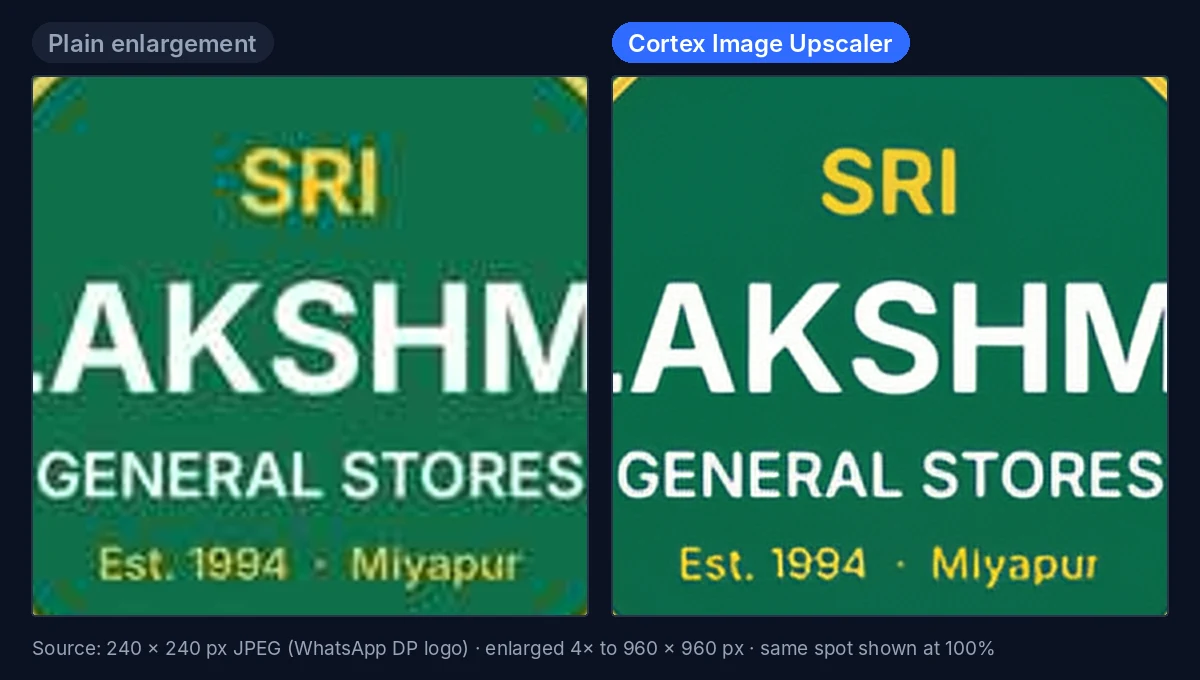
We made the test above with a small, compressed copy of a similar logo, enlarged four times both ways. On the right, the letters have clean edges and the green is flat again.
How to upscale a logo image for the board
Venkatesh's daughter Sravani did this on her laptop one evening:
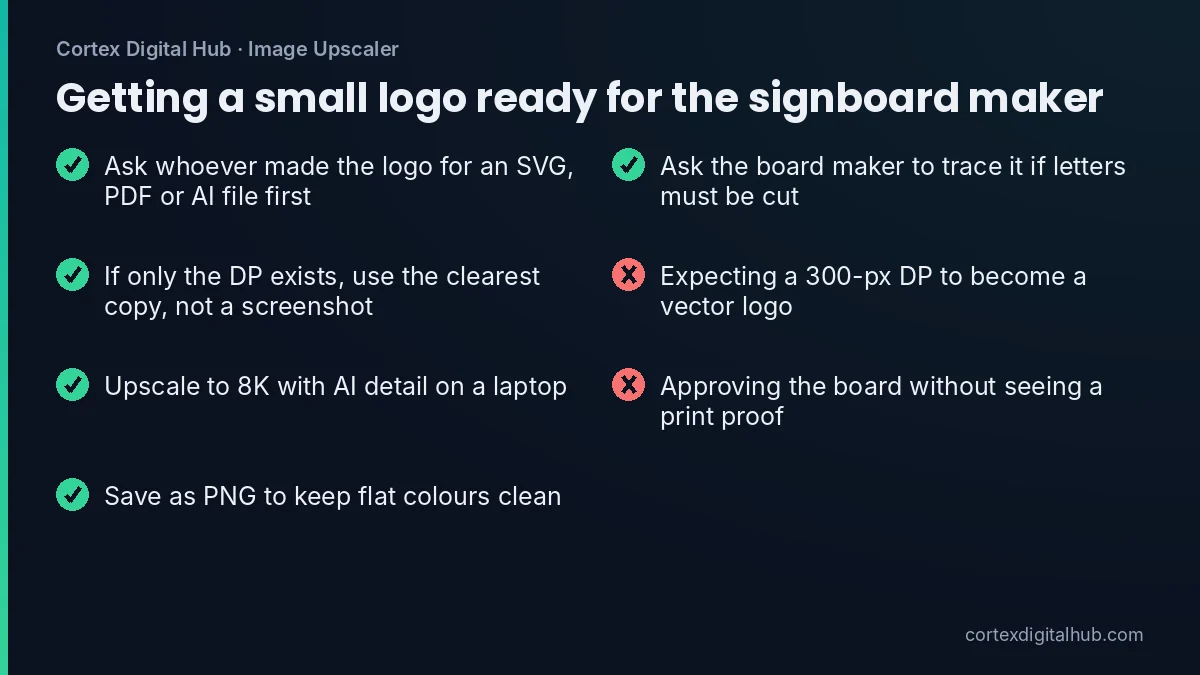
- Saved the clearest copy of the logo she could find. A saved profile picture is better than a screenshot of it, which adds the phone's screen around it.
- Opened the Image Upscaler in Chrome and dropped it in. It runs in the browser: a small AI model, about 20 to 30 MB, downloads once and works on the laptop, so nothing is uploaded.
- Picked 8K, kept AI detail on and chose PNG.
- Waited a few minutes while the progress bar counted down, then checked "Same spot at 100%" on the lettering.
AI detail removes the blocky look of compressed pictures and keeps edges sharp while enlarging four times. After that, a high-quality resize takes the logo to the size you chose. So from a 300-pixel source, the detail pass does the first four times and the resize does the rest. Edges stay smooth all the way; very thin lines do not get any finer than they were.
Which size, and why PNG
The logo on the new board is a circle about three feet across. Divide the pixels by the inches:
| Size | Pixels across | Across a 36-inch logo |
|---|---|---|
| 4K | 3,840 | about 107 per inch |
| 8K | 7,680 | about 213 per inch |
| 16K | 15,360 | about 427 per inch |
For a board read from the road, 4K would do. 8K is crisp even for someone standing at the counter under it, and it is still a manageable file. 16K adds nothing a signboard can show. 8K needs a computer with Chrome or Edge; phones cannot hold pictures that big.
PNG matters for logos. A logo is flat colour with hard edges, which PNG stores exactly. JPG adds faint smudges around sharp edges, the same problem the WhatsApp copy had in the first place. If the board maker wants the logo without its white square, cut it out with Remove Background after upscaling, not before; the transparent PNG guide covers the details.
When the board maker still needs a vector
A printed flex board is made from pixels, so the 8K PNG is exactly what it needs. Some boards are not printed. Acrylic letters, lit channel letters and cut vinyl are made by a machine that follows outlines, and those need a vector. The upscaler does not make vectors. What it does make is a clean, sharp version that a designer or the board maker can trace far more accurately than the blurry original. Ask for that trace to be saved as an SVG, and keep it; next time anyone asks for the logo, the SVG to PNG converter will give them a PNG at any size in seconds.
The honest limit, plainly: the upscaler cleans and sharpens; it cannot invent detail the small file never had. If the WhatsApp copy lost a thin line or a tiny letter, the upscale will not bring it back, and it will never correct a spelling or a colour.
The board, and the logo file
The new board went up before Dhanteras: green circle, gold "Sri Lakshmi", and the shop's name in clean white letters along the length. Sravani saved the 8K PNG and the board maker's traced SVG in a folder named "LOGO – KEEP" on two phones and the shop computer.
The clean file turned out to be useful well beyond the board. Sravani made a fresh profile picture from it with the Image Resizer, so the WhatsApp DP is now sharp too, and the printer who does the shop's bill books and visiting cards got the same PNG instead of a screenshot. One good master file, kept safe, saves the family from going through this again the next time someone needs the logo for a calendar, a carry bag or a festival banner. If the shop wants a short moving version for its WhatsApp status, a logo animation video can start from the same clean file.
Watch the video
The welcome board that came on WhatsApp: a free AI upscaler to 8K · 4:20 · Watch on YouTube
Frequently asked questions
Can I upscale a small logo for a signboard?
Yes, for a printed board. Upscale it to 8K with AI detail and save as PNG. Bold lettering and simple shapes come back clean. For cut acrylic or lit letters, the board maker will still need a vector, which they can trace from the clean upscale.
What size should I pick for a 3-foot logo on a board?
8K. 7,680 pixels across 36 inches is about 213 pixels per inch, which looks crisp even up close. 4K gives about 107, which is fine for a board read from the road.
Is an upscaled PNG as good as an SVG?
No. An SVG is drawn from shapes and stays sharp at any size. An upscaled PNG is a fixed grid of pixels: clean at the size you made it, but not infinitely scalable. If anyone has the SVG, AI or PDF of the logo, use that.
Why save the logo as PNG and not JPG?
A logo is flat colour with hard edges. PNG stores those exactly, with no new compression marks around the letters. JPG is fine for photos but adds faint smudges around sharp edges.
Can I get a transparent background?
Yes. Upscale first, then cut away the white around the logo with the background remover and save a transparent PNG. Doing it in that order keeps the edge clean.
Will the upscaler fix a spelling mistake or redraw the logo?
No. It cleans and sharpens what is there. It cannot invent detail the small file never had, and it will not change letters, colours or shapes.
Do I need a computer for this?
For 8K and 16K, yes: a computer with Chrome or Edge. Phones cannot hold pictures that big, and the tool says so instead of crashing. 2K and 4K often work on a phone.