
The welcome board that only existed on WhatsApp: getting a forwarded design ready for a 6 × 4 ft flex
A house-warming welcome board, a designer who could not be reached, and a WhatsApp copy the flex printer called too small. How to increase image resolution for printing, which size to pick for a 6 × 4 ft board, and what an upscaler can and cannot fix.
· 5 min read · 975 views · by the Cortex Digital Hub team
Drop the WhatsApp image in on a laptop, pick 8K and keep AI detail on. It cleans the blocky edges around the lettering while it enlarges, then hands you a JPG for the printer. Nothing is uploaded. Free · 2K to 16K · no sign-up, no watermark
Upscale the design → → Opens Image Upscaler · runs in your browser
Divya had one job for her sister Meera's house-warming: get the welcome board printed, which turned into a crash course in how to increase image resolution for printing. The design was lovely, a maroon board with gold lettering, a string of marigolds across the top and the family's names in the middle. Their cousin had made it on his laptop and sent it over WhatsApp a week earlier. The function was on Sunday. On Thursday evening, the flex shop near Kukatpally bus stand looked at the file on his monitor and shook his head. "Too small, madam. On six by four feet this will print blocky." The cousin was on a night train with no signal. The only copy of the design was the one on Divya's phone. If the only file you have came through WhatsApp, this is the situation, and it is fixable in an evening.
Why the WhatsApp copy was too small
WhatsApp is built to send pictures quickly on mobile data. When you send an image as a photo, it shrinks the picture and saves it again as a JPEG at a lower quality. On a phone screen the result looks fine. On a monitor at full size it falls apart: the gold letters grow fuzzy halos, flat maroon areas turn into faint squares, and the thin border goes soft.
The printer was not being fussy. A flex is printed dot by dot from the pixels in the file. If the file has too few pixels for six feet, each pixel gets stretched into a visible square. And because the copy had been compressed, those squares carry the compression damage with them, so a plain enlargement makes the blocks bigger instead of hiding them. The lossy vs lossless explainer shows why the damage builds up every time a JPEG is saved again.
What a plain enlargement does to lettering
Divya's first try was the obvious one: open the image in a photo app and make it bigger. Any app can do that. It works out new pixels by blending the old ones, so edges become smooth ramps. On lettering, that looks like a soft glow around every stroke, and the square blocks from WhatsApp's compression become large soft squares.
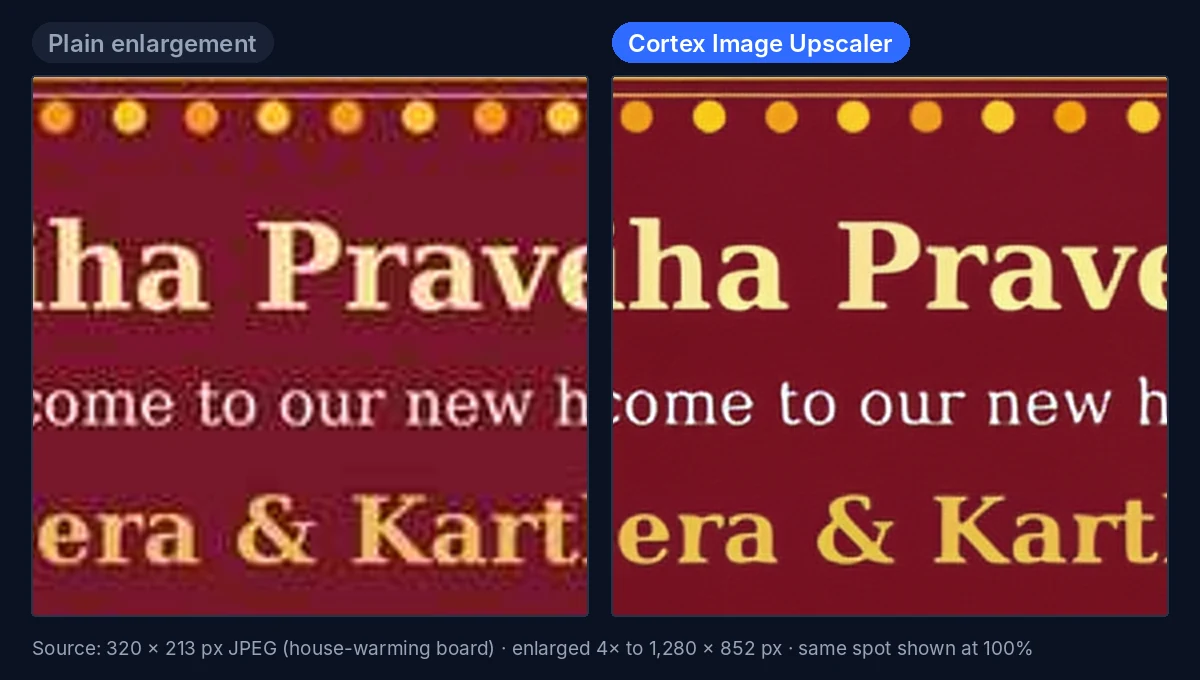
The picture above is a test we ran ourselves: a small, heavily compressed copy of a similar board, enlarged four times by a plain resize on the left and by the Image Upscaler on the right. Both use the same source. The difference is in how the new pixels are made.
How to increase image resolution for printing a flex
The upscaler has a mode called AI detail. A small AI model downloads into your browser once, about 20 to 30 MB, and runs on your own laptop. It was trained on compressed pictures, so it recognises the blocky look of WhatsApp and web JPEGs and removes it while enlarging four times, keeping edges and text sharp. After that pass, a high-quality resize takes the picture to the exact size you picked. Nothing is uploaded, which also matters for a design that has your family's names and new address on it; browser-based tools keep the file on your device.
Here is what Divya did that evening:
- Opened the image on her laptop in Chrome. If yours came from an iPhone as HEIC, the upscaler takes that too, or convert it first with HEIC to JPG.
- Cropped off a stray white strip along one edge in the Photo Editor, so the board would fill the flex.
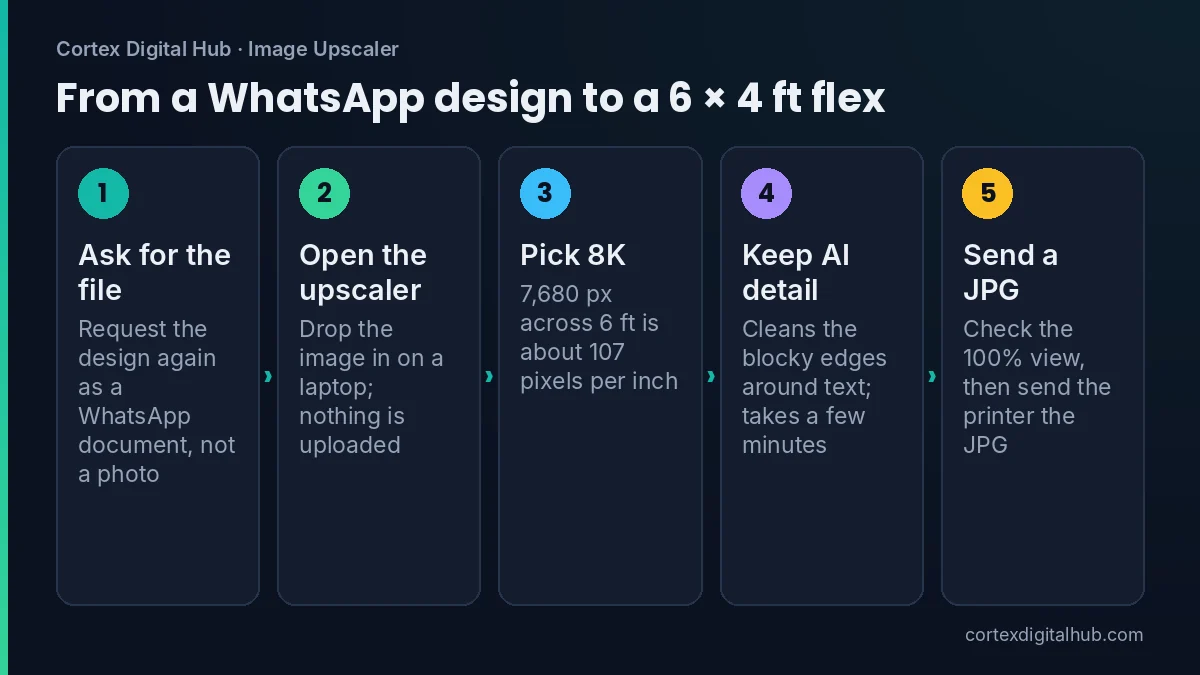
- Dropped it into the upscaler, chose 8K, kept AI detail on and JPG as the format.
- Waited a few minutes. The progress bar shows the time left, and there is a Stop button if you change your mind.
- Checked the "Same spot at 100%" view, which puts a plain enlargement next to the upscaled one, and looked closely at the names.
- Sent the JPG to the printer as a document, so WhatsApp would not shrink it again.
Which size for a 6 × 4 ft board
A flex is not a photo print. Nobody reads a welcome board with their nose against it, and printing it at photo-print sharpness, 300 dots per inch, would need 21,600 pixels across six feet, more than even 16K. What matters is how many pixels land on each inch of board, and how far away people stand.
| Size in the upscaler | Pixels on the long side | Pixels per inch across 6 ft (72 in) |
|---|---|---|
| 2K | 2,560 | about 36 |
| 4K | 3,840 | about 53 |
| 8K | 7,680 | about 107 |
| 16K | 15,360 | about 213 |
For a board at the entrance, read from a few steps away, 8K is the comfortable choice. 4K is fine for a board seen from across a hall. 16K makes a very large file and only earns its place if the printer specifically asks for more. Ask the shop what they normally print at, and pick the row that clears it. If they want a PDF instead of a JPG, JPG to PDF wraps the image without shrinking it.
One practical note: 8K and 16K need a computer with Chrome or Edge. Phones cannot hold pictures that big, and the tool says so instead of crashing.
What the upscaler cannot fix
Be clear about this before you pay for the print. The upscaler cleans and sharpens; it cannot invent detail the camera, or here the WhatsApp copy, never had. Big lettering and bold shapes come back crisp. A hairline border that was already a smudge stays a smudge, and tiny print, such as a line of small text under the address, may not become readable. If something matters, check it in the 100% view before you send the file.
The best file is still the original. When the cousin got signal on Friday morning, Divya asked him to send the design again as a WhatsApp document rather than a photo, which keeps the file exactly as he made it. If the original arrives in time, print that. The upscaled copy is for when it will not.
How the board turned out
It did not arrive in time. The board went to print on Friday afternoon from the upscaled 8K JPG, and at the entrance on Sunday it looked like what it was meant to be: gold names on maroon, marigolds along the top, nothing blocky. Nobody asked about pixels.
If you are working on a format question rather than a size one, the JPG vs PNG vs WebP guide covers which to send where. And if you need the board as a moving invitation as well, the same design can become a short wedding or function invitation video.
Watch the video
The welcome board that came on WhatsApp: a free AI upscaler to 8K · 4:20 · Watch on YouTube
Frequently asked questions
Can I print a WhatsApp image on a big flex?
Yes, if you enlarge it properly first. A forwarded image is small and compressed, so the printer will usually ask for a bigger file. Upscale it to 8K with AI detail on a laptop, check the lettering at 100%, and send that JPG.
Which size should I pick for a 6 × 4 ft board?
8K is the safe middle. 7,680 pixels across 72 inches is about 107 pixels per inch, which looks clean on a board people read from a few steps away. 4K works for a board seen from across a room; 16K is only worth it if the printer asks for more.
Will the upscaler make the design look like the original file?
It gets much closer than a plain enlargement: edges and text come out clean instead of blocky. It cannot bring back fine detail the WhatsApp copy lost, such as a hairline border or tiny print, so the designer's original file is always better if you can get it.
Is my design uploaded anywhere?
No. The upscaler runs in your own browser. The AI part downloads once, about 20 to 30 MB, and your image never leaves your laptop.
Why did the design arrive so small?
WhatsApp shrinks and recompresses photos to save data. Asking the sender to share it again as a document, not a photo, keeps the original file intact.
Can I do this on my phone?
For 2K and 4K, often yes. 8K and 16K need a computer with Chrome or Edge, because phones cannot hold pictures that big; the tool tells you so instead of crashing.
Should I send the printer a JPG or a PNG?
A JPG at the size you chose is what most flex printers expect, and it is far smaller to send. PNG at 8K can run past 100 MB and looks the same on a flex.