
AI voice over for real estate videos: walkthroughs, site updates and launches
Add an AI voice over to real estate videos without booking a studio: scripts for walkthroughs, monthly site progress and launch films, the right voice and language, and how to check facts before you post.
· 5 min read · 1.1K views · by the Cortex Digital Hub team
Paste the script, pick an Indian voice, generate a take and download it as a WAV file for your editor. Free · no sign-up · runs in your browser
Narrate your property video → → Opens AI Voice Over & Clone · runs in your browser
An AI voice over for real estate videos fixes a familiar problem. The walkthrough is shot, the drone clip is lovely, the site progress video is due on WhatsApp by evening, and nobody on the team wants to record their voice. Or someone records it in the car park and the traffic is louder than the words. With AI Voice Over & Clone you type the script, choose a voice and download a clean narration in minutes, free and without uploading anything.
This guide covers three common property videos: the walkthrough, the site progress update and the launch film.
Three property videos, three kinds of voice over
Each video asks something different of the voice.
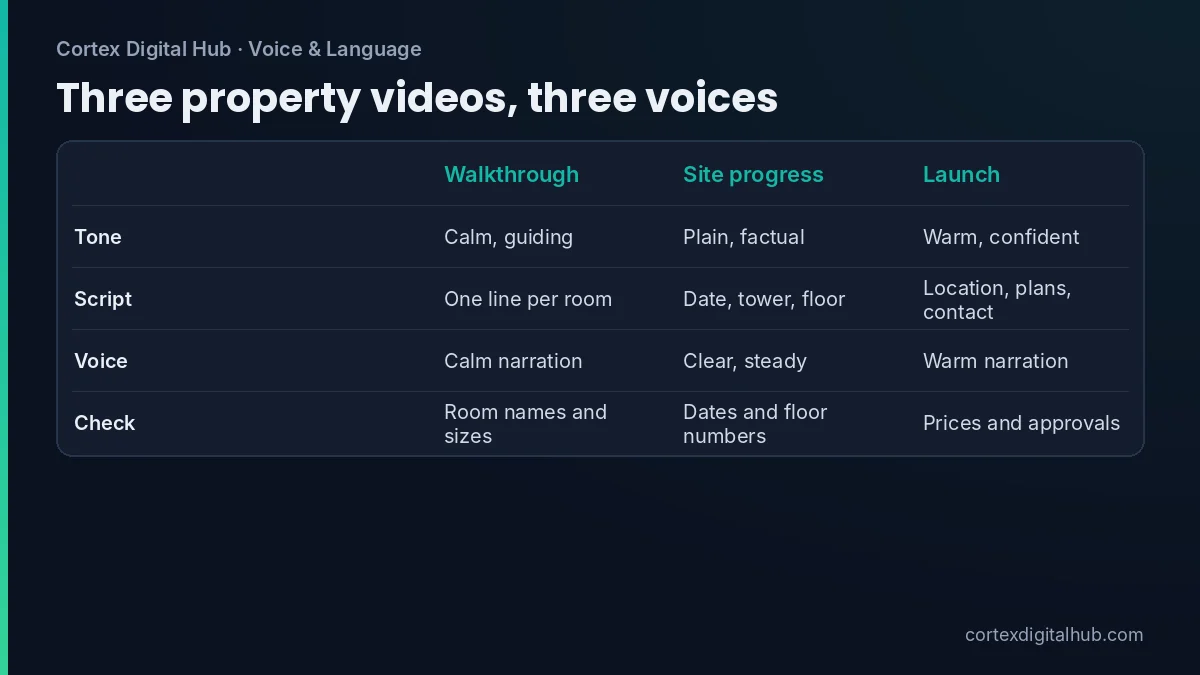 A walkthrough guides, a site update reports, a launch film invites.
Walkthroughs follow the buyer through the home: entrance, living room, kitchen, bedrooms, balcony. The voice should be calm and slow enough to look around while listening.
Site progress updates go to existing buyers, often every month. They need plain facts: tower, floor, what was finished, what is next. No adjectives.
Launch videos introduce a new project. They can be warmer, but still short: where it is, what is on offer, how to visit.
How to add an AI voice over to real estate videos
- Time the video. Play it and note each shot and its length, for example "0:00 to 0:06 entrance, 0:06 to 0:15 living room".
- Write one line per shot. A six-second shot fits one short sentence. Do not describe what the viewer can already see; add what they cannot, such as which way the balcony faces.
- Pick a voice and language. In the tool, choose from the 19 library voices. For Indian buyers, the Indian-accent voices (Priya, Meera, Arjun, Rohan) sound familiar. Pick English or Hindi.
- Generate takes. Press Generate voice over, listen, change a word if needed and generate again. Each take is kept in the list.
- Lay it under the video. Download the WAV and line it up with the shots in your editor.
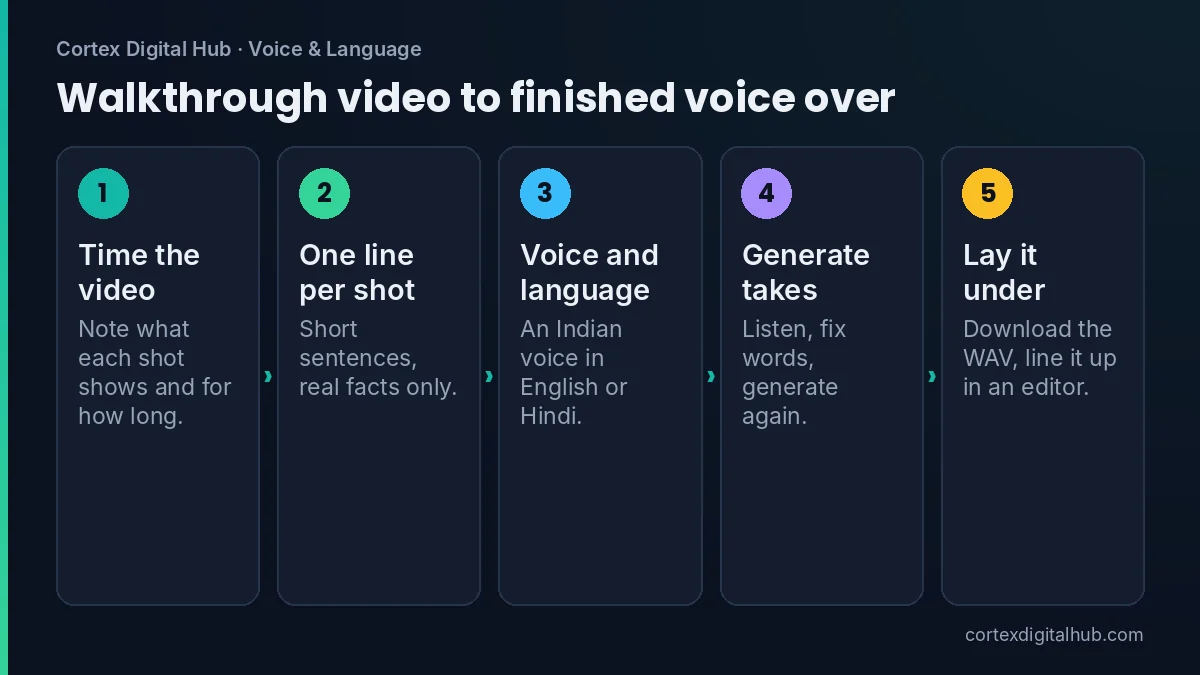 Time the shots first; the script follows the video, not the other way round.
Use [pause] in the script where a shot needs a moment of quiet, for example between the living room and the bedrooms. Long scripts are spoken sentence by sentence and joined into one file, up to 5,000 characters.
Sample scripts you can adapt
Walkthrough, 2 BHK: "Welcome in. The living room opens straight onto the east-facing balcony. [pause] The kitchen sits just behind, with a separate utility area. [pause] Both bedrooms are on the quiet side of the building."
Site progress update: "Here is the progress for October. In Tower B, the slab for the fourteenth floor is complete. [pause] Blockwork is under way up to the ninth floor. [pause] Next month, we start plastering in Tower A."
Launch video: "A new address, ten minutes from the metro. [pause] Two and three bedroom homes, with plans you can see in 3D. [pause] Book your site visit this weekend."
Write numbers the way you want them spoken. "Fourteenth floor" reads better than "14th flr". Write prices and sizes as words if the voice reads them oddly.
Check facts before every property video
A voice over makes words sound official. For property videos, check:
- Sizes and areas match the approved plan and use the right term (carpet area is not built-up area).
- Dates in site updates match the actual work done.
- Approvals and registration numbers are correct and current.
- Distances such as "ten minutes from the metro" are honest at normal traffic times.
- Prices and offers are valid on the date the video goes out.
If a sales call or a site visit discussion had the details, run the recording through Voice to Text and copy the exact figures from the transcript rather than from memory.
Language: English, Hindi, and what is not covered yet
The tool speaks 20 languages, including English and Hindi. It does not yet speak Telugu, Tamil, Kannada, Marathi or Bengali. For buyers in Hyderabad, Chennai or Bengaluru who prefer their own language, you have three honest options: record a native speaker, use English with subtitles in the local language, or use Hindi where it suits the audience.
For Hindi, write the script in Devanagari, including English words and project names, so they are pronounced naturally. For non-English languages there is also an Expressiveness slider, from Calm to Dramatic. Keep property videos on Calm or Natural.
Using a team member's voice
Some firms want the founder's or sales head's voice on every video. You can clone a voice from a 10 to 20 second recording, but only your own voice or one you have clear permission to use. The tool asks you to confirm consent before saving, and the clone stays only in that browser. Never clone a customer's voice from a call recording.
Pair it with the other tools
- Turn a 3D plan render into a short push-in or orbit clip with 3D plan to video, then narrate it.
- Make the 3D plan itself with the 2D to 3D floor plan tool.
- Generate exterior or lifestyle clips with the AI Video Generator.
- Shrink the finished file for WhatsApp with the video compressor.
For more ideas, see AI video for real estate marketing in India and text to speech in an Indian accent.
A note on speed
The engine downloads once (about 520 MB for English, about 1.6 GB for other languages), then starts from your browser's cache. On a laptop with graphics acceleration in Chrome or Edge it is quick; on older laptops it can take a minute or two per sentence. Keep the tab open while it speaks, and write the monthly site update script a day early.
Key takeaways
- Time the video first, then write one short line per shot.
- Use a calm Indian voice for walkthroughs and plain facts for site updates.
- English and Hindi are covered; Telugu, Tamil, Kannada, Marathi and Bengali are not yet.
- Check sizes, dates, approvals and prices before any property video goes out.
- Clone a team member's voice only with their written permission.
Frequently asked questions
Can I use an AI voice over for real estate videos?
Yes. Write the script, choose a voice, generate it in AI Voice Over & Clone and lay the audio under your walkthrough, site update or launch video in any editor. Check every fact in the script before you post.
Which voice suits a property walkthrough?
A calm, warm voice that guides rather than sells. The library has four Indian-accent voices, Priya, Meera, Arjun and Rohan, and each can speak all 20 languages with its own accent.
Can the voice over be in Telugu or Tamil for local buyers?
Not today. The tool covers 20 languages including English and Hindi, but not Telugu, Tamil, Kannada, Marathi or Bengali. For those, record a native speaker, or use English or Hindi with local subtitles.
Can I clone our sales head's voice for every video?
Only with their clear permission, ideally in writing, and only for the uses they agreed to. The tool asks you to confirm consent before a clone can be saved, and the clone stays in that browser.
How long does it take to make the voice over?
The engine downloads once. After that it depends on the device: fast on a laptop with graphics acceleration in Chrome or Edge, and it can take a minute or two per sentence on older laptops.
What file do I get?
A WAV file for each take, which any video editor accepts. Your recent takes stay in the list so you can compare them and download the best one.
Can I turn a floor plan into a video to narrate?
Yes. The 3D plan to video tool turns a 3D floor plan render into a short clip with a slow push-in, orbit or reveal, and you can add the AI voice over to it in an editor.
Narrate your property video → →