
Indian accent text to speech in English: four voices, free
English text to speech that sounds like it is from here. Meet the four Indian voices, learn how to write lakh, crore, rupees and short forms so they are read right, and make a free voice over in your browser.
· 5 min read · 1.1K views · by the Cortex Digital Hub team
Filter the voice library by Indian, pick Priya, Meera, Arjun or Rohan, paste your English script and press Generate. Free · no sign-up · nothing uploaded
Try the Indian voices → → Opens AI Voice Over & Clone · runs in your browser
You are making a training video for a sales team in Pune, or a project walkthrough for buyers in Hyderabad and the Gulf. The text to speech voice you tried sounds like an American radio host, and it reads "5 lakh" as "five comma zero zero". Indian accent text to speech fixes the first problem, and a little care with the script fixes the second. AI Voice Over & Clone has four Indian English voices, it is free with no sign-up, and your script stays in your browser.
Meet the four Indian voices
Open the voice library and press Indian in the accent filter. Four voices appear, two female and two male:
- Priya: warm, made for narration. Good for walkthroughs, stories and brand films.
- Meera: calm, made for explainers. Good for training, onboarding and how-tos.
- Arjun: friendly, made for tutorials. Good for product demos and app guides.
- Rohan: deep, made for promos. Good for launches, offers and ads.
Press play on each card to hear a short sample before you choose.
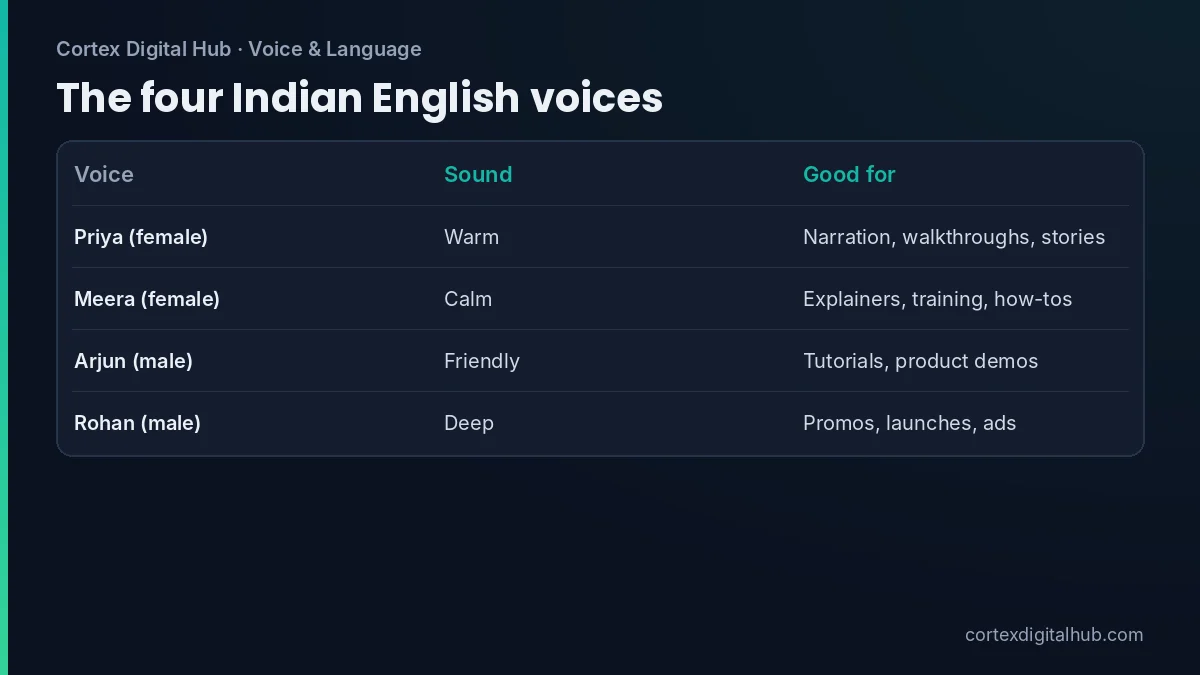 Two female and two male Indian English voices, each with its own style.
Indian accent text to speech in five steps
- Open AI Voice Over & Clone on a laptop or desktop with a recent Chrome or Edge.
- Filter the library by Indian and pick a voice.
- Leave the Language menu on English.
- Paste your script, and add
[pause]between sections. - Press Generate voice over, play the take and download it as WAV.
The first time, your browser downloads the English voice engine once, about 520 MB (more on computers without graphics acceleration). After that it starts from the browser's cache. On older laptops each sentence can take a minute or two, so try a short line first.
Writing English for Indian listeners
A voice reads exactly what you type. Indian English has its own number words, short forms and place names, so write them the way you say them.
Lakh and crore in words. "Prices from fifty-five lakh" is safer than "Prices from 55,00,000" or "55L". Same for crore.
Rupees written out. "Twelve ninety-nine rupees" or "rupees twelve ninety-nine" reads more predictably than "₹1,299/-".
Short forms spaced if needed. "2 BHK" may be read in different ways. If the take sounds wrong, try "two B H K" and generate again.
Place and brand names checked by ear. Names such as Gachibowli, Koramangala or Thiruvananthapuram can come out a little off. If one does, try spelling it the way it sounds.
Short sentences. The tool speaks your script sentence by sentence, so one idea per sentence gives clean breaths.
Listen to the whole take. Read along with the script once before you use it.
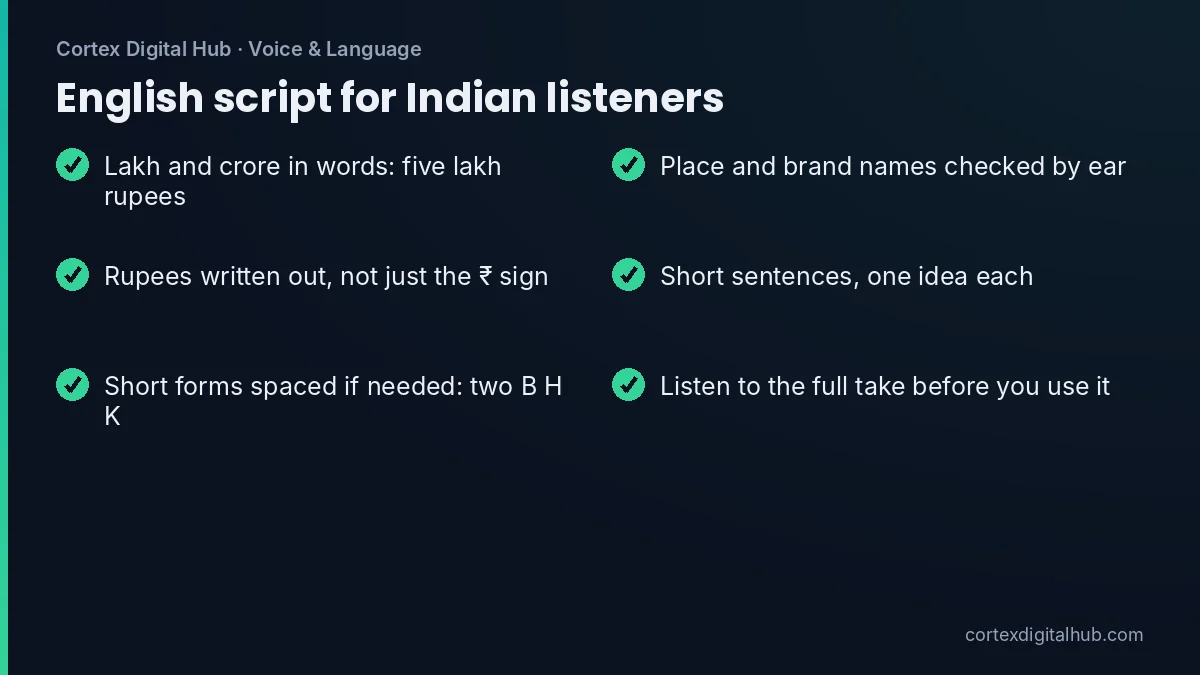 Lakh, crore and rupees in words, short forms spaced, names checked by ear, short sentences.
A sample script for a property walkthrough:
Welcome to your new home. [pause] This is a three B H K, with a balcony facing the park. The kitchen opens to the dining area. Prices start at ninety-five lakh rupees. [pause] Book a site visit this weekend.
What the English engine can do
English uses a fast engine of its own, which is why its download is smaller than the all-language one. In English, the Add row under the script offers four tags: pause, laugh, chuckle and sigh. A small chuckle can make a friendly tutorial feel human; use these lightly.
The Expressiveness slider appears only for languages other than English. To change the feel of an English take, change the voice, the punctuation or the pauses. A full stop gives a firmer stop than a comma, and a [pause] gives a longer breath than either.
Scripts can be up to 5,000 characters. Long scripts are split into parts and joined into one file, and the counter under the box shows how many parts there will be.
Fixing a line that sounds wrong
Sometimes one word in a good take comes out odd: a name stressed on the wrong syllable, or a number read as digits. You don't need to start over with a new script.
- Find the sentence with the problem word.
- Change only that word: spell it the way it sounds, write the number in words, or add a comma before it.
- Generate again. The new take appears at the top of the takes list.
- Play the old and new takes one after the other, and keep the better one.
If a single sentence keeps coming out wrong, split it into two shorter sentences. Shorter lines are easier for any voice to read cleanly, and they are easier to line up with footage later.
When your audience is abroad
The same script works with the other accents too. For a client in the US, try Michael (clear, corporate) or Ava (bright, social). For the UK, try Emma (polished, e-learning) or George (mature, documentary). Make one take with an Indian voice and one with the other accent, then let the client pick.
Because every voice speaks all 20 languages, Priya or Rohan can also read your Hindi version. Telugu, Tamil, Kannada, Marathi and Bengali are not supported yet.
Putting it to work
Indian English voice overs suit:
- Real estate: walkthroughs and site-visit invites. See AI video for real estate marketing in India.
- Small businesses: short explainers for a service or product. See AI explainer videos for small businesses.
- Social clips: Reels with a voice that sounds local. See AI voice over for Instagram Reels.
To finish the video, make footage with the AI video generator, cut it to the voice with Trim video, and turn the WAV into a smaller MP3 with Video to MP3 if your editor prefers it.
Want an Indian English voice that is literally yours? Clone your own voice free from a 10 to 20 second sample, after confirming it is your voice. For the full scripting routine, see free AI voice over from a script.
Key takeaways
- Filter the library by Indian for Priya, Meera, Arjun and Rohan.
- Write lakh, crore and rupees in words, and listen back to short forms like BHK.
- English offers pause, laugh, chuckle and sigh tags; the expressiveness slider is for other languages.
- The English engine is about a 520 MB one-time download.
- The same voices speak Hindi and 18 other languages, each in its own accent.
Frequently asked questions
Is there free Indian accent text to speech in English?
Yes. AI Voice Over & Clone has four Indian English voices, Priya, Meera, Arjun and Rohan. It is free, there is no sign-up, and it runs in your browser.
Which Indian voice should I choose?
Priya is warm and suits narration, Meera is calm and suits explainers, Arjun is friendly and suits tutorials, and Rohan is deep and suits promos. Make a take with two of them and compare.
How do I make it say lakh and crore correctly?
Write them in words, such as five lakh or two crore, rather than 5,00,000 or 2 Cr. Then listen to the take, since a voice may read digits and short forms differently from how you say them.
Can the Indian voices speak Hindi too?
Yes. Every voice speaks all 20 languages, including Hindi, and keeps its own accent. Choose Hindi in the Language menu and write the script in Devanagari.
How big is the download for English?
About 520 MB the first time, and more on computers without graphics acceleration. After that it starts from your browser's cache. Other languages use a separate download of about 1.6 GB.
Can I add a laugh or a pause in English?
Yes. The Add row under the script offers pause, laugh, chuckle and sigh in English. Use them lightly so the voice still sounds natural.
Can I get an Indian English voice that is my own?
Yes. Clone your voice from a 10 to 20 second recording in My voices, after confirming it is your voice. The clone stays only in your browser.