
The resale flat with a blurry floor plan: making room sizes readable for buyers
A property agent's only floor plan was a blurred screenshot of an old brochure, and buyers kept asking how big the second bedroom was. How to enhance a blurry image online free, why you must still check every number, and when to redraw the plan instead.
· 5 min read · 901 views · by the Cortex Digital Hub team
Drop the screenshot in, pick 4K and keep AI detail on. Walls, door swings and room labels come back clean instead of soft, and the plan never leaves your laptop. Then check every number against the source before you share it. Free · works on screenshots and phone photos · no upload
Sharpen the floor plan → → Opens Image Upscaler · runs in your browser
Ramesh has been a resale property agent in north Bengaluru for eleven years, and he will tell you that the floor plan sells the flat before the flat does. This one was a tidy 2BHK in a fifteen-year-old building, and the only plan was a screenshot the seller had taken of the original builder's brochure on his phone, then sent over WhatsApp. On Ramesh's phone it was a grey blur with boxes. When he tried to enhance blurry image online free tools late one night, two of them wanted an account and one put a logo across the middle. Meanwhile, three buyers in a week asked the same question: how big is the second bedroom? Ramesh could not tell them.
Why the floor plan screenshot was so blurry
A floor plan is the worst kind of picture to compress. It is thin black lines and small text on a white background, which is exactly where JPEG compression shows. The seller's screenshot started small, because the brochure page filled only part of his screen. WhatsApp then saved it again at a lower quality to save data. Each round smeared the thin walls into grey bands and turned small letters into clusters of dots.
Zooming in on a phone does not help, because zooming only makes the existing pixels bigger. A plain enlargement in a photo app does slightly better and still leaves the text soft and the walls fuzzy at the edges.
What a sharper plan looks like
The Image Upscaler has a mode called AI detail. A small AI model downloads into the browser once, about 20 to 30 MB, and runs on your own laptop; the plan is never uploaded. It was made for compressed pictures, so it recognises the blocky look and removes it while enlarging four times, keeping lines and lettering sharp.
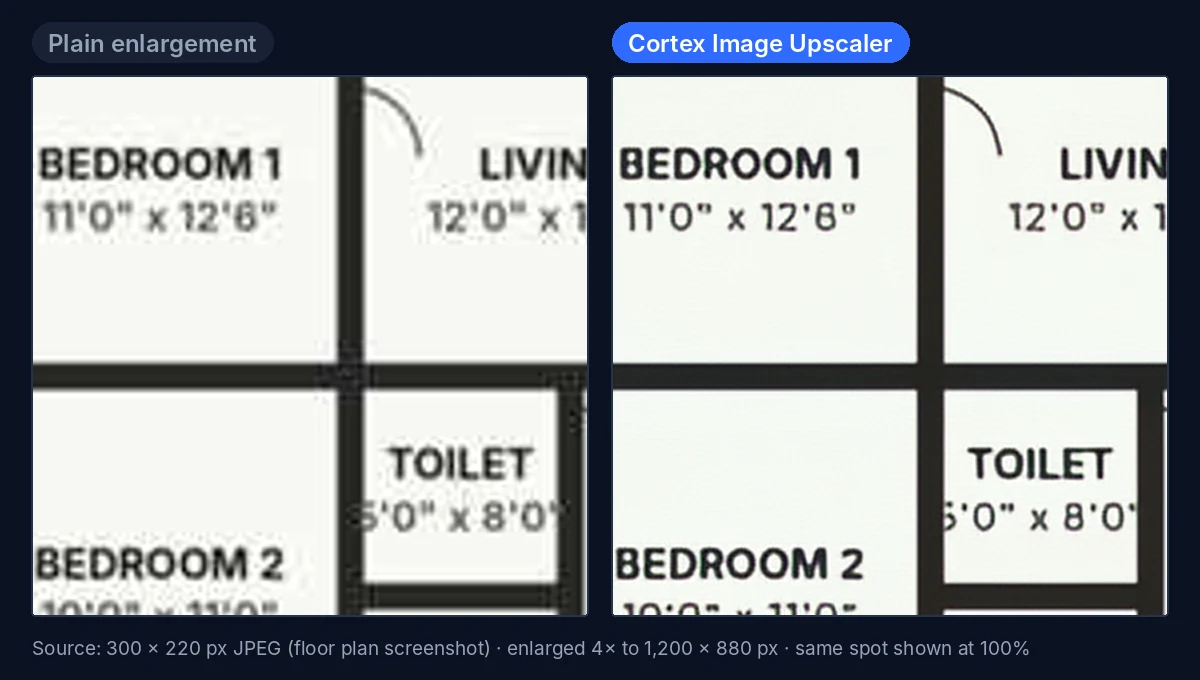
We made the test above ourselves: a small, compressed screenshot of a simple 2BHK plan, enlarged four times by a plain resize on the left and by the upscaler on the right. The walls and door swings are clean, and the room names read easily.
How to enhance a blurry image online free, step by step
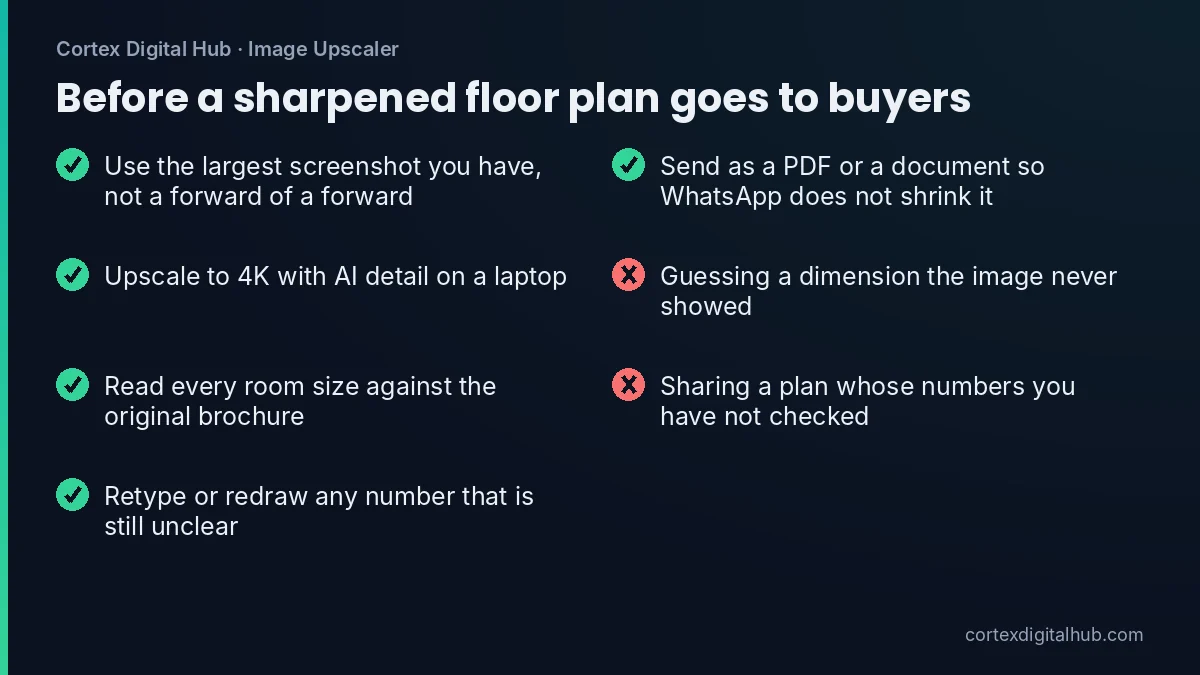
- Find the largest copy you can. Ask the seller for the original screenshot, not a forward, or for a photo of the paper brochure taken flat in daylight.
- Open the upscaler on a laptop in Chrome or Edge and drop the image in. iPhone HEIC files open directly.
- Pick 4K. That is 3,840 pixels on the long side, enough for any phone, laptop or A4 print. Keep AI detail on and choose PNG, which keeps the white background and black lines perfectly clean.
- Wait a few minutes. The progress bar shows the time left.
- Look at "Same spot at 100%", then open the full image and read every label and every number.
The last step is the one that matters, and it gets its own section.
Which size and format suit a floor plan
A floor plan does not need the biggest button. 4K gives 3,840 pixels on the long side, which is about 328 pixels per inch across an A4 sheet and about 232 across A3, sharp enough for a printout handed to a buyer and far more than any phone screen shows. 8K is only worth the extra minutes if the plan is going on a large board in a site office: 7,680 pixels across a 36-inch print is about 213 per inch. 16K is never needed for a plan.
PNG suits plans better than it suits photos. Most of a plan is flat white with black lines, PNG stores that without adding new compression marks, and the file stays a sensible size. Choose JPG if the plan sits on a coloured or photographic background.
One more detail: AI detail only runs when the enlargement is more than 2×. If your screenshot is already large, the tool uses its sharp resampler instead and finishes in seconds, because the picture already has most of the pixels it needs.
Check every number before buyers see it
The upscaler cleans and sharpens. It cannot invent detail that the screenshot never had. Big room names come back clearly because they were nearly readable already. Small dimension figures are different. If a number was a smudge in the source, the cleanup can make it look crisp, and crisp is not the same as correct: a blurred 6 can come out reading like an 8. In our own tests on very small dimension text, that is exactly what happened to some digits.
So treat a sharpened plan as a draft. Read each room size against something you trust: the brochure if the seller still has it, the sale deed or approved plan, or a tape measure on your next visit. A buyer who finds the second bedroom is 10 feet when your plan said 12 will not trust anything else you send. The floor plan mistakes post covers the dimension and labelling errors that confuse buyers most.
When to skip the upscaler and go to the source
If anyone has the brochure as a PDF, do not upscale a screenshot of it. Export the page with PDF to JPG in high quality and you get every line and number exactly as printed. The upscaler is for when a picture is all that survives.
If the numbers are still unclear after upscaling, or the plan was photographed at an angle, redraw it. The Floor Plan Redraw tool turns a phone photo or an old brochure scan into a crisp 2D plan with the same layout and labels, and if the source is a brochure page, redraw from a PDF brochure covers that case. From a clean plan you can also make a 3D floor plan, which helps buyers who struggle with lines and symbols.
How Ramesh shares it now
Ramesh upscaled the screenshot to 4K, and the room names and walls came out clean. Two dimensions were still doubtful, so he asked the seller to read them off the old brochure, which turned up in a cupboard, and typed the confirmed sizes into the listing text himself. He sends the plan as a PDF or a WhatsApp document now, so it arrives at full size; the guide to sharing floor plans on WhatsApp explains why that matters.
The next buyer who asked about the second bedroom got an answer in one message, with a plan she could actually read. If you are on the buyer's side of this, how to read a floor plan is worth five minutes before your next site visit.
Watch the video
The welcome board that came on WhatsApp: a free AI upscaler to 8K · 4:20 · Watch on YouTube
Frequently asked questions
Can I make a blurry floor plan screenshot readable?
Often, yes. The upscaler's AI detail pass removes the blocky look of compressed screenshots and sharpens walls and lettering while it enlarges. Labels that were just about readable become clear. Numbers that were never legible cannot be recovered.
Can the upscaler get room dimensions wrong?
It can make an unreadable digit look crisp but wrong, for example sharpening a smudged 6 into something that reads as an 8. That is why every dimension on a sharpened plan should be checked against the brochure, the seller or a tape measure before buyers see it.
Which size should I pick for a floor plan?
4K is enough for a plan shared on phones, laptops or an A4 print. It is about 328 pixels per inch on the long side of A4. 8K only helps for a large print on a site office wall.
Is the floor plan uploaded anywhere?
No. The upscaler runs in your browser; the AI part downloads once, about 20 to 30 MB, and the plan stays on your device. That matters for a client's flat layout.
Should I upscale a plan if I have the brochure PDF?
No. Export the page from the PDF at high resolution instead; it will be sharper than any upscale of a screenshot. Use the upscaler only when a screenshot or photo is all you have.
When should I redraw the floor plan instead?
When numbers are still unclear after upscaling, when the plan is crooked or photographed at an angle, or when you want a clean version for listings. A redraw gives you crisp lines and clear labels; check its numbers against the source too.