
Diwali photos video: from 300 blurry shots to one keepsake
The morning after Diwali your phone holds hundreds of photos and half are blurred. Pick the best ten, fix them, make one or two move, then join them or send them as a set, small enough for WhatsApp.
· 5 min read · 881 views · by the Cortex Digital Hub team
Open a ready idea, add your sharpest Diwali photo as the first frame, and change the prompt so it only adds gentle motion to what is already there. Free account · 1 credit = ₹0.50 · no watermark
Make a photo move → → Opens Diwali video ideas · runs in your browser
The morning after Diwali, the house smells of smoke and ghee, the diyas on the balcony have burnt down to black wicks, and your phone holds three hundred new photos. Half of them are blurred: the sparklers moved, someone's hand moved, the flash turned faces white and the diyas behind them into orange smudges. Somewhere in there are the six or seven that matter, the ones you will still want in ten years.
This is how to turn them into a Diwali photos video worth keeping: pick the best, fix them, make one or two of them move, then join them into one short video or send them as a set. All of it works on a phone, and most of it is free.
Pick ten, not three hundred
Do this today, while you still remember who was standing where. Open the gallery, scroll the evening once, and mark favourites without stopping to think. Then go through only the favourites and keep about ten.
- Faces sharp, eyes open. Zoom in on the faces. If they are soft at full size, they will look worse in a video.
- Warm light, not flash. The photos lit by diyas and fairy lights usually beat the flash ones, even if they are a little darker.
- One of each moment. The puja, the rangoli, the sweets, the sparklers, the group photo at the door. Ten different moments tell the evening; ten of the same pose do not.
- The people who were there. Make sure each person appears at least once, especially the ones who are hard to photograph.
- Skip the near copies. Of five almost identical shots, keep the sharpest one.
Do not delete the rest yet. Once the video is made and sent, clearing duplicates is a calmer job.
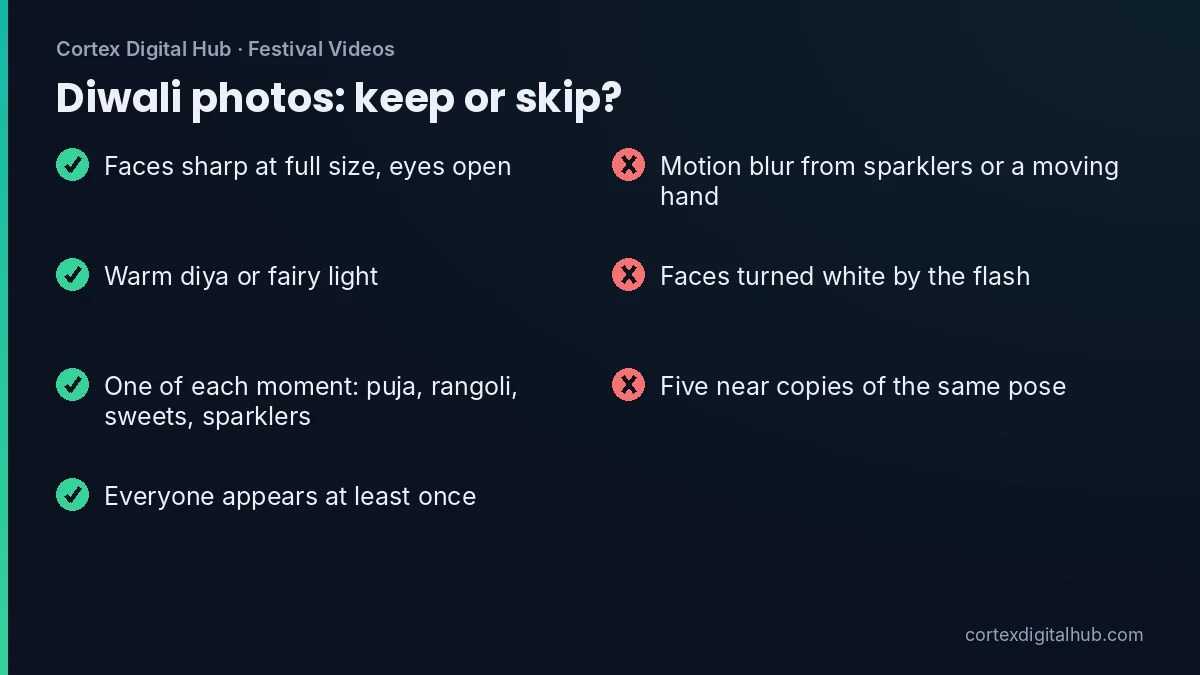 Keep the sharp, warm, different ones; the rest can wait.
Fix the keepers in the photo editor
Night photos are usually dark, a little orange and slightly crooked. Open each keeper in the free Photo Editor. It opens HEIC photos from an iPhone, runs in your browser, and nothing is uploaded.
- Straighten and crop. Level the door frame or the balcony rail. Use the 4:5 crop for Instagram, or 9:16 for Status and for the video.
- Lift the shadows before raising exposure, so the faces brighten without the diyas burning out.
- Bring the highlights down on flash photos to recover faces that went white.
- Check the warmth. Diya light is already orange; a little less warmth often makes skin look natural again.
- Sharpen gently. It helps a photo that is slightly soft. It cannot fix motion blur, so do not try to rescue those.
There is a fuller walk-through in our guide to editing Diwali night photos.
Make one or two of your Diwali photos move
A photo of your father lighting the first diya is lovely. The same photo with the flame flickering, his face lit warm, the camera moving in slowly, is the one people replay. You do not need many of these; one or two among the stills is enough.
Choose your sharpest photo with faces fully visible. Open the Lamp-lit portrait idea for one person, or any idea on the Diwali video ideas page for the family. Add the photo; it becomes the first frame. Because your photo already has diyas and lights in it, change the prompt so it only adds gentle motion to what is there, rather than new lamps.
A 5-second clip on the default model takes 170 credits (₹85), and is usually ready in two to four minutes. A quick 6-second draft takes 48 credits (₹24) if you want to check the photo first. The video copies whatever is in the photo, blur included, which is one more reason to pick the sharpest one. If the rangoli survived in a good photo, our post on turning a rangoli photo into video has a prompt for it.
Prompts to copy
Keep the faces exactly as in the photo. The diya flames already in the photo flicker gently and their warm light moves on the faces, a few marigold petals drift down, everyone smiles softly, very slow push in, soft sitar music.
Keep the face exactly as in the photo, natural and unchanged. The flame of the diya in his hands flickers, warm light rises slowly on the face, he blinks and smiles, the fairy lights behind him twinkle, very slow push in, calm sitar music.
Keep the house and the people exactly as in the photo. The fairy lights on the balcony twinkle, the sky behind deepens to night blue and a few fireworks burst softly in gold, slow steady push in, distant crackers.
Put the Diwali photos video together
There are two good ways to finish, and neither needs a laptop.
Join them into one short video. Most phone gallery apps can make a movie from selected photos and clips, and the Instagram Reels editor can too. Put the moving clip first or last, give each photo two or three seconds, and choose one song. If the clip has a slow start, cut it in Trim Video; if the finished video is the wrong shape for Status, fix it in the Video Resizer. Both run on your device.
Or send them as a set. Send the moving clip first, then the ten photos together, with one line in the message about the evening. It is quicker, and every photo stays at full size for whoever wants to print one.
For someone who could not come home this year, the set may mean more than the video; our post on a Diwali video for family far away is about exactly that.
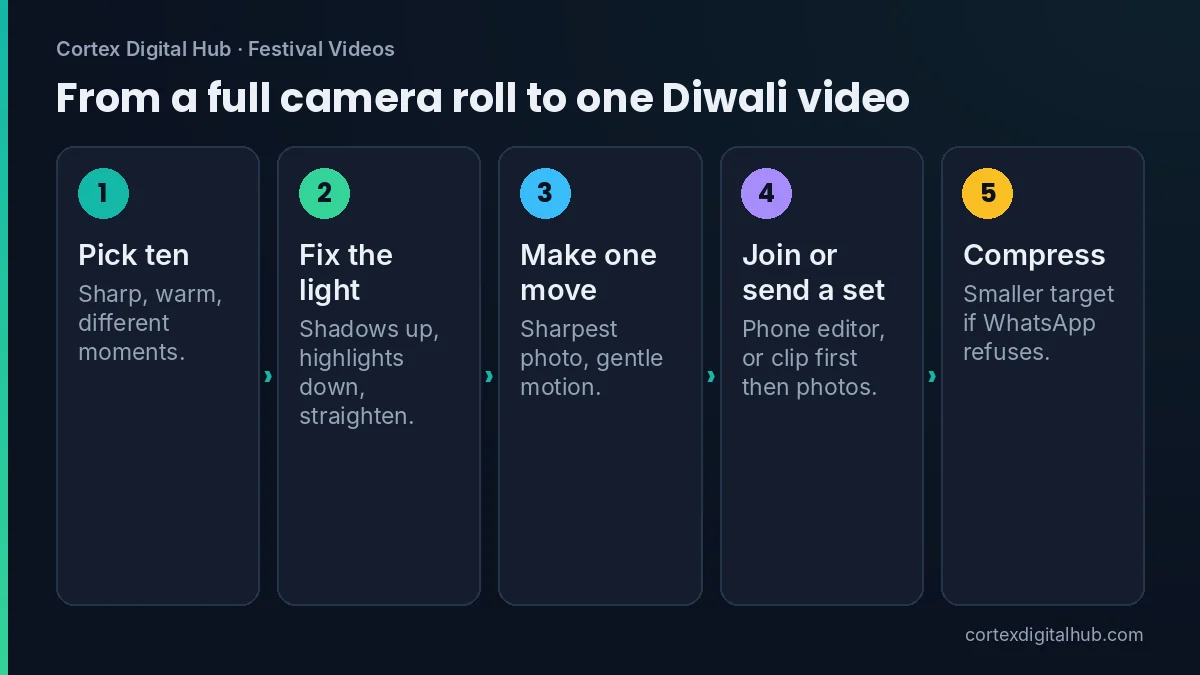 From three hundred photos to one thing worth sending.
Compress it for WhatsApp
A minute of photos and clips can be larger than WhatsApp will send. If it refuses the file, open the free Video Compressor, choose a smaller target size and compress it on your own phone; nothing is uploaded. Send it to yourself first and watch it once on a small screen before it goes to the family group.
Save the best family photo for next year
Before you close the gallery, make one album called Diwali 2026 and put the ten in it, with the moving clip. Then pick the single best family photo, everyone in it, everyone looking, and mark it. Next October, when the forwarded greetings start arriving, that photo is your greeting: the first frame of next year's video, made in ten minutes instead of searched for in a hurry.
Bhai Dooj is tomorrow in many places, and a good photo of a brother and sister from last night is already in your phone. For every occasion after that, a wedding invite, the new year, a birthday, the AI video generator works the same way: one good photo, one line of motion, a few minutes.
Watch the video
A Diwali video for two, and a rangoli that blooms · 0:21 · Watch on YouTube
Frequently asked questions
How do I make a video from my Diwali photos?
Pick the ten best, fix the light in a photo editor, turn one or two of them into short moving clips, then join the clips and photos in your phone's video editor or gallery app. Compress the result if WhatsApp says it is too large.
Can I fix a blurry Diwali photo?
Only a little. Sharpening helps a photo that is slightly soft, but it cannot undo motion blur from a moving hand or a sparkler. Keep the sharp ones and let the blurred ones go; there are usually more good photos than you think.
Can a blurred photo be turned into a moving clip?
It can, but the video copies the blur, so the clip will look soft too. Use your sharpest photo, with faces fully visible, for anything you animate.
How much does it cost to animate one photo?
A 5-second clip on the studio's default model takes 170 credits, which is ₹85. A quick 6-second draft takes 48 credits (₹24) if you want to check the photo first. Credits come back automatically if a clip fails.
How do I send a long Diwali video on WhatsApp?
If WhatsApp says the file is too large, open the free Video Compressor, choose a smaller target size and compress it on your own device. Nothing is uploaded. Then send it to the family group as a normal video.
Should I send one video or a set of photos?
Both work. A short video with one moving clip feels finished and is easy to replay. A set of ten photos with the moving clip first is quicker and keeps each picture at full size for anyone who wants to print it.
Are my family photos stored anywhere?
The Photo Editor and Video Compressor run in your browser, so those photos and videos never leave your phone. A photo you animate is sent to the video model only to make the clip, which stays in your account for 7 days, then is deleted.