
Rangoli video: keep this year's pattern after the broom comes
A rangoli takes hours and is swept away by morning. Photograph it cleanly from above, then turn that one photo into a short rangoli video where petals settle and diyas glow, or film the drawing itself as a time-lapse on your phone.
· 6 min read · 610 views · by the Cortex Digital Hub team
Open the Rangoli blooms idea, add your top-down photo as the first frame, adjust the first line of the prompt and press Generate. Free account · 1 credit = ₹0.50 · no watermark
Animate your rangoli → → Opens Diwali video ideas · runs in your browser
It starts after lunch. A grid of chalk dots by the front door, then the outline, then bowl after bowl of colour pinched between finger and thumb, knees aching, someone stepping carefully around it to reach the kitchen. By the time the diyas are lit it is the most beautiful thing in the house. By the next morning, feet, a pet or the broom have taken it. What survives is usually one photo taken at an angle, half in shadow, with a slipper in the corner.
This year, make a rangoli video. Take one clean photo from above and the studio can turn it into a short clip where marigold petals settle into the pattern and a ring of diyas glows at its edge. Or film the drawing itself as a time-lapse on your own phone. Both start in the same place: a good photo, or a steady phone.
How to photograph a rangoli from above
The photo is the first frame of the video, so every problem in it, a tilt, a shadow, a blur, stays in the clip. Ten minutes here saves three failed generations later.
- Get above it. Stand on a sturdy stool or a stair, with someone holding it. Hold the phone flat over the centre, screen facing you, arms straight.
- Turn on the grid. It is in your camera settings. Put the centre of the pattern on the middle of the grid; many phones also show a small level marker when you point straight down.
- Keep your shadow out. If the light is behind you, your head lands in the middle of the design. Move so the light comes from the side.
- No flash. Flash bounces off the powder and flattens the colours. Shoot in daylight, or in the evening with the room lights on.
- Sweep the edges. Stray powder, the plate of colours, the chalk and the slippers all go out of the frame.
- Shoot portrait and leave a margin. The video takes the shape of your photo. A portrait photo with some floor around the pattern can be cropped to 9:16 for Status without cutting the design.
- Take five, keep one. Tap the centre to focus, take several, and keep the sharpest.
- Before you start drawing, take one photo of the bare floor from the same spot. You will want it for the reveal described below.
If the photo comes out dull or crooked, open it in the free Photo Editor: straighten it, crop to 9:16, lift the shadows and add a little warmth. It runs in your browser and nothing is uploaded. Our guide to editing Diwali night photos covers the evening shots in more detail.
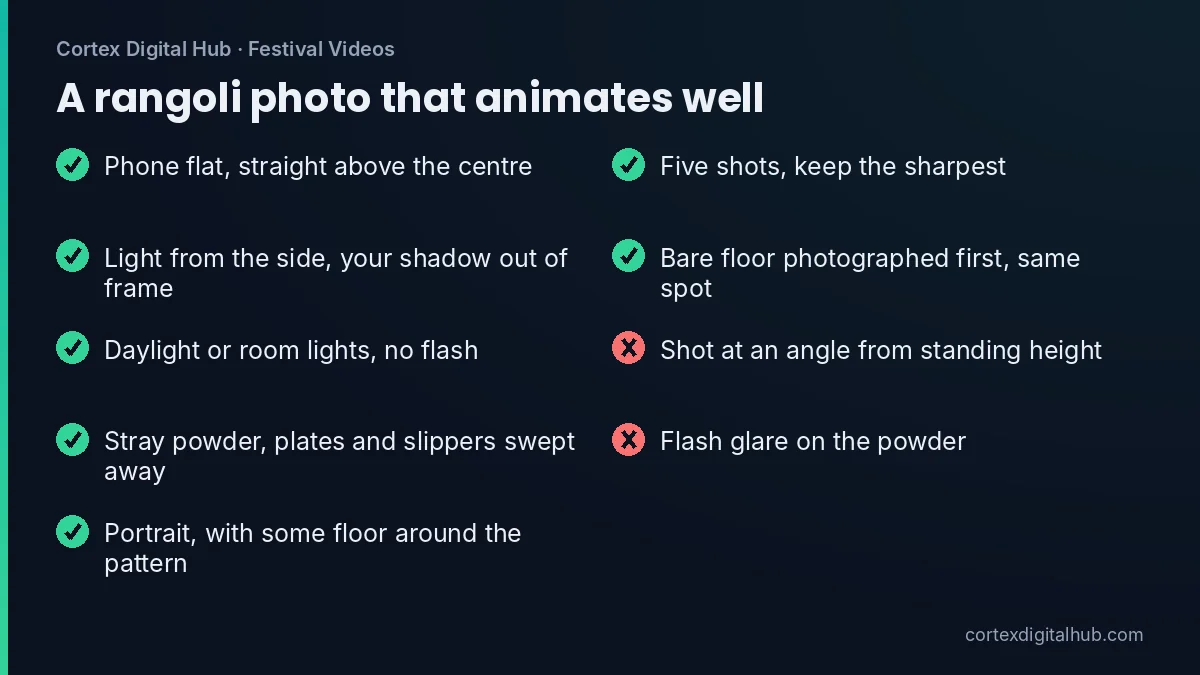 The photo is the first frame: straight, sharp and shadow-free gives the cleanest clip.
Turn the photo into a rangoli video that blooms
The Diwali video ideas page has a ready idea called Rangoli blooms at their feet. It is written for a person or a couple standing behind their rangoli, so if your photo has someone in it, use it as it is. If your photo is the rangoli alone, from above, change one line.
- Open the Rangoli blooms idea. The studio opens with the prompt already written.
- Add your photo. It becomes the first frame.
- For a top-down photo, replace "Keep the face and clothes exactly as in the photo" with "Keep the rangoli pattern and its colours exactly as in the photo", and remove the part where the camera tilts up to a face.
- Look at the Generate button. A 5-second clip on the default model takes 170 credits (₹85). A quick 6-second draft takes 48 credits (₹24) if you want to test the prompt first.
- Press Generate. It usually takes two to four minutes, and the clip waits under Your videos for 7 days.
What to expect: the clip opens on your pattern exactly as you photographed it, and the motion happens around it. Fine lines can soften or shift a little as the camera moves. If the centre drifts, slow the camera, keep the moving things at the edges, and generate again.
The bare floor to finished rangoli reveal
The default model can take a second photo as the last frame. Add the bare-floor photo first and the finished rangoli second, and the clip travels from one to the other. Be clear about what this is: the model invents the in-between, so it will not show your hands or your real strokes. It is a reveal, not a recording. Both photos must be taken from the same spot, and the quick draft does not take a last frame. The post on first and last frame control explains how the pair works.
Prompts to copy
Paste one into the studio after adding your photo, then change any detail you like.
Keep the rangoli pattern and its colours exactly as in the photo. Marigold petals drift down and settle at the edge of the pattern, a ring of small clay diyas around it lights up one by one, flames flickering, the camera rises very slowly straight above, warm festive light, gentle bells.
Keep the rangoli and the diyas exactly as in the photo. The diya flames flicker gently and their warm light moves across the colours, a few rose petals fall into the centre, very slow push in, calm sitar music.
Keep the face and clothes exactly as in the photo. A rangoli in marigold orange, pink and white spreads and blooms across the floor in front of the person, a ring of diyas glows at its edge, the camera tilts down to the rangoli and slowly back up to the smiling face, warm festive light, gentle bells.
The bare floor in the first image becomes the rangoli in the last image: colours spread outward from the centre in rings, petals settle into the pattern, steady overhead camera, warm evening light, soft bells.
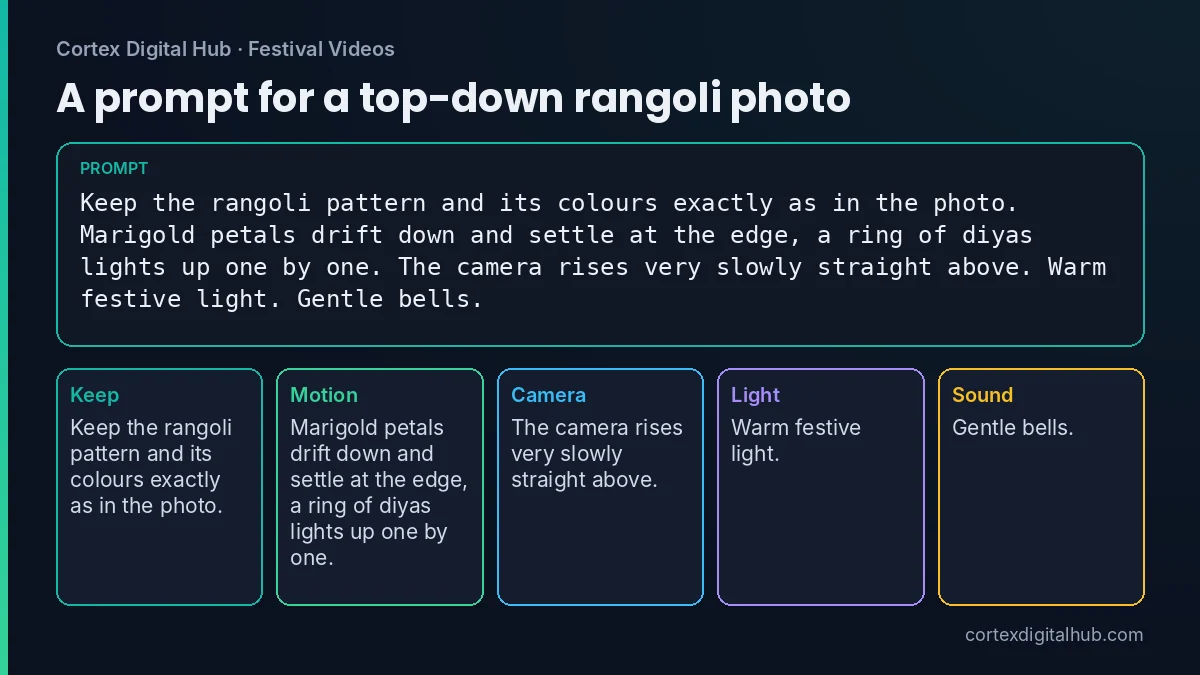 Keep the pattern, move the edges, one slow camera move.
The time-lapse alternative: your own phone, your own hands
If what you want to keep is the three hours, not just the result, film them. Most phone cameras have a Time-lapse mode (on some Android phones it sits under More).
- Fix the phone above the floor. Tape it to the underside of a stool, rest it on a stand bridged across two chairs, or tie a selfie stick to a railing above. It must not move for three hours.
- Keep it on charge. A long time-lapse with the screen on drains the battery.
- Start before the first dot and stop after the last diya is lit.
- Keep it portrait so it is ready for Status.
Then finish it free, on your own device: cut the slow start and the cleanup with Trim Video, make it 1080 x 1920 with the Status-size resizer, and if WhatsApp says the file is too large, shrink it in the Video Compressor. The last few seconds also make a small looping GIF in Video to GIF.
| Blooming clip from a photo | Time-lapse on your phone | |
|---|---|---|
| What you need | One top-down photo | A fixed phone, from the start |
| What it shows | The finished rangoli, glowing | Your real hands and every stroke |
| Cost | 170 credits (₹85) for 5 s | Free |
| When to decide | Any time, even next week | Before you draw the first dot |
Where your rangoli video goes
Diwali (Lakshmi Puja) falls on 8 November this year, with Dhanteras on 6 November; dates vary a little by region and panchang. A rangoli drawn on Dhanteras can be on Status by that evening and in the family group on Diwali morning, while the real one is still on the floor.
Shops and salons that draw a rangoli at the entrance can post the same kind of clip as their Diwali greeting, with the offer, the dates and the phone number in the caption, where they are always spelled right. For more ways to animate the family and the house, see the post on a Diwali video with your own photo.
And keep the top-down photo in a folder of its own. Next year, when someone asks what pattern to draw, you will have it.
Watch the video
A Diwali video for two, and a rangoli that blooms · 0:21 · Watch on YouTube
Frequently asked questions
Can I make a rangoli video from just one photo?
Yes. Your photo becomes the first frame, and the prompt describes what moves around it: petals settling, diyas lighting up, a slow camera rise. Start from the Rangoli blooms idea on the Diwali page and change its first line so it keeps the pattern rather than a face.
Will the AI change my rangoli design?
The clip starts on your photo, so the pattern you drew is what people see first. Fine lines can soften or shift a little as the camera moves. Keep the camera slow, keep the motion at the edges, and generate again if the centre drifts.
Can the video show the rangoli being drawn?
Not your real hand movements. The default model can take a second photo as the last frame, so a bare-floor photo first and the finished rangoli last gives a reveal, with the in-between invented by the model. For the real drawing, film a time-lapse on your phone.
How should I photograph a rangoli for a video?
From straight above, in even light, with no flash and no shadow of you or the phone across it. Sweep stray powder off the edges, leave a little floor around the pattern, and take several shots so you can keep the sharpest.
How much does a rangoli video cost?
A 5-second clip on the studio's default model takes 170 credits, which is ₹85. A quick 6-second draft takes 48 credits (₹24), useful to test the prompt first. The Generate button shows the exact total, and credits come back if a clip fails.
How do I film a rangoli time-lapse on my phone?
Use the Time-lapse mode in your phone's camera, fix the phone above the floor so it cannot move, keep it on charge, and start before the first dot. Trim the slow parts afterwards and resize it to 1080 x 1920 for Status.
Is my rangoli photo kept or shared?
The photo is sent to the video model only to make the clip. The finished video stays in your account for 7 days so you can download it, then it is deleted. Nothing is posted anywhere and there is no watermark.