
Diwali video with your photo: 8 ideas and the prompts to copy
Turn one photo of your own people into a short Diwali video: diyas lighting up around the family, a rangoli blooming, fireworks behind your home. Eight ideas with prompts to copy, the exact cost, and how to send it in 9:16.
· 6 min read · 1K views · by the Cortex Digital Hub team
Pick an idea, add one clear photo as the first frame, and check the credit total on the Generate button before you start. ₹24 draft or ₹85 for 5 seconds · no watermark · free account
Pick a Diwali idea → → Opens Diwali Video Generator · runs in your browser
Some Diwalis you spend far from home. The diyas are lit in a house you only see on a video call, and the greeting that reaches you is a forward with somebody else's family in it. A few seconds of your own people, glowing in lamp light, says far more.
Search for "Diwali video with photo" and most of what you find is a template: your picture pasted into a frame of stock fireworks. The Diwali video generator works the other way round. Your photo becomes the first frame of a short clip, and the motion grows out of it: diyas light up around the family, a rangoli blooms at someone's feet, fireworks open in the sky behind your home. The faces stay the faces you know.
Below: what the tool does, which photo to choose, eight ideas with deep links, prompts to copy, the exact cost, and how to send the result in 9:16.
What the Diwali video generator does
The Diwali page is a set of ready ideas for the AI video studio. Each idea is a written prompt. Press Use this idea and the studio opens with that prompt already filled in. You add one photo, change any detail you like, and press Generate.
A few things to know before you start:
- One photo, one short clip. It is not a slideshow maker. Each clip grows out of a single picture.
- Words stay out of the picture. Video models still misspell words, even short ones, so the ideas keep lettering out of the picture. Your greeting and names go in the caption.
- Nothing starts on its own. Opening an idea only fills the prompt. You still add the photo and press Generate.
- You can walk away. A 5-second clip is usually ready in two to four minutes, and finished videos wait under Your videos for 7 days. Make it on Dhanteras, send it on Diwali morning.
This year Dhanteras falls on 6 November, Diwali (Lakshmi Puja) on 8 November and Bhai Dooj on 10 November, though the dates shift a little by region and panchang.
How to pick the photo
The photo matters more than the prompt. It is the first frame, so its light, sharpness and shape carry through the whole clip.
- An evening photo blends best. A picture taken at dusk or under warm indoor light, ideally with a few diyas or fairy lights already in it, matches the lamp light the video adds. A harsh noon photo can look pasted on.
- The original, not a forward. Use the file from the phone that took it, not a compressed WhatsApp copy or a screenshot. The model copies blur.
- Faces toward the camera. Two to six people, faces fully visible, nobody hidden behind a phone or sunglasses.
- Portrait for Status and Reels. The video takes the shape of your photo. If yours is landscape, crop it to 9:16 first in the free Image Resizer.
- Light touch-ups only. The Photo Editor can straighten a tilted shot or warm the colours a little. Skip heavy beauty filters.
More in the guide to the best photo for image to video.
How to make a Diwali video with your photo
On a phone it takes about five minutes:
- Open the Diwali page and press Use this idea on a card that fits your photo.
- In the studio, add the photo. It becomes the first frame.
- Change any detail in the prompt: the music, the colour of the rangoli, who is in the picture.
- Read the credit total on the Generate button, then press it.
- Download the MP4 from Your videos and send it.
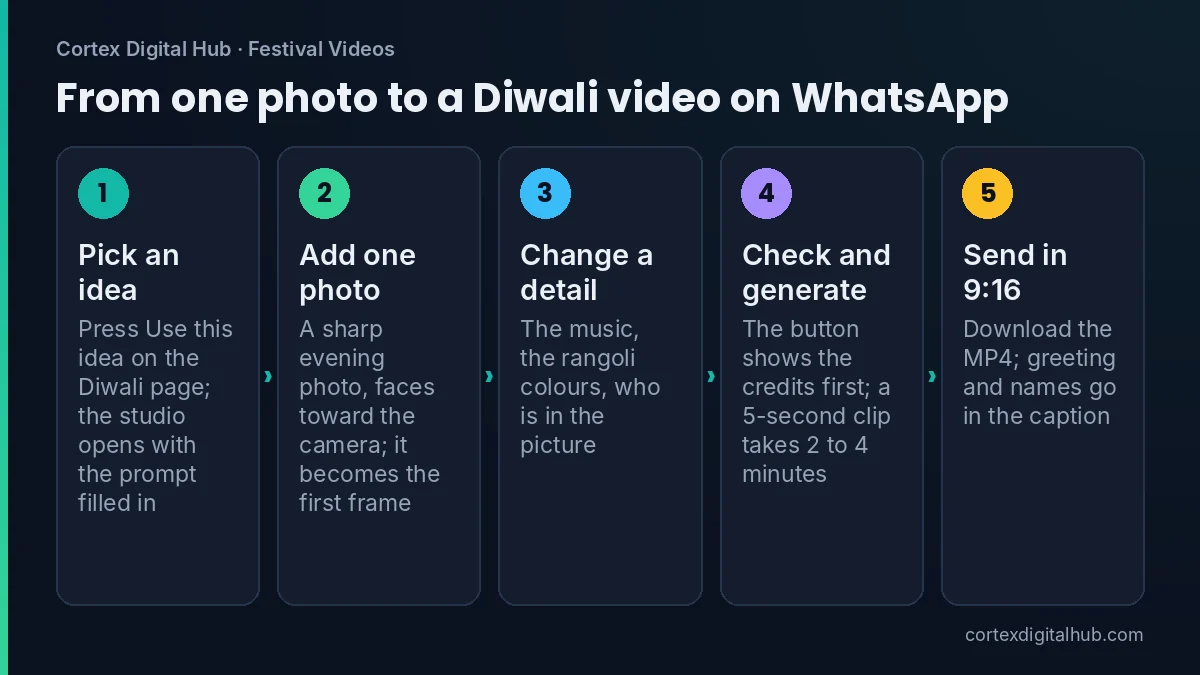 Pick an idea, add one photo, generate, then send the clip with your greeting in the caption.
8 Diwali ideas to try
Each link below jumps to the idea on the Diwali page, where Use this idea loads it into the studio.
- Diyas light up around the family: the family photo on the sofa. Small clay diyas light one by one, marigold petals drift down, soft sitar plays.
- Lamp-lit portrait for Maa: one parent or grandparent. Warm lamp light rises on the face, they blink and smile.
- Fireworks behind the home: your house or building. The sky turns night blue and bursts of gold and red light up the walls.
- Rangoli blooms at their feet: one person or a couple standing. Marigold orange, pink and white spread across the floor.
- Couple under glowing lanterns: paper lanterns overhead, golden sparkles in the air, a slow orbit, shehnai.
- Sparklers in the night: the whole family on the terrace, phuljhadis throwing golden sparks in slow motion.
- Gold coins and kalash catch the light: for Dhanteras. The puja corner or the family at home, brass and gold glinting, soft bells.
- Brother receives tilak: for Bhai Dooj. A sister applies tilak, lamp light glows from a brass plate, gentle flute.
The same page has ideas for shops too.
Prompts to copy
Every prompt opens with a line that tells the model to keep the faces as they are. Then it says what moves, then the camera, the light and the sound. Copy one, or open it straight in the studio in 9:16.
For the family photo (open in the studio):
Keep the faces exactly as in the photo. Small clay diyas around the family light up one by one, their warm flames flickering, marigold petals drift down slowly through the frame, everyone smiles softly, the camera pushes in very gently, golden evening glow, soft sitar music.
For a parent or grandparent (open in the studio):
Keep the face exactly as in the photo, natural and unchanged. Warm lamp light rises slowly on the face, a row of diyas flickers in the soft-focus foreground, a few marigold petals float past, the person blinks and smiles gently, very slow push in, calm sitar music.
For the house (open in the studio):
Keep the house and any people exactly as in the photo. The sky behind the home deepens to night blue and fireworks burst softly in gold and red, their light flickering across the walls, strings of fairy lights on the balcony twinkle, slow steady push in, distant crackers and festive music.
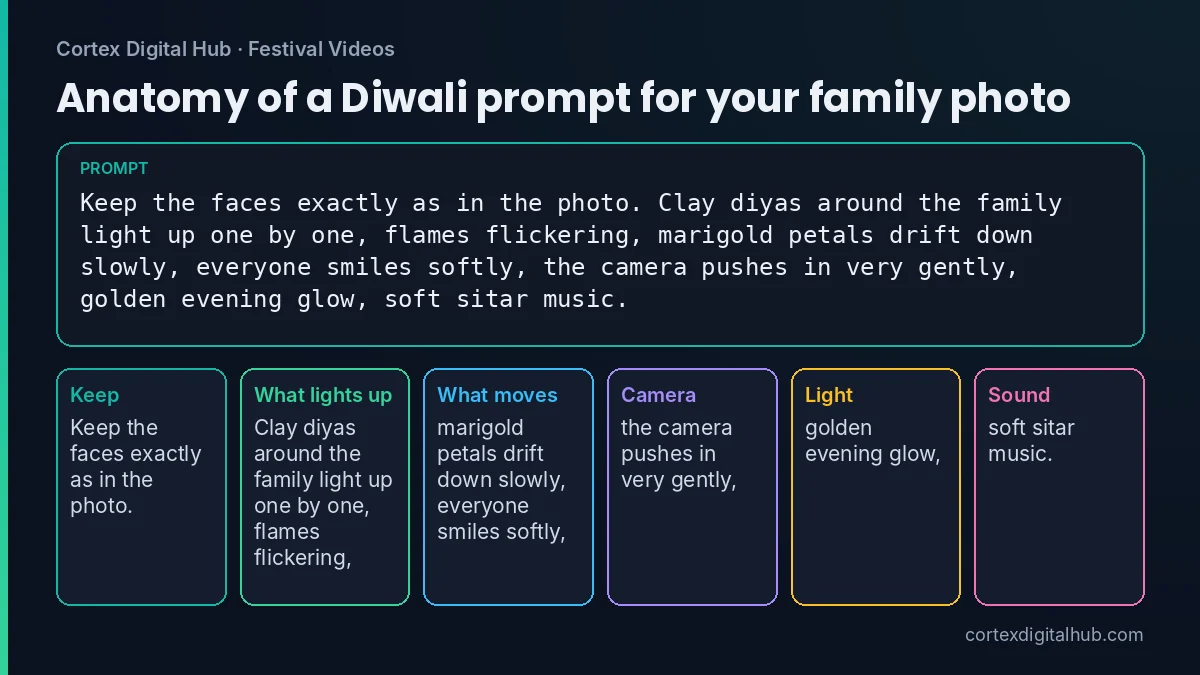 Keep the first line about faces. Change one detail at a time after it.
Change one thing at a time: sitar to flute, "the family" to "Nani and Nana". Slow, small motion holds faces best.
What it costs
You need a free account and credits. One credit is ₹0.50, you add credits for any amount, and there is no subscription.
| Clip | Length | Credits | Cost |
|---|---|---|---|
| From your photo, default model | 5 seconds | 170 | ₹85 |
| Quick draft | 6 seconds | 48 | ₹24 |
The Generate button shows the exact total before anything is charged. Credits are deducted when the clip starts and come back automatically if it fails. Run a quick draft to test the photo, then make the final on the default model.
The default model makes sound with the picture, such as the sitar, bells or distant crackers your prompt describes. It does not speak a greeting unless the prompt asks for speech. To use your own song, turn sound off in the studio and add the track in Instagram or Status.
Sharing on WhatsApp and Instagram in 9:16
The finished video is a standard MP4. Download it from Your videos, then:
- Family group or a direct chat. Send it as it is, and write the greeting in the message: "Shubh Deepavali from all of us. Miss you, Maa."
- WhatsApp Status, Reels and Stories. Vertical 9:16 fills the screen. If you started from a landscape photo, the Video Resizer makes a vertical version.
- File too big to send. The Video Compressor shrinks it on your own phone, with no upload.
The guide on the best video format for Status and Reels covers sizes in more depth. If you would rather send a greeting with no faces at all, just a diya, rangoli or sweets, the earlier post on Diwali greeting clips has scene-only prompts.
Your photo is sent to the video model only to make the clip. The video stays in your account for 7 days, then it is deleted. There is no watermark, and nothing is posted anywhere for you.
Watch the video
A Diwali video for two, and a rangoli that blooms · 0:21 · Watch on YouTube
Frequently asked questions
How do I make a Diwali video with my photo?
Open the Diwali video generator, press Use this idea on any card, add one clear photo in the studio and press Generate. The photo becomes the first frame, and a 5-second clip is usually ready in two to four minutes.
Will the faces in my photo stay the same?
Every Diwali prompt starts by telling the model to keep the faces exactly as in the photo, and the photo is the first frame. Clear, front-facing faces in groups of two to six hold up best. If a face drifts, generate again.
How much does a Diwali video cost?
A 5-second clip from your photo on the studio's default model takes 170 credits, which is ₹85. A quick 6-second draft takes 48 credits, or ₹24. One credit is ₹0.50 and failed clips are refunded automatically.
Which photo works best for a Diwali video?
A sharp original, not a forwarded copy, taken in the evening or under warm indoor light, with faces fully visible. A photo that already has diyas or fairy lights in it blends best with the lamp light the video adds.
Can the video say Happy Diwali?
Keep longer words out of the prompt, since video models still misspell them. Write your greeting and names in the WhatsApp or Instagram caption, where the spelling is always yours.
Does the video have sound?
The default model makes sound with the picture, such as sitar, bells or distant crackers from the prompt. It does not speak unless the prompt asks for speech. To add your own song, turn sound off and add the track in Instagram or Status.
How do I get a vertical video for WhatsApp Status and Reels?
The video takes the shape of your photo, so start from a portrait photo or crop it to 9:16 first in the free Image Resizer. If you already have a landscape clip, the free Video Resizer makes a vertical version.
Is my photo kept or shared?
The photo is sent to the video model only to make your clip. The finished video stays in your account for 7 days so you can download it again, then it is deleted. There is no watermark and nothing is posted for you.