
How to record a voice sample for cloning on your phone or laptop
A clone is only as good as the 10 to 20 seconds you give it. Pick the right room, hold the mic at the right distance, read naturally, and listen back before you save. Or cut a clean sample from a video you already have.
· 5 min read · 1.2K views · by the Cortex Digital Hub team
Open My voices, press Clone a voice, read the on-screen text for 10 to 20 seconds, listen back, tick the consent box and save. Free · consent required · samples stay in your browser
Record my sample → → Opens AI Voice Over & Clone · runs in your browser
Your first clone sounded thin, with a slight echo, as if you were speaking from inside a steel cupboard. The tool was fine; the sample wasn't. You had recorded it in a kitchen with tiled walls, the fan on, and the phone held at arm's length. A good voice sample for cloning takes two minutes of setup and 20 seconds of reading. Here is how to get it right in AI Voice Over & Clone, which is free and keeps your sample in your browser.
What the tool does with your sample
Knowing what happens to the recording explains why each tip matters.
- Record now shows a short text to read. The recorder asks your browser for the microphone with echo reduction and noise reduction on.
- It stops on its own at 25 seconds. If you stop before 8 seconds, it asks you to read the whole text.
- If the recording is too quiet, it says "We could hardly hear you" and asks you to move closer.
- It trims silence from the start and end and evens out the level, keeping at most 20 seconds.
- Use a recording takes a WAV, MP3 or M4A file of at least 6 seconds and uses the first 20 seconds.
- When it makes speech, the voice engine works from about the first ten seconds of your voice. A clean start matters most.
Noise reduction helps, but it can't turn an echoey kitchen into a studio. The room still decides most of the result.
Pick the right room
Echo comes from hard surfaces. Soft things soak it up.
Good: a bedroom with curtains, a bed and a wardrobe; a sofa corner in the living room; a small room with clothes hanging. Opening a wardrobe and speaking towards the clothes works surprisingly well.
Poor: bathrooms, kitchens, stairwells, empty new flats and rooms with tiled floors and bare walls.
Then switch off what hums: the ceiling fan, the AC, the TV, the cooler. Close the window for 20 seconds if there is traffic outside. Tell the house you need one quiet minute.
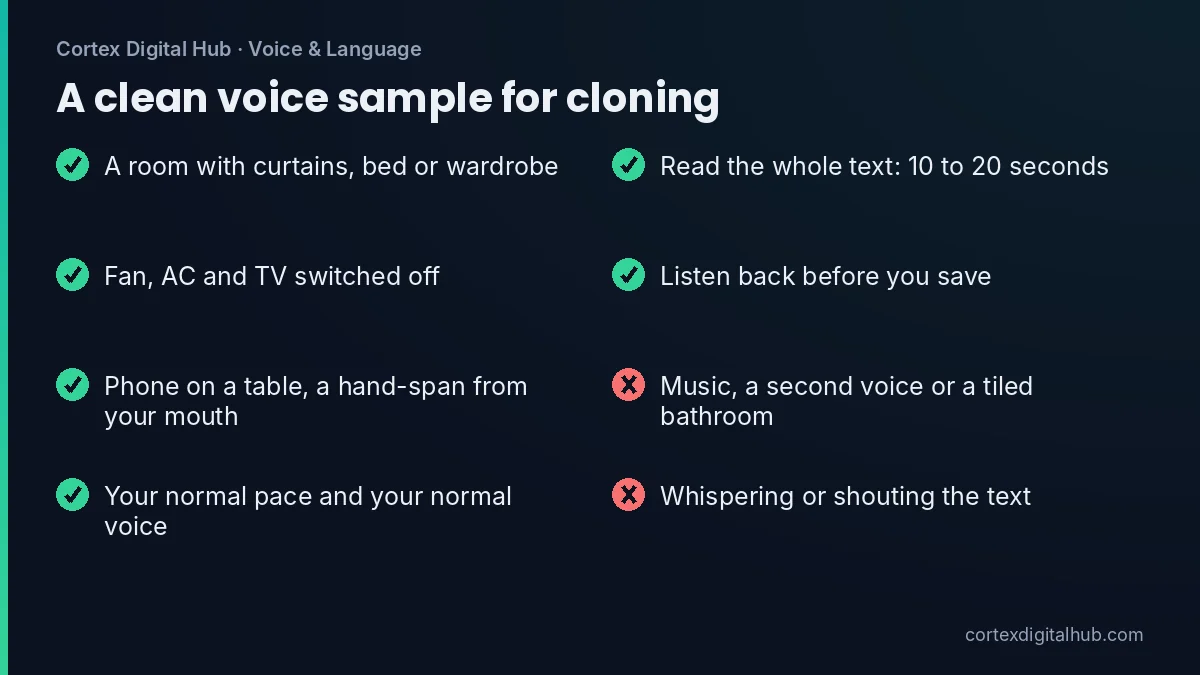 Soft room, nothing humming, phone steady and close, normal voice, the full 10 to 20 seconds, then listen back.
Microphone and distance
You don't need a special mic. A laptop's built-in mic, a phone or wired earphones with a mic all work if the distance is right.
- Distance: about a hand-span from your mouth. Too far adds room sound; too close adds breathy pops.
- Keep it still. Put the phone or laptop on a table. A phone moving in your hand changes the sound every second and adds rustling.
- Use one microphone. If your browser asks which microphone to use, pick the one closest to you.
- Speak across it, not into it, if you hear pops on words like "page" and "best".
How to read your voice sample for cloning
This is the part most people overthink. Your clone will copy the voice you give it, so give it the voice you want in your voice overs.
- Read the on-screen text once silently so you know where the sentences end.
- Sit up, relax your shoulders and take a normal breath.
- Press Record, wait a moment, then read at your normal speaking pace.
- Speak the way you would explain something to a colleague: clear, warm, not acted.
- Pause briefly at full stops, as you would naturally.
- Press Stop at the end, and leave a moment of silence before you do.
Avoid whispering, shouting, a put-on announcer voice or racing through it. If you stumble, simply record again; it takes 20 seconds.
Using a recording you already have
Already have a clean video of you speaking, such as a webinar, a YouTube intro or a client presentation? Use that instead of recording fresh.
- Drop the video into Video to MP3.
- Drag the handles on the waveform to keep 15 to 20 seconds where only you are speaking, with no music or applause.
- Even out the volume and download the MP3.
- In the clone dialog, choose Use a recording and pick the MP3.
A WhatsApp voice note works the same way if it was recorded somewhere quiet. If you need to cut the video itself first, Trim video does that in your browser.
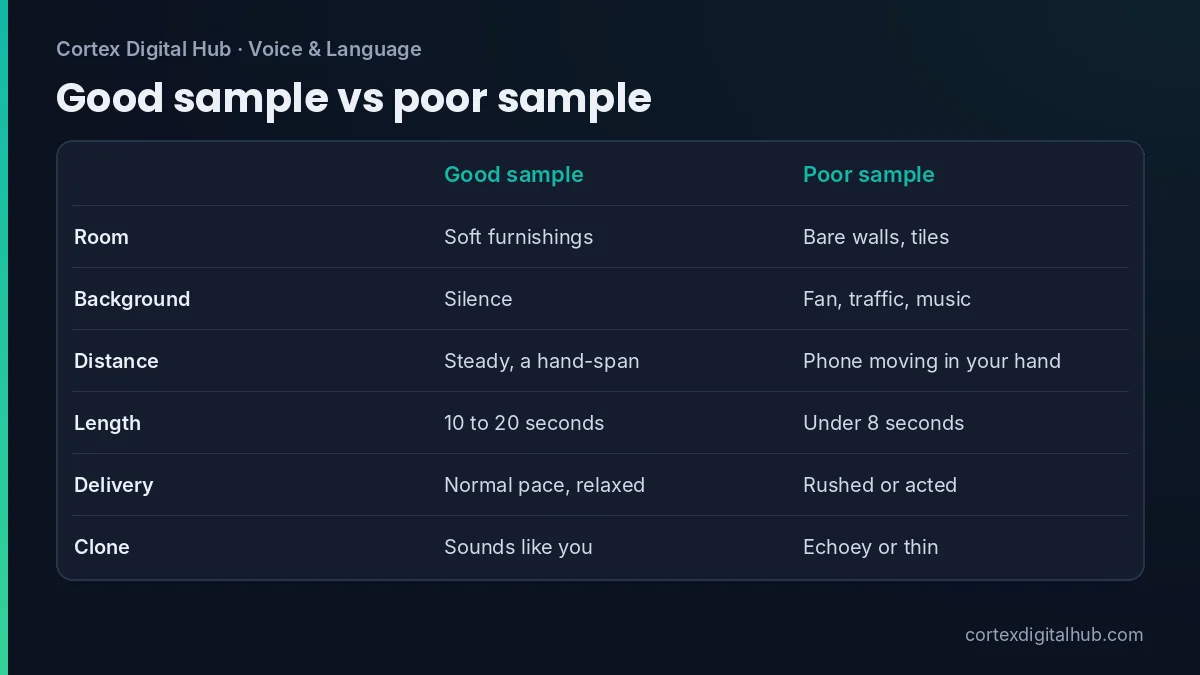 Soft room, silence, steady distance and a relaxed read give a clone that sounds like you.
Listen back before you save
After you stop, a player appears. Listen to the full sample with earphones if you can, and check for:
- a fan, AC or traffic hum under your voice
- echo at the end of words
- a stumble, cough or laugh
- a second voice or a TV in the background
Hear any of these? Press Record again. When it sounds clean, give the voice a name, tick the box confirming it is your own voice or you have the speaker's permission, and press Save voice. Only record and clone a voice that is yours or that you have clear permission to use.
The clone then says a short hello in English. Press Recording to play your original sample and compare. If the clone sounds off, delete it and record a new sample rather than working around it.
After the sample: make your first voice over
Pick your saved voice, type a short test script and press Generate. The sample and the clone are kept only in this browser, as explained in why browser-based tools are safer than upload sites.
Next steps: clone your own voice free covers storage and consent, free AI voice over from a script covers scripts and pauses, and Indian accent text to speech covers lakh, crore and short forms.
Key takeaways
- Record 10 to 20 seconds in a soft, quiet room with fans and AC off.
- Keep the mic still, about a hand-span away, and read in your normal voice.
- The first ten seconds or so of clean speech matter most.
- Cut a clean sample from an existing video with Video to MP3 if you prefer.
- Listen back, re-record if anything hums or echoes, and clone only voices you have permission to use.
Frequently asked questions
How long should a voice sample for cloning be?
10 to 20 seconds of clear speech. The recorder stops on its own at 25 seconds and asks you to record again if you stop before 8 seconds. An uploaded file must be at least 6 seconds; the first 20 seconds are used.
What should I read?
The short text shown on screen when you choose Record now. It is written to take about 10 to 20 seconds at a normal pace. Read it in the voice you want your clone to have.
Can I record on my phone?
Yes, phones can record the sample. Keep the phone still on a table, about a hand-span from your mouth. Making voice overs on a phone is slower than on a laptop.
Which room is best?
A room with soft things: curtains, a bed, a sofa or an open wardrobe. Avoid bathrooms, kitchens and empty rooms with bare walls, which add echo. Switch off the fan and AC for the recording.
Can I use an old recording instead?
Yes, if it is one person speaking with no music. Choose Use a recording and pick a WAV, MP3 or M4A file. To take a clean piece from a video, cut it out first with the free Video to MP3 tool.
Why did the tool say it could hardly hear me?
The recording was too quiet. Move closer to the microphone, check the right microphone is selected in your browser, and record again.
Is my voice sample uploaded?
No. The sample and the clone are kept only in your browser on that device. Nothing is sent to us or anyone else.
Can I record a sample of someone else?
Only with their clear permission. The tool asks you to confirm it is your own voice or that you have the speaker's permission before it saves.