
How to clean an email list before you send
Clean an email list in a fixed order: fix typos, remove duplicates and invalid addresses, drop throwaway and risky role addresses, suppress past bounces and unsubscribes, then set inactive contacts aside. Here is each step, why it matters and what it saves.
· 5 min read · 569 views · by the Cortex Digital Hub team
Drop in your CSV, let it fix typo domains and remove duplicates, invalid and throwaway addresses, then download the clean file plus a status-and-reason report. Free · runs in your browser · nothing uploaded
Clean your list free → → Opens Email List Cleaner · runs in your browser
How to clean an email list, in short: work in a fixed order. Fix typo domains first (gmial.com → gmail.com), then remove duplicates, invalid syntax and throwaway addresses, take out role addresses you never meant to market to, suppress everyone who bounced or unsubscribed before, and finally move contacts who have not opened or clicked in six to twelve months into a separate segment. The free Email List Cleaner does the first four steps in your browser in under a minute, keeps every column of your CSV, and gives you a second file explaining each removal.
The order matters because each step changes what the next one sees. Fix a typo before de-duplicating and you catch the person who filled your form twice, once as [email protected] and once as [email protected].
Why cleaning matters before you hit send
Mailbox providers judge you on what happens after a send. A list full of dead or mistyped addresses produces hard bounces, and a high bounce rate tells Gmail, Yahoo and Outlook that you do not look after your data. Old addresses can also be recycled as spam traps. Neither problem shows up in your open rate; they show up as the next campaign landing in spam. If you are already there, our guide on why emails go to spam walks through the other causes.
There is a money angle too. Every address you send to costs something. A Pune coaching institute with 40,000 contacts, 12% of them junk, pays to send 4,800 emails a month that can only hurt it.
How to clean an email list in six steps
- Fix typo domains. gmial.com, gmail.co, gmail.con, yaho.com, rediffmal.com and hotmial.com are the usual suspects on Indian forms. Correct them rather than deleting them; these are real leads with a slip of the thumb.
- Remove duplicates. Compare in lower case and after trimming spaces. Keep the row with the most complete data or the most recent date.
- Remove invalid addresses. Missing @, two @ signs, spaces, commas, a trailing dot, or a domain with no dot at all. These can never be delivered.
- Remove throwaway (disposable) addresses. Domains such as mailinator-style inboxes exist so people can skip your follow-up. They inflate your list and never buy.
- Decide on role addresses. info@, sales@, admin@, support@ and similar. Keep them only if a person knowingly used them to sign up.
- Suppress past bounces and unsubscribes, then segment inactive contacts. Anyone who hard bounced or opted out must never be mailed again. People with no opens or clicks in 6–12 months go into a re-permission segment, not the main send.
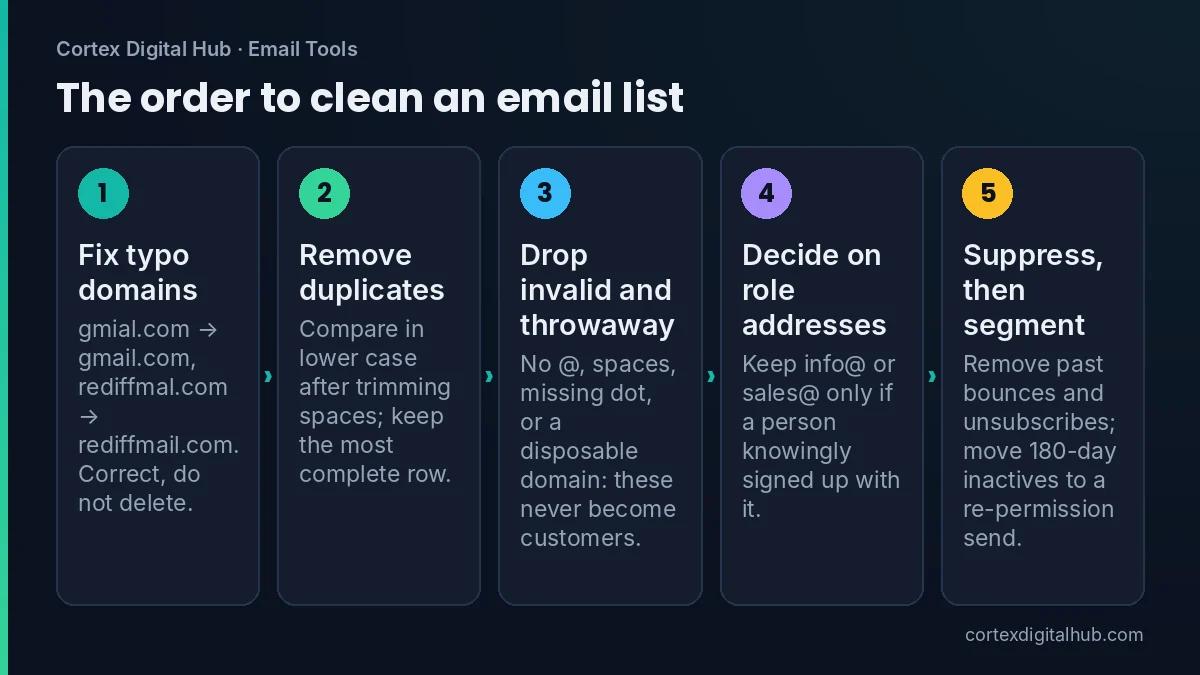 Fix typos first so the duplicate check catches the same person typed two ways.
What each step catches, and what it cannot
| Problem | Example | What to do | Can a free cleaner catch it? |
|---|---|---|---|
| Typo domain | [email protected] | Correct to gmail.com | Yes |
| Duplicate | Same address, two rows | Keep one row | Yes |
| Invalid syntax | ravi.kumar@gmail | Remove | Yes |
| Throwaway domain | [email protected] | Remove | Yes, for known domains |
| Role address | [email protected] | Remove from marketing | Yes (optional) |
| Mailbox no longer exists | [email protected] | Remove after a hard bounce | No, needs a send or a verifier |
| Unsubscribed | Opted out in March | Suppress forever | Only with your opt-out list |
The last two rows are the honest limit. A browser-based cleaner checks how an address is written and which domain it uses. It cannot tell you that a particular mailbox was closed last year. For that you need either a paid verification service, which pings the receiving server, or the bounce data from your own sends. Your sending provider records hard bounces; feed them back into your suppression list after every campaign.
Keep your columns, and keep a record
Most lead files carry more than email: name, phone, project, source, the date the lead came in. When you clean, do not export just the email column and lose everything else. The Email List Cleaner keeps every column in the clean CSV and writes a second download listing each address with its status and the reason, such as "typo fixed: gmial.com → gmail.com" or "removed: duplicate".
Keep that second file. If a sales manager asks why 600 leads from a property expo vanished, you can show exactly which were duplicates and which were throwaway sign-ups. It also tells you which form or source sends the dirtiest data, which is the real fix. If your leads arrive from an LMS or CRM, the connect your LMS guide shows how to send a welcome email the moment a lead lands, which surfaces bad addresses on day one instead of month three.
Inactive contacts: segment, do not delete
Inactivity is the step people skip because it shrinks the list. But Gmail and Yahoo watch engagement, and a list where most people never open drags your inbox placement down for everyone. With the Gmail and Yahoo bulk sender rules in force, a spam complaint rate above 0.3% is a clear problem, and unengaged contacts are the ones who click "Report spam" because they forgot who you are.
A simple rule: anyone who has not opened or clicked in 180 days goes into a separate segment. Send that segment one short, plain email asking whether they still want to hear from you, with an easy yes button. Keep those who respond. Stop mailing the rest. Remember that Apple Mail Privacy Protection preloads images, so "opened" can be false for iPhone users; clicks are the safer signal.
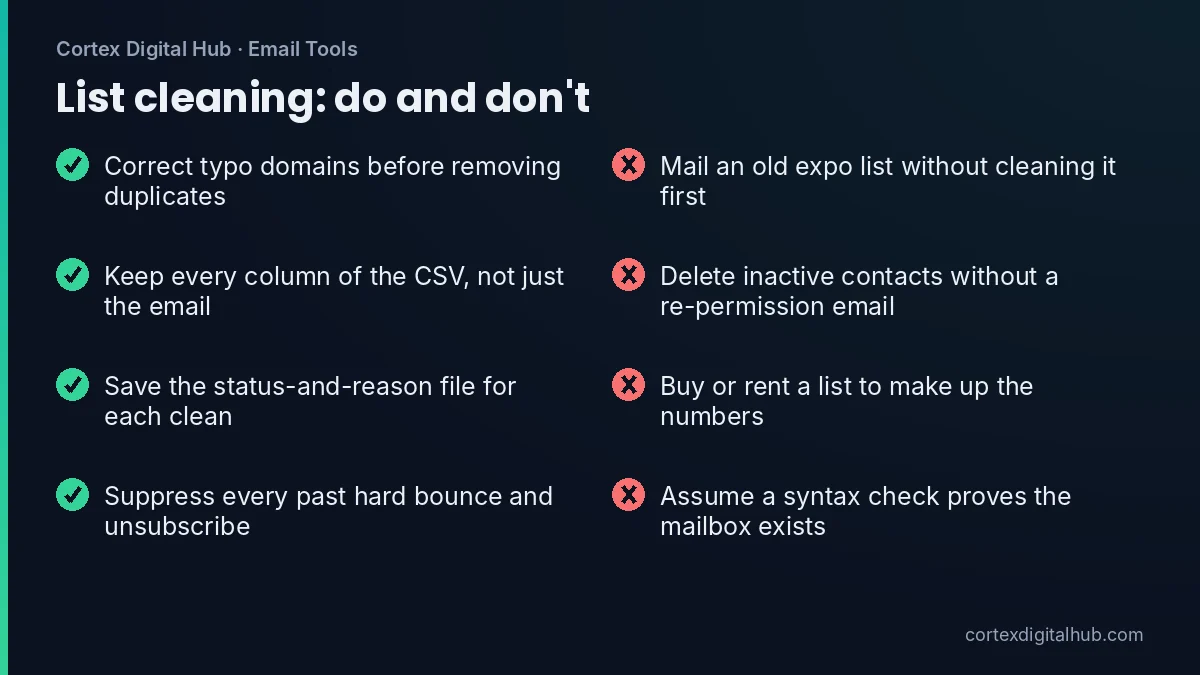 Cleaning is mostly about what you stop sending to.
How much cleaner lists cost and save
Sending is cheap per email, so the saving from cleaning is rarely about the bill. On Cortex pricing, sending through your own provider costs ₹1.50 per 1,000 emails, plus your provider's own charge. Removing 5,000 junk addresses saves a few rupees a send. The real saving is reputation: a hard bounce rate of 1% instead of 6% is the difference between steady inbox placement and a week of spam-folder damage control.
When you are ready to send, connect a provider in Sending setup and build the email in the Email Composer, which adds a compliant footer and unsubscribe link for you.
What to do today
- Export your full list with every column, as CSV.
- Run it through the cleaner and read the reasons file, not just the count.
- Add every past hard bounce and unsubscribe to a suppression file.
- Split anyone inactive for 180+ days into a re-permission segment.
- Fix the form or source that produced the most typos and throwaways.
Frequently asked questions
How often should I clean my email list?
Clean the whole file before any send to a list you have not mailed in the last three months, and run new leads through the same checks as they arrive. For a list you mail weekly, a monthly pass plus automatic bounce and unsubscribe suppression is usually enough.
Does cleaning an email list remove people who unsubscribed?
Only if you give the cleaner your unsubscribe list or keep a suppression list in your sending tool. A syntax and domain cleaner cannot know who opted out, so keep unsubscribes in their own file and remove them on every send.
Can I clean an email list in Excel or Google Sheets?
You can remove exact duplicates and obvious blanks with Remove duplicates and filters. Typo domains, throwaway domains and role addresses are hard to catch with formulas, which is why a dedicated cleaner saves time on lists above a few hundred rows.
What is a safe bounce rate after cleaning?
Aim for a hard bounce rate under 2% per send, and ideally under 1%. If a cleaned list still bounces above that, the addresses are probably old or were typed by hand, and you need a mailbox verification service or a smaller re-permission send.
Is it okay to delete inactive subscribers?
Do not delete them at first; move them to a separate segment. Send them a short re-permission email, keep the ones who respond, and stop mailing the rest. Deleting outright loses the record that they once opted in.
Will a clean list get me out of the spam folder on its own?
No. List quality is one input. You also need SPF, DKIM and DMARC set up, a spam complaint rate below 0.3%, and content people expect. A clean list removes the bounce and trap damage so those other fixes can work.
Should I remove role addresses like info@ and sales@?
Remove them from marketing sends unless the person clearly signed up with that address. Role inboxes are often shared, rarely opt in themselves, and produce more complaints. Keep them for transactional mail if a customer gave one.