
AI voice over for Instagram Reels: script, voice and timing
Give your Reel a clear voice without recording yourself. Write a hook-first script, pick a voice that fits your brand, and line the voice up with a vertical clip, free in your browser.
· 5 min read · 890 views · by the Cortex Digital Hub team
Paste your Reel script, pick a voice, press Generate and compare takes. Download the one that fits your clip. Free · 20 languages · runs in your browser
Voice my Reel → → Opens AI Voice Over & Clone · runs in your browser
You run a home bakery, and your Reels show the cakes beautifully. But they are silent apart from a trending track, and the one time you recorded your voice, you deleted it straight away. An AI voice over for Reels fixes this in a few minutes: write a short script, paste it into AI Voice Over & Clone, pick a voice and download the take. It is free, there is no sign-up, and nothing is uploaded, because the voice is made inside your browser.
How long should a Reel voice over be?
Instagram's official Reels page says you can record and edit Reels up to 20 minutes, but Reels over 3 minutes won't be recommended to new audiences. Its creator FAQ says it recommends videos of 3 minutes or less to people who don't already follow you.
That is the ceiling, not the target. Most Reels that hold attention say one thing quickly. Write the shortest script that makes your point, generate a take, and read its length in the takes list. If it runs longer than your clip, cut a line rather than squeezing the clip.
Make an AI voice over for Reels, step by step
- Write a hook-first script: the point in the first line, two or three beats, then one call to action.
- Open AI Voice Over & Clone on a laptop with a recent Chrome or Edge.
- Pick a voice. Press play on a few cards to hear them before you choose.
- Choose the language and paste the script.
- Add
[pause]after the hook and before the call to action. - Press Generate voice over. Then try a second voice or a small script change, and generate again.
- Compare the takes, and download the best one as WAV.
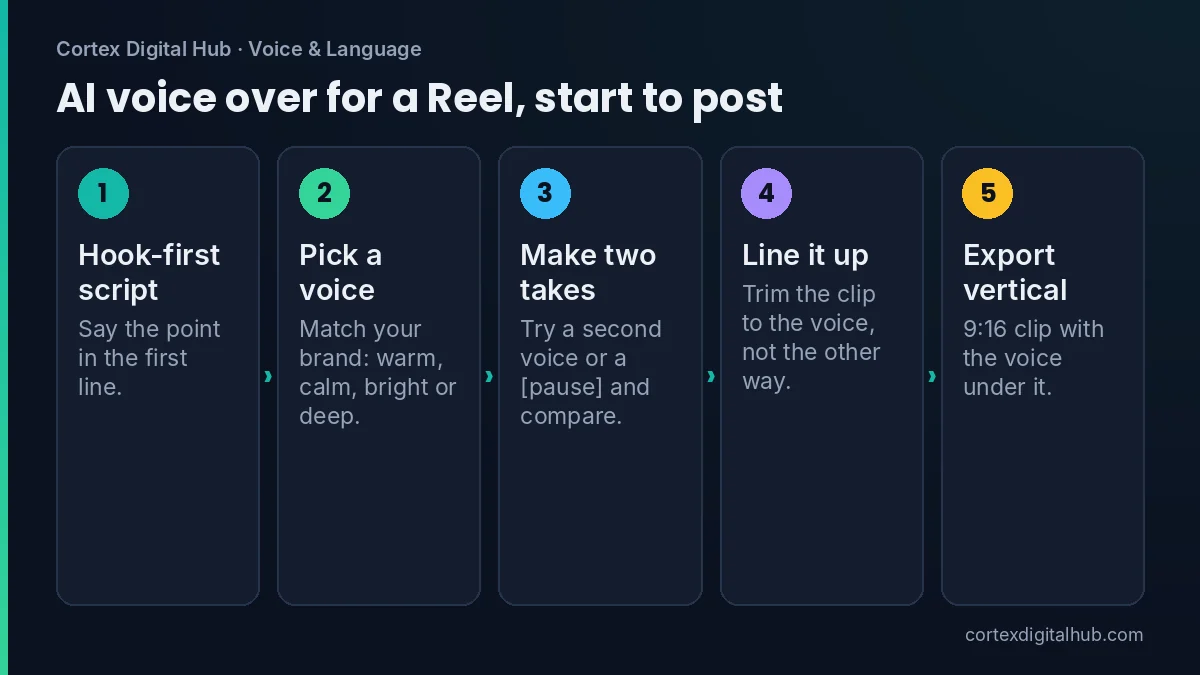 Hook-first script, a voice that fits, two takes to compare, then trim the clip to the voice.
The first run downloads the voice engine once: about 520 MB for English and about 1.6 GB for other languages. On older laptops, each sentence can take a minute or two, so a short Reel script is a good first test.
A Reel script that works
Reels are watched with a thumb ready to scroll. The voice has to earn the next second.
- Hook: say the result or the problem in under ten words.
- Beats: two or three short sentences, one idea each.
- Call to action: one clear ask, such as "Order on WhatsApp" or "Save this for later".
Here is a script for that bakery:
Eggless chocolate cake, ready in one hour. [pause] We bake every order fresh. No preservatives, no shortcuts. Pick-up or delivery across the city. [pause] Message us on WhatsApp to book yours.
In English, the Add row under the script also offers laugh, chuckle and sigh. One small laugh in a playful Reel can help; three will not.
Pick a voice that fits your brand
There are 19 ready voices. Each speaks all 20 languages and keeps its own accent. For an Indian audience, start with these:
| Voice | Accent | Sound | Good for |
|---|---|---|---|
| Priya | Indian | Warm | Food, stories, behind the scenes |
| Meera | Indian | Calm | Tips, explainers, wellness |
| Arjun | Indian | Friendly | Tutorials, product demos |
| Rohan | Indian | Deep | Launches, offers, property |
| Ava | American | Bright | Social clips for an audience abroad |
| Emma | British | Polished | Courses, premium products |
Use the same voice across your Reels so followers start to recognise it. If you want that voice to be yours, clone it once from a 10 to 20 second sample; see clone your own voice free.
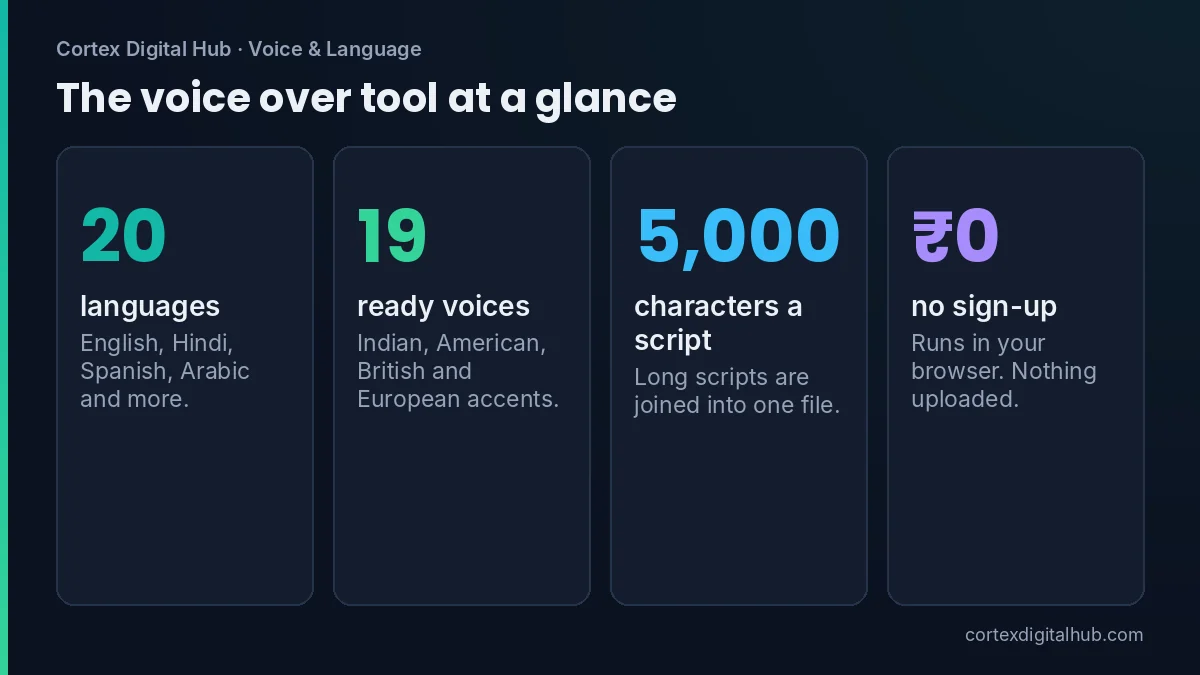 20 languages, 19 ready voices, scripts up to 5,000 characters, free with no sign-up.
Line the voice up with your clip
Trim the clip to the voice, not the other way round. The voice carries the message; the footage supports it.
- Cut your clip to the length of the take with Trim video.
- No footage for a line? Make a few seconds from a product photo with the AI video generator.
- Shot in landscape? The guide to resizing a video for Instagram Reels shows how to get a vertical frame.
- Want a lighter audio file? Open the WAV in Video to MP3, trim silence at the edges and even out the volume.
Combine the voice and clip in your editor, keep any background music low under the voice, and export. The post on the best video format for WhatsApp Status and Instagram Reels covers export settings, and AI video ads for Instagram and Facebook covers paid Reels.
Reels in Hindi and other languages
Many Indian Reels do better in Hindi. Choose Hindi, write the script in Devanagari (English words too) and move the Expressiveness slider to Lively for an upbeat feel. The Hindi voice over for YouTube Shorts post covers Hindi scripts in detail, and the same rules apply to Reels.
Selling to customers in the Gulf, Europe or Southeast Asia? The same script can be voiced in Arabic, Spanish, French or Malay with the same voice, so a single Reel can have several language versions. Telugu, Tamil, Kannada, Marathi and Bengali are not supported yet.
Common mistakes that make a Reel voice sound off
- Reading the caption aloud. Captions are written for the eye. Rewrite them as short spoken sentences.
- Prices and short forms left as symbols. "₹1,299/-" or "Pls DM" may not be read the way you expect. Write "twelve ninety-nine" and "send us a message", then listen back.
- Music fighting the voice. If a trending track is loud, viewers lose the words. Keep it low, or drop it for voice-led Reels.
- One long take for five clips. Make one take per scene if you plan to cut a lot; it is easier to line up.
- Never listening on a phone speaker. Most people will hear it there, so check it there.
For the basics of scripts, pauses and takes, start with free AI voice over from a script.
Key takeaways
- Instagram says Reels over 3 minutes won't be recommended to new audiences; most good Reels are far shorter.
- Lead with a hook, keep two or three beats, end with one call to action.
- Use
[pause]after the hook and before the ask. - Pick one voice and keep it across Reels, or clone your own.
- Trim the clip to the voice, then combine them in your editor.
Frequently asked questions
Can I make an AI voice over for Reels for free?
Yes. Paste the script into AI Voice Over & Clone, pick a voice and press Generate. There is no sign-up, and the script and audio stay in your browser.
How long should a Reel voice over be?
As short as your message allows. Instagram's creator FAQ says it recommends videos of 3 minutes or less to people who don't follow you, and most Reels are much shorter. Check the length of each take in the takes list.
Which voice should I use for my brand?
Match the mood: Priya for warm stories, Meera for calm explainers, Arjun for friendly tutorials, Rohan for deep promos. Ava suits bright social clips if your audience is abroad. Make two takes and compare.
Can the voice speak Hindi for my Reels?
Yes. Choose Hindi in the Language menu and write the script in Devanagari, including English words. Telugu, Tamil, Kannada, Marathi and Bengali are not supported yet.
How do I add the voice to my Reel?
Download the take as WAV, trim your clip to the voice's length and combine them in your video editor before posting. Convert the WAV to MP3 first if your editor prefers it.
Can I use my own voice for Reels without recording each time?
Yes. Clone your voice once from a 10 to 20 second sample, after confirming it is your voice. The clone stays in your browser, and you type each new script.
Will the Reel voice over sound robotic?
Short sentences, a [pause] after the hook and the right voice make it sound natural. For non-English languages, the Expressiveness slider moves from Calm to Dramatic.