
The welcome email: what to send a new lead in the first minute
A welcome email for leads should arrive within a minute of the enquiry, confirm what they asked for, give one useful thing and offer a call or WhatsApp in one tap. Here is the checklist, with examples for property, education and clinics.
· 5 min read · 641 views · by the Cortex Digital Hub team
Start from a template, add your logo, a Call button and a WhatsApp button, then save it as the email your LMS triggers for every new lead. Free · up to 15 test emails a day
Build a welcome email → → Opens Email Composer · runs in your browser
A welcome email for leads should go out within one minute of the enquiry and do three things: confirm what the person asked about, give them one genuinely useful piece of information, and make the next step one tap away with a Call or WhatsApp button. That is all. A short, fast, helpful welcome beats a long, beautiful one that arrives the next morning. Below is the checklist, the setup, and examples for property, education and clinics.
Why the first minute matters
When someone fills a form, they are paying attention to you right now. In ten minutes they will be on another tab; in an hour they may have enquired with two competitors. A welcome that lands while they are still on your page gets opened, and it frames your brand as the organised one.
Speed also protects the sales call. If your team calls ten minutes later, the lead has already seen your name, the project or course, and a photo. The call starts warm instead of with "who is this?".
None of this works if a person has to press send. The welcome must be automatic.
What a welcome email for leads must contain
Keep it to one screen on a phone. The checklist:
- A subject line that confirms the enquiry, such as "Your 3 BHK details at Greenleaf Gardens".
- A named sender, for example "Asha from Greenleaf Homes", and a reply-to a person reads.
- One line of thanks and confirmation of what they asked about.
- Three key facts they would otherwise have to call for: price range, location, timeline, fees or timings.
- One useful asset: the floor plan, the prospectus, the doctor's profile. Link it; do not attach it.
- Two buttons: Call and WhatsApp, plus a clear "Book a visit" or "Book an appointment" link.
- What happens next: "Ravi from our team will call you today before 7 pm."
- A compliant footer with your address and an unsubscribe link.
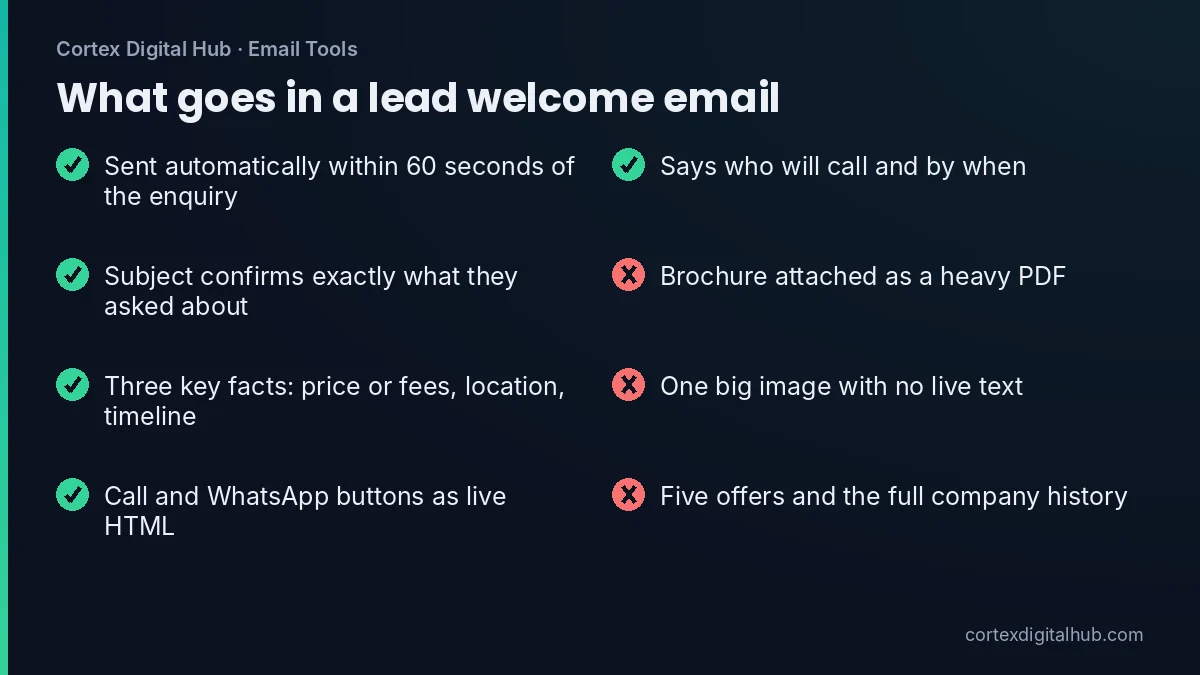 Short, fast and useful. Leave the full brochure for later emails.
Things to leave out: attachments, a full company history, five offers at once, and a single big image with no live text. Image-only emails are often filtered and show nothing when images are blocked; see image-only emails and spam.
Call and WhatsApp buttons that work on phones
Most leads will read the welcome on a phone, so the buttons should do something on a phone.
- A Call button uses a
tel:link:tel:+919800000000. - A WhatsApp button uses a click-to-chat link:
https://wa.me/919800000000?text=Hi%2C%20I%20enquired%20about%20Greenleaf%20Gardens. - Make them real HTML buttons, not part of an image, so they still work when images are off.
The Email Composer adds Call and WhatsApp buttons for you, keeps them as live HTML, and tags your web links with UTMs so you can see later which welcome emails led to visits.
Examples for property, education and clinics
| Property developer | School or college | Clinic | |
|---|---|---|---|
| Subject | Your 3 BHK details at Greenleaf Gardens | Your Class 6 admission enquiry | Your appointment request at Lotus Dental |
| Three facts | Price range, location, possession date | Fees range, key dates, campus address | Timings, consultation fee, address |
| Useful asset | Floor plan of the size they chose | Prospectus and admission steps | Doctor's profile and what to bring |
| Next step | Book a site visit | Book a campus tour | Confirm the slot |
| Buttons | Call, WhatsApp | Call the admissions office, WhatsApp | Call, WhatsApp, directions |
For the property version, a clear floor plan does more than any adjective. For a school, parents want dates and fees early. For a clinic, keep health details out of the email entirely; say "your appointment request", never the condition.
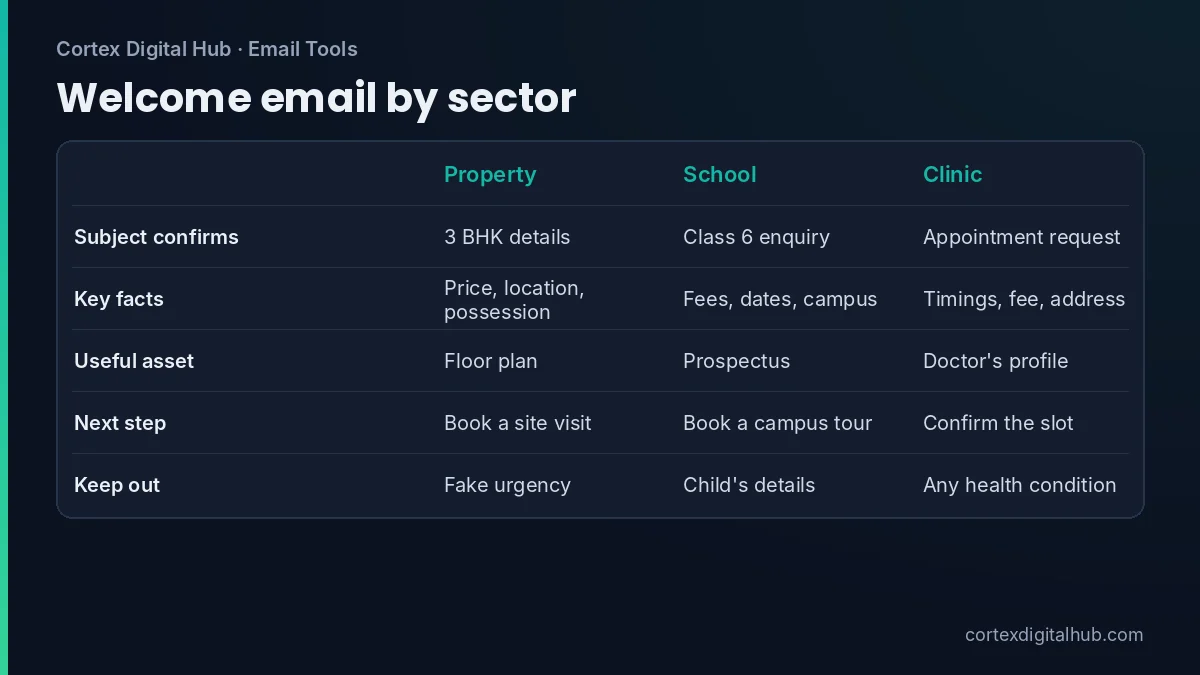 The same structure works across sectors; only the facts and the next step change.
A full welcome email, written out
Here is the property version as the reader would see it. It runs to about 90 words, which is plenty.
Subject: Your 3 BHK details at Greenleaf Gardens Preview: Floor plan, price range and a visit slot this weekend
Hi Priya,
Thanks for asking about the 3 BHK homes at Greenleaf Gardens in Kondapur. Here are the basics:
- 1,450 to 1,620 sq ft carpet area, east and west facing
- ₹1.38 crore to ₹1.55 crore, plus registration and GST
- Possession planned for December 2028 (RERA timeline)
[See the 3 BHK floor plan]
Ravi from our team will call you before 7 pm today. Prefer to chat now? Tap a button below.
[Call us] [WhatsApp us]
Notice what is missing: no "dream home", no countdown, no list of twenty amenities. The reader asked one thing and got it, plus a reason to take the call.
How to send the welcome automatically
The flow is simple: form or portal → your LMS or CRM → email service → inbox. Most LMS and CRM tools can send a webhook or API call when a lead is created. The connect your LMS guide shows how to pass name, email, phone and the project or course to your sending service so the welcome goes out in under a minute.
Three things to get right before you switch it on:
- Sending domain. Send from your own domain with SPF, DKIM and DMARC in place. The Sending setup page gives the exact records and checks them live. A custom MAIL FROM domain helps alignment.
- Address quality. Mobile forms collect typos such as gmail.co and rediffmal.com. Our guide to email domain typos lists the common ones, and the free Email List Cleaner fixes them in your browser.
- Duplicates. If the same person enquires twice in a day, send one welcome, not two.
If your welcomes are landing in spam even with authentication in place, work through why emails go to spam.
After the welcome
The welcome is the first email, not the only one. If the lead does not book a visit within a few days, a nurture sequence takes over, answering one question at a time. The playbook for that is in real estate email marketing, and the same structure works for admissions and clinics with different content.
Measure the welcome by what happens next: replies, button taps and visits booked. Opens are inflated by Apple Mail Privacy Protection, so do not judge it on open rate alone.
Your welcome email checklist
- Sent automatically within 60 seconds of the enquiry.
- Subject confirms what they asked about.
- Named sender and a reply-to someone reads.
- Three facts, one linked asset, no attachments.
- Call and WhatsApp buttons as live HTML.
- Clear next step and who will call them.
- Address and unsubscribe in the footer.
- Tested on your own phone before it goes live.
Frequently asked questions
How fast should I send a welcome email to a new lead?
Within a minute. The buyer is still on your page or holding the phone, and they remember your brand. After an hour they have usually enquired with two competitors, so automate the send instead of waiting for a person.
Is a welcome email to a lead a marketing email?
It sits in between. It confirms something the person just asked for, so it reads like a service message, but it also promotes your offer. Treat it as marketing for compliance: include your address and an unsubscribe link.
Should the welcome email have attachments?
No. Attachments make the email heavier and more likely to be filtered. Link to the brochure or price sheet on your website instead, and compress the PDF so it opens quickly on mobile data.
What subject line works for a lead welcome email?
Something that confirms the enquiry in plain words, such as 'Your Kondapur 3 BHK details' or 'Your admission enquiry for Class 6'. Avoid hype and capital letters; the reader is looking for what they asked for.
Who should the welcome email come from?
A named person at your brand, for example 'Asha from Greenleaf Homes', with a reply-to address that a real person reads. Replies to welcome emails are often warm leads asking a question.
What if the lead typed their email wrong?
Then the welcome bounces and you lose the lead by email. Check addresses on the form, fix common typos such as gmial.com before sending, and rely on the phone number for the first call.
Can I send the welcome on WhatsApp instead?
Send both if the lead gave consent for WhatsApp. WhatsApp is better for a quick hello; email is better for the detail, such as plans, fees or a doctor's profile, that people want to look at again later.