
Spam complaint rate: the 0.1% and 0.3% lines and how to stay under them
Your spam complaint rate is the share of delivered emails that recipients mark as spam. Gmail wants it below 0.3% and ideally below 0.1%, which is one report per 1,000 inboxed emails. Here is how it is measured, where to see it and how to bring it down.
· 5 min read · 1.4K views · by the Cortex Digital Hub team
Build your campaign with a compliant footer, your address and an obvious unsubscribe link, so people leave quietly instead of pressing Report spam. Free · up to 15 test emails a day
Add a clear unsubscribe footer → → Opens Email Composer · runs in your browser
Your spam complaint rate is the number of recipients who mark your email as spam, divided by the number of emails delivered. Gmail asks senders to keep it below 0.3% and recommends staying under 0.1%, which is fewer than one report per 1,000 emails that reach the inbox. Yahoo applies a similar line, and Amazon SES may pause an account whose complaint rate passes 0.5%, as of 2026. Of all the signals mailbox providers read, this is the one that most directly says "people did not want this", so it outweighs almost everything else once your authentication is in place.
What spam complaint rate means and how it is measured
The idea is simple, but each system counts slightly differently.
| Where | What it counts | Denominator | Notes |
|---|---|---|---|
| Gmail Postmaster Tools | Reports by Gmail users | Mail delivered to the inbox of active users | DKIM-authenticated mail only; daily, rolling |
| Yahoo Complaint Feedback Loop | Each report, with a copy of the message | Your own sent count | You can remove the exact address |
| Amazon SES reputation metrics | Complaints received through feedback loops | Mail sent to providers that report complaints | Visible in the SES console |
| Your email platform | Whatever complaints reach it | Usually all delivered | Often misses Gmail reports |
The key point is that Gmail does not tell most senders who complained. It shows a rate in Postmaster Tools instead. So a dashboard that shows 0.02% in your sending tool can sit alongside a Gmail rate of 0.2%. Trust the Gmail number for Gmail.
The 0.1% and 0.3% lines in real numbers
Percentages this small are easy to underestimate. Here is what they mean on a single campaign.
| Delivered to inbox | 0.1% (healthy ceiling) | 0.3% (Gmail's red line) |
|---|---|---|
| 2,000 | 2 reports | 6 reports |
| 10,000 | 10 reports | 30 reports |
| 50,000 | 50 reports | 150 reports |
| 1,00,000 | 100 reports | 300 reports |
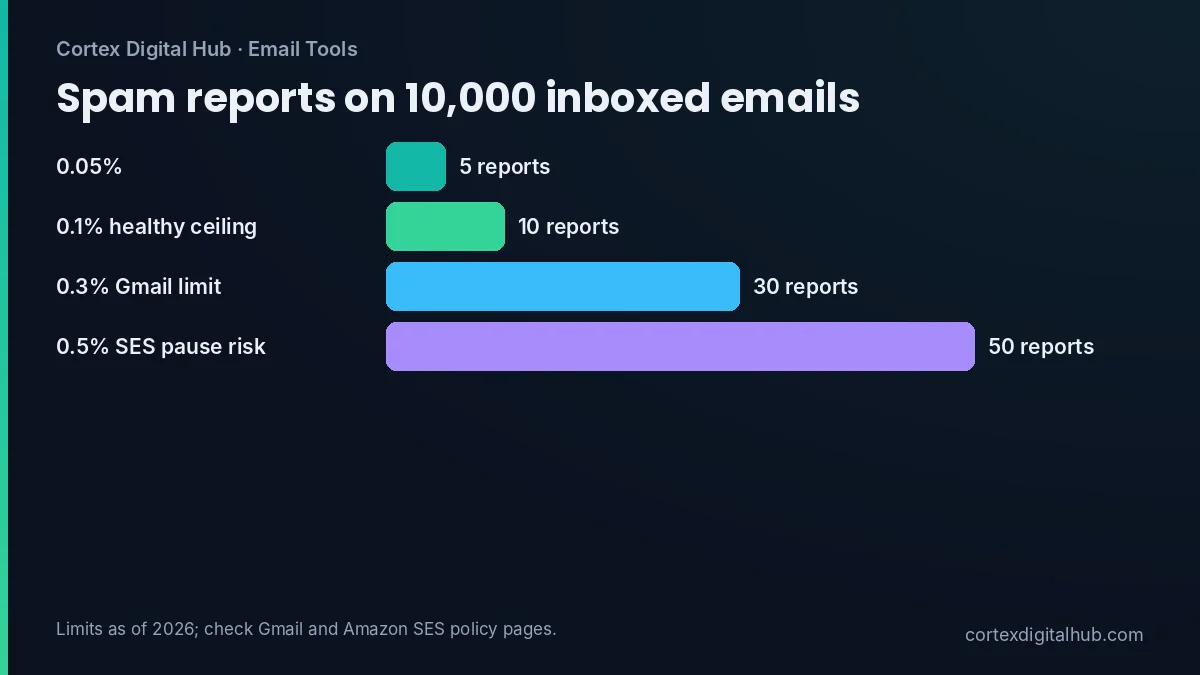 On 10,000 inboxed emails, 30 people pressing Report spam is enough to cross Gmail's line.
On a small list one complaint can move the rate a lot, so judge the trend across several sends rather than reacting to a single day. The Gmail and Yahoo bulk sender requirements explain what happens above 0.3%: you lose eligibility for help from Google when delivery breaks, and since late 2025 non-compliant mail is increasingly rejected outright.
Why people press Report spam
Almost nobody reports an email they wanted. Complaints come from a short list of causes, and a Hyderabad developer's lead list shows most of them:
- They don't recognise you. The lead enquired on a property portal eight months ago and the email arrives from a brand name they never saw.
- They never asked. Contacts were shared by a channel partner, bought, or copied from an expo register.
- Too often. Daily mail to people who expected a monthly update.
- No easy way out. The unsubscribe link is grey, tiny or needs a login, so the spam button is quicker.
- The subject did not match the body. "Your booking is confirmed" on a promotion feels like a trick.
There is also an Indian-specific pattern worth knowing. Many leads give their email only because a form demanded it, and they expect contact on WhatsApp or by phone. Their first email from you, weeks later, feels unexpected. Sending one welcome email within minutes of the enquiry, while they still remember filling the form, sets the expectation and cuts later complaints sharply. If your leads come from an LMS or CRM, the LMS connection guide shows how to send that welcome email automatically.
How to bring your spam complaint rate down
Work on the causes in order of impact.
- Send only to people who asked. Remove bought and shared contacts entirely. For new sign-ups, consider double opt-in, which confirms intent before the first campaign.
- Remind people who you are. Put the brand and the reason in the first line: "You enquired about 3 BHK homes in Kokapet on our website."
- Make leaving easy. A clear unsubscribe link in the footer and one-click unsubscribe headers. The Email Composer adds a compliant footer with your address and unsubscribe link to every email.
- Stop mailing the inactive. No opens or clicks in 180 days means a final re-permission email, then removal.
- Clean before sending. Old, typo-ridden lists also produce complaints. Run them through the Email List Cleaner first, and read hard bounce vs soft bounce for what to suppress.
- Set expectations at sign-up. Say how often you will write, then keep to it.
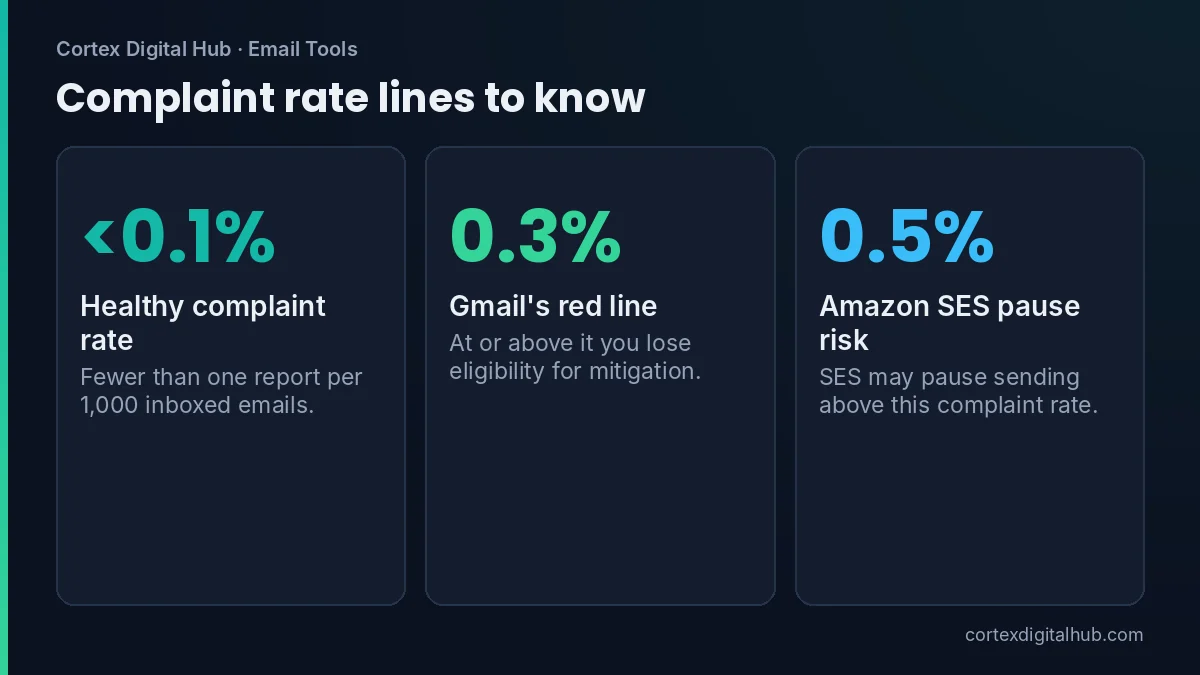 The lines to know. Provider limits can change, so check their current policy pages.
Where to see your rate
- Gmail: register the domain in Google Postmaster Tools and read the spam rate dashboard. It needs DNS verification and a reasonable daily volume before it shows data.
- Yahoo: sign up for the Complaint Feedback Loop through Yahoo's Sender Hub to receive individual reports.
- Amazon SES: the reputation metrics page shows bounce and complaint rates, and you can set alarms at 0.1%.
- Your own sending: if you connect your provider in Sending setup, keep its complaint notifications going to an address someone reads.
Read these weekly, and after every large campaign. Compare the Gmail figure with the campaign calendar: a spike on the day after a big send to an old segment tells you exactly which list to fix. A steady rise over several weeks usually points to frequency or to slowly ageing contacts instead.
If you have already crossed 0.3%
Don't stop sending entirely; silence gives Gmail nothing new to judge. Do this instead:
- Pause all campaigns to anyone inactive for more than 90 days.
- Send only to your most engaged segment, at modest volume, for one to two weeks.
- Check that unsubscribe works in one click and the footer is obvious.
- Remove the source of the bad contacts, whether a bought list, a partner upload or an old import.
- Watch the Postmaster rate fall under 0.1% before widening the audience again, ramping as in an email warm-up.
For a broader review before your next campaign, run the email deliverability checklist.
A one-line rule
Complaint rate is the clearest message your audience sends you, so treat every rise as feedback about who you are mailing and how often. If a contact would not recognise your name in their inbox today, do not email them until they have a reason to.
Frequently asked questions
What is a good spam complaint rate?
Under 0.1%, which is fewer than one report per 1,000 delivered emails. Gmail treats 0.3% as the line you must never reach, and Amazon SES may pause accounts above 0.5%, as of 2026.
How is spam complaint rate calculated?
It is spam reports divided by emails delivered. Gmail's version in Postmaster Tools divides by mail that reached the inbox of active users, and only counts DKIM-authenticated mail, so it can be higher than the rate your sending provider shows.
Why is my Postmaster Tools spam rate higher than my ESP's?
Gmail does not send individual complaint reports to most senders, so your provider often sees few or none from Gmail. Postmaster Tools counts every Gmail report against inboxed mail, so it is usually the truer and higher number.
Can one bad campaign ruin my sender reputation?
One campaign at a high complaint rate can push mail into spam for days or weeks, especially on a newer domain. Recovery comes from several clean campaigns to engaged contacts, not from waiting.
Do unsubscribes count as spam complaints?
No. An unsubscribe is a neutral exit and does not count against you. That is why a visible unsubscribe link and one-click unsubscribe lower your complaint rate: people use them instead of the spam button.
How long does Gmail take to forgive a high spam rate?
Postmaster Tools figures are rolling, so they improve over several days of clean sending. Placement usually recovers over one to four weeks if complaints stay low and volume is steady.
Do transactional emails get spam complaints?
Less often, but yes. Receipts and OTPs rarely get reported. Marketing content placed inside a transactional email, or a confirmation sent to someone who never booked, can draw complaints that count against your domain.
Add a clear unsubscribe footer → →