
Convert a floor plan to blueprint style
Blueprint is the style people reach for when a plan needs to look like a plan: white lines on deep blue, clean lettering, no colour to argue with the brand. Cortex redraws any floor plan in blueprint style, or in five other drawing styles, while keeping the layout and the printed sizes exactly as the original.
Any plan in, blueprint out
Upload a brochure plan, a CAD export, a scan or a photo, choose Blueprint, and the plan comes back in white-on-blue with the same walls and labels. Recolour the paper or add a title for free.
Five free redraws a day with an account · six styles · nothing is stored
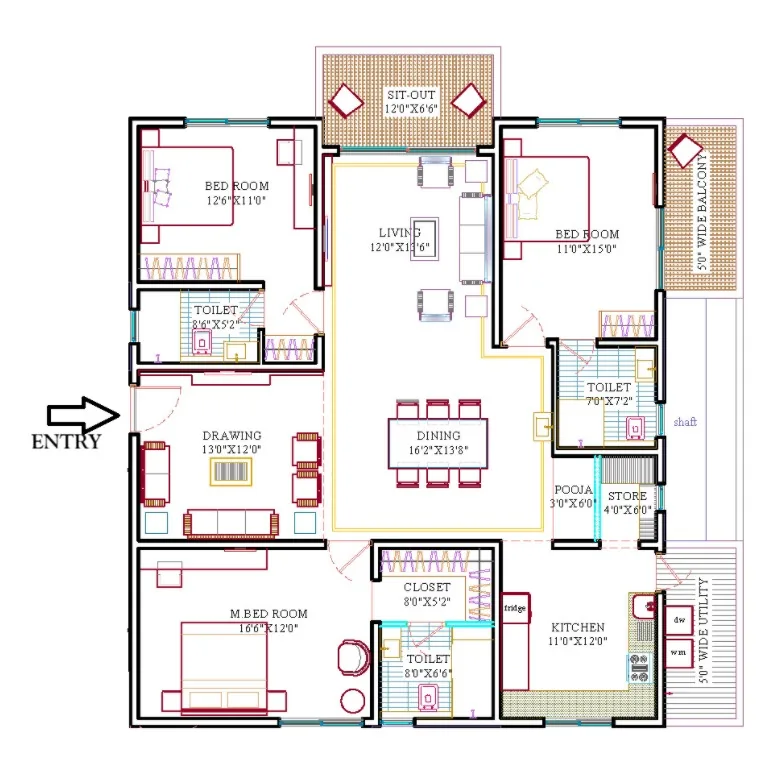
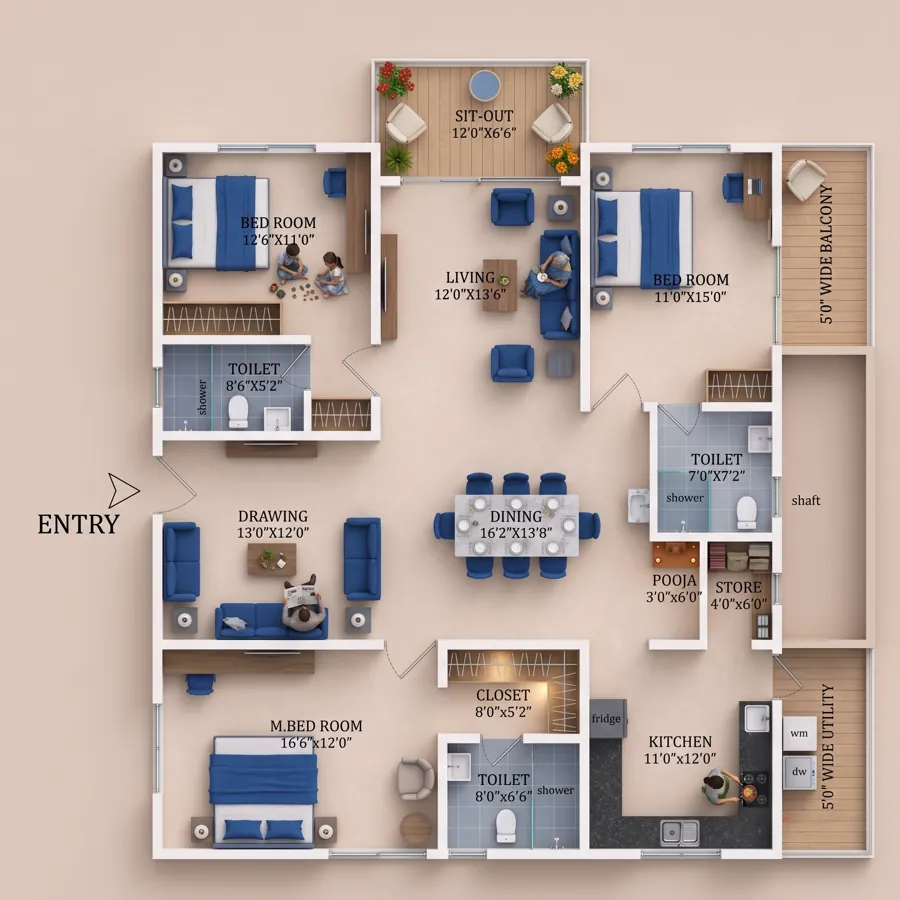
When blueprint is the right style
Brochure covers and section dividers, website hero backgrounds, social posts announcing a launch, hoardings where a plan is a graphic rather than information, and presentations where a coloured plan would clash with the slide. Blueprint reads as architecture at any size and prints well in one colour.
It is also a good neutral style for comparing plans: three layouts in identical blueprint drawing, side by side, make the differences in the layouts themselves obvious.
The other five styles
Blueprint is one of six. The same upload can come back as:
- Architect black-and-white. Thick black walls, thin fittings, standard symbols: the drawing-office look.
- Colour brochure. Tinted floors by room, furniture outlines, soft shadows: the sales-brochure look.
- Premium. Muted palette, fine lines, generous lettering, for high-end material.
- Minimal. Walls and labels only, for diagrams and infographics.
- Ink sketch. Hand-drawn feel with consistent lines, for concept decks.
- Your own style. Upload a plan drawn the way you like as a style sample and the redraw copies its lines, colours and fonts.
Finishing and using it
After the redraw, change the paper tone, recolour, add a title and download at full resolution, free. For a brochure spread, pair the blueprint with a furnished view from the 2D to 3D converter: the blueprint for the technical page, the render for the lifestyle page, both from the same plan. Blueprint renders also make a clean background for a listing graphic in the free photo editor.
How it works
- Upload anything legible. Phone photo, scan, screenshot or sketch. Rotate it on the page if it came in sideways.
- Choose a drawing style. Architect black-and-white, colour brochure, premium, blueprint, minimal or ink sketch.
- Redraw. Walls, doors, windows, balconies and shafts stay where you drew them; room names and sizes are copied as printed.
- Finish free. Recolour rooms, change the paper, add a title, download. Five redraws a day are free with an account.
Classic look, your layout
White lines on blue with the plan's walls, openings and labels reproduced exactly.
Six styles from one upload
Blueprint, architect, colour brochure, premium, minimal and ink sketch, or a style sample of your own.
Free to finish
Paper tone, recolouring, title and full-resolution download cost nothing.
Frequently asked questions
Can I change the blue?
Yes. The paper colour is adjustable after the redraw, and the Studio tools let you recolour without using credits.
Will the dimensions still be legible on blue?
Yes. Labels are set in a clean white lettering sized for the plan; render at 2K for web and 4K for print.
Can I convert a 3D render to blueprint?
Redraw works from 2D plans. Upload the original 2D plan rather than the 3D render for a clean result.
Is the redraw really free?
Yes. Every signed-in account gets five Lumen redraws every 24 hours at 1K or 2K. Beyond that a redraw is 20 credits (₹10). 4K output and the premium Atlas engine use credits from the start.
Is my plan stored anywhere?
No. The plan goes to the AI model only for the duration of the render and is not saved on our servers. Finished images and your recent plans stay in your own browser.
Make a blueprint → Free to start · opens Floor Plan Redraw
Related
More free tools
- 2D to 3D Floor PlanPhoto-real 3D render from any 2D plan. First render free
- Floor Plan RedrawRedraw a sketch, photo or old brochure plan in a clean, consistent drawing style. Free.
- Image CompressorShrink JPG, PNG, WebP and more without visible loss
- PDF to JPGEvery page as a JPG or PNG image
- Video CompressorSmaller MP4s that still look sharp